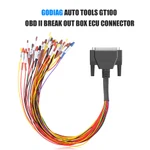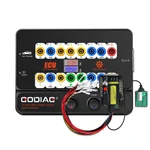

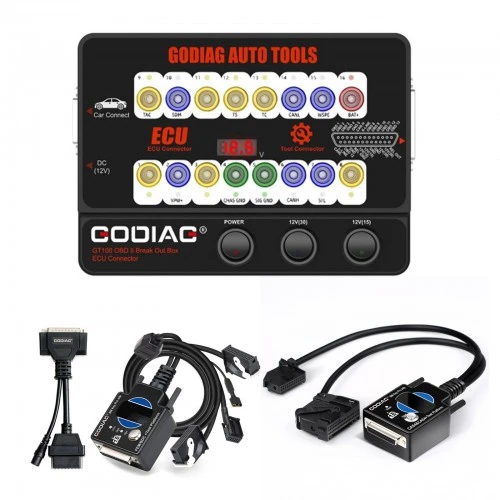
1 / 19
GODIAG GT100 OBDII Breakout Box with BMW CAS4/CAS4+ and FEM/BDC Test Platforms
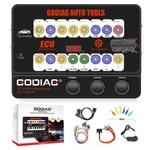
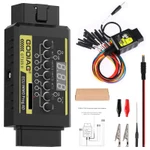
GODIAG GT100 OBDII Breakout Box bundled with BMW CAS4/CAS4+ and FEM/BDC Test Platforms for communication checks, ECU connections and supported bench key-synchronization work with compatible external diagnostic and programming equipment.
€152€169
Quantity
Delivery & shipping options
- Standard delivery
- Free
- Dispatch from
- EU
- Total incl. shipping:
- €152
- Estimated delivery
- 8–15 Working Days
- Returns
- 30 days from delivery
Frequently Bought Together
Overview
Overview
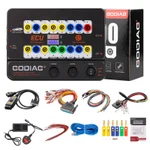
Includes the GT100 breakout box and both BMW test platforms: CAS4/CAS4+ and FEM/BDC. Supports bench connections and testing for supported BMW modules. A compatible external diagnostic or programming tool and software are required for the intended operation.
Specifications
| OBD2-to-DB25 cable quantity | 2 |
|---|---|
| GT100 operating temperature | −20°C to 70°C (−4°F to 158°F) |
| GT100 storage temperature | −40°C to 85°C (−40°F to 185°F) |
| Banana sockets | 4 mm safety type |
| GT100 display | Vehicle OBDII voltage |
|---|---|
| CAS4/CAS4+ platform | DB25 female connector; simulated ignition/start switch; immobilizer indicator; key sensing area; power/CAN and start-control connectors |
| FEM/BDC platform | DB25 female connector; simulated ignition/start switch; dedicated module connectors |
| External equipment | Compatible diagnostic or programming equipment and software required |
Showing 8 of 9 specifications
Package list
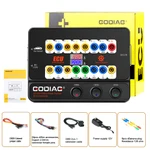
| Item | Qty |
|---|---|
| Host | 1 |
| OBD 2-in-1 extension cable | 1 |
| Colored jumper cable | 1 |
| Power supply 12V | 1 |
| Resistance 120 ohm | 1 |
| Item | Qty |
|---|---|
| Banana plug | 6 |
| Wire accessories Dupont 2.54mm connector female pin | 24 |
| BMW CAS4 & CAS4+ Programming Test Platform | 1 |
| BMW FEM BDC Programming Test Platform | 1 |
| GODIAG OBD2 to OBD25 | 2 |
Description
Description
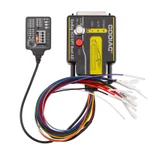
GODIAG GT100 with BMW CAS4/CAS4+ and FEM/BDC Test Platforms
This bundle contains the GODIAG GT100 OBDII Breakout Box, BMW CAS4/CAS4+ Programming Test Platform and BMW FEM/BDC Programming Test Platform. Together they provide connections and testing support for compatible external diagnostic and key-programming equipment.
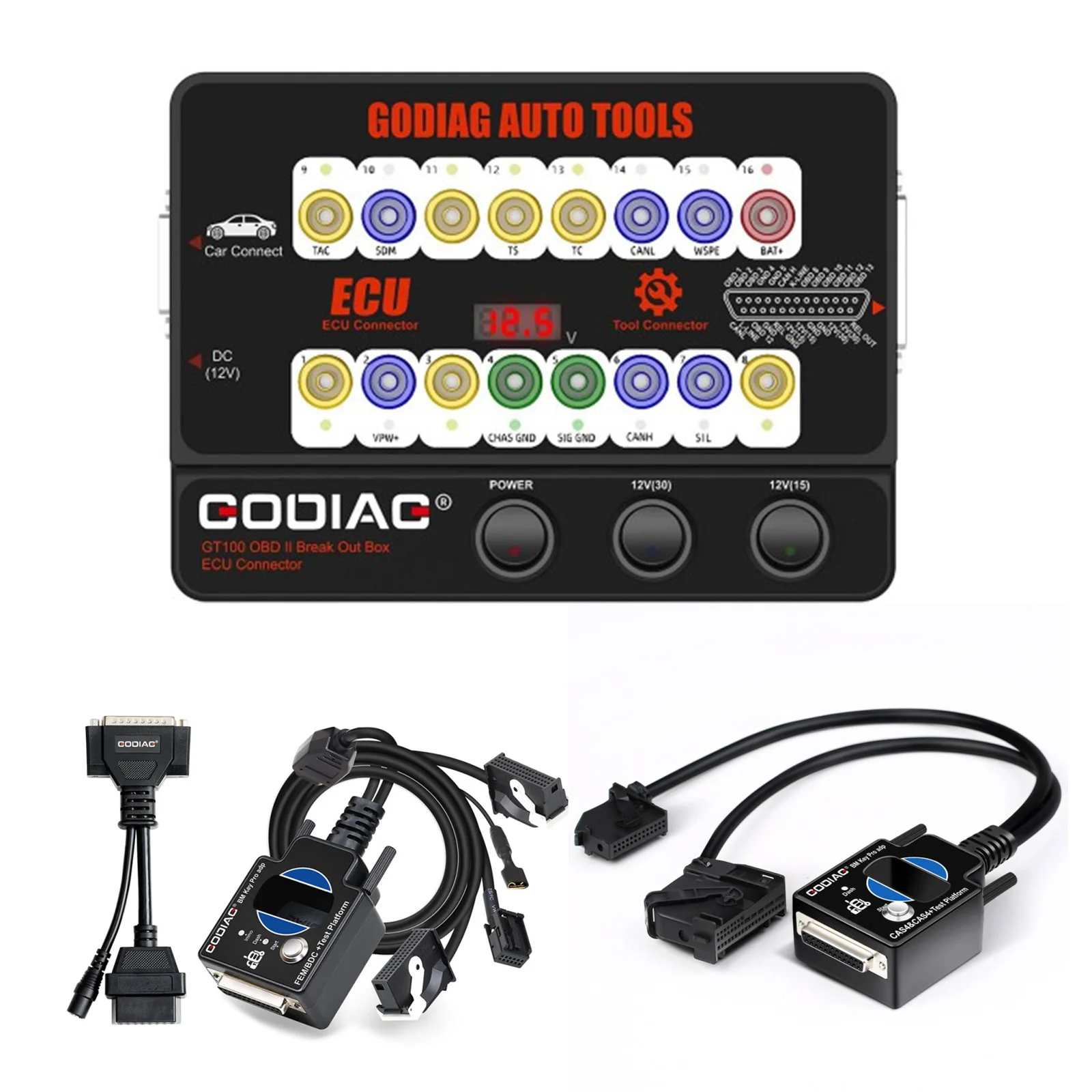
GODIAG GT100 Voltage and Communication Checks
Connect GT100 between the vehicle OBDII port and a compatible diagnostic tool. The display shows vehicle OBDII voltage, while LEDs indicate activity on the corresponding communication lines.
Note: Stop diagnosis or programming if the displayed vehicle voltage is below 11V, as stated in the GT100 operating guide.
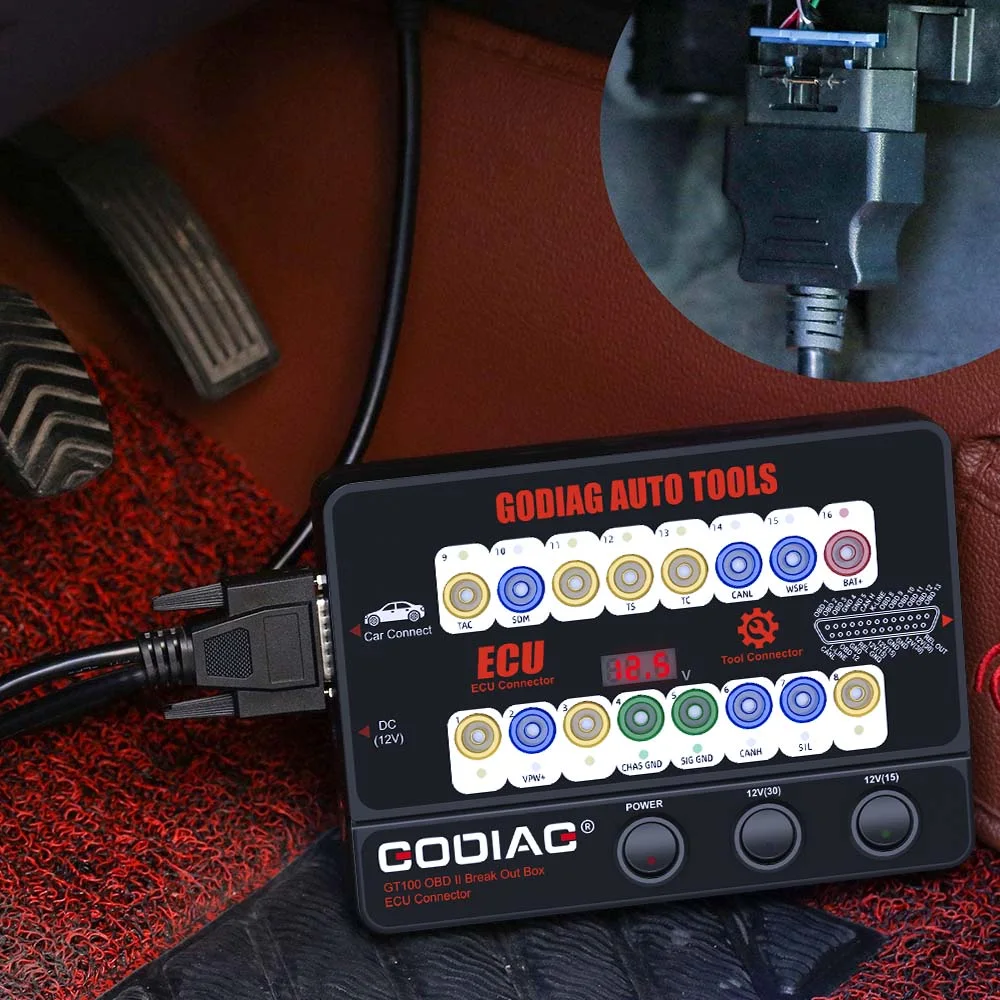
OBDII 16-Pin Reference
- Pin 1 — manufacturer-specific.
- Pin 2 — SAE J1850 Bus +.
- Pin 3 — manufacturer-specific.
- Pin 4 — chassis/power ground.
- Pin 5 — signal ground.
- Pin 6 — CAN High.
- Pin 7 — K-Line.
- Pin 8 — manufacturer-specific.
- Pin 9 — manufacturer-specific.
- Pin 10 — SAE J1850 Bus −, where applicable.
- Pin 11 — manufacturer-specific.
- Pin 12 — manufacturer-specific.
- Pin 13 — manufacturer-specific.
- Pin 14 — CAN Low.
- Pin 15 — L-Line.
- Pin 16 — vehicle battery positive.
Note: Use the wiring and protocol for the exact vehicle or module. Not every vehicle uses every pin.
1. OBDII Protocol Detector & Communication Detection
- Connect GT100 to the vehicle OBDII diagnostic port.
- When voltage is displayed, turn on the GT100 power switch.
- Connect the diagnostic tool and observe the relevant protocol LEDs during communication.
The guide describes bright CAN indication during detection, followed by dim or weakly flashing CAN-H/CAN-L indication during successful communication.
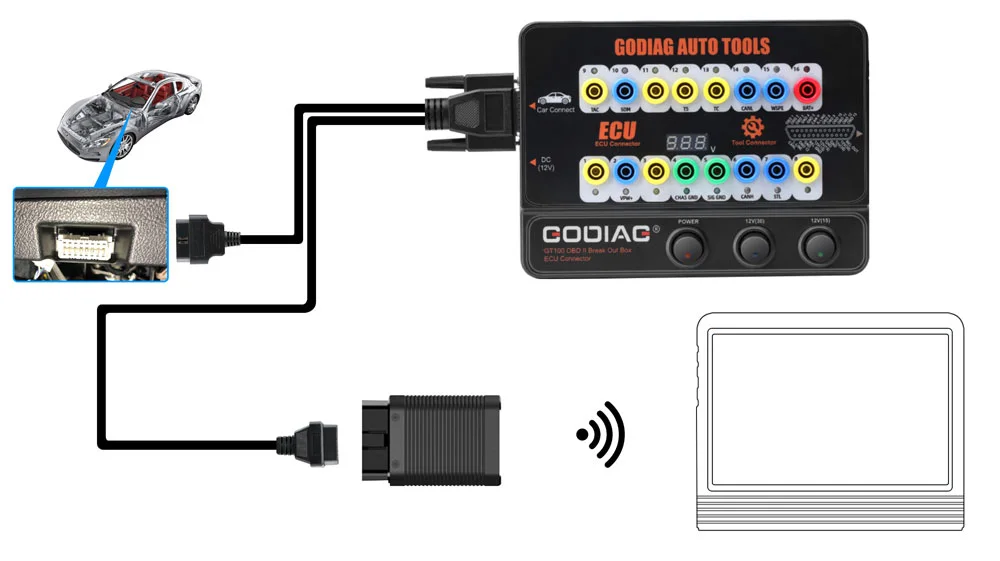
2. ECU Connection — Single Module
Connect a single ECU for supported diagnosis or programming with compatible equipment.
- Connect the ECU using the colored jumpers. For a CAN ECU, check whether the selected setup requires a 120Ω resistor.
- Power GT100 through the vehicle OBDII connection or the appropriate AC power adapter.
- Connect the diagnostic tool or ECU programmer for the supported single-module procedure.
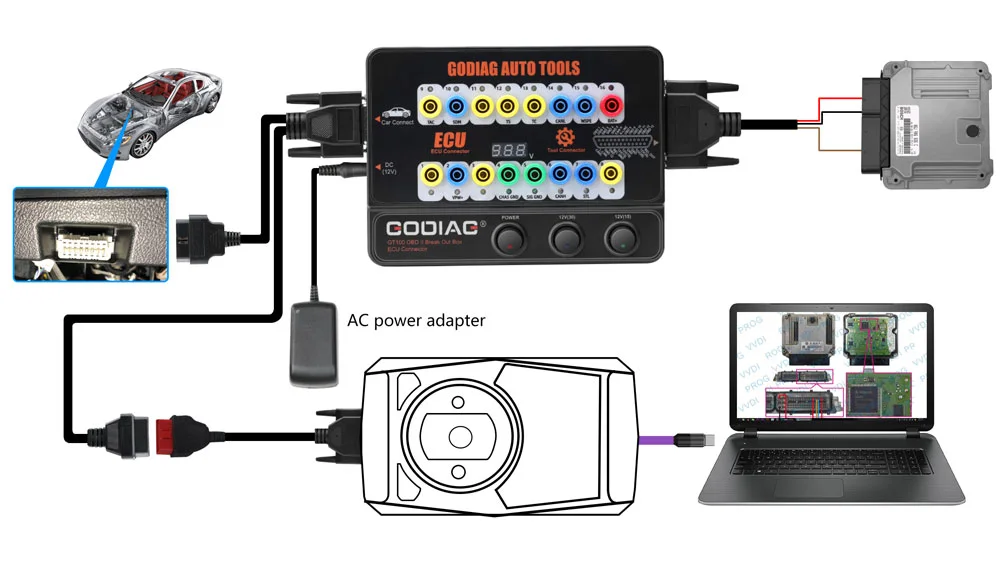
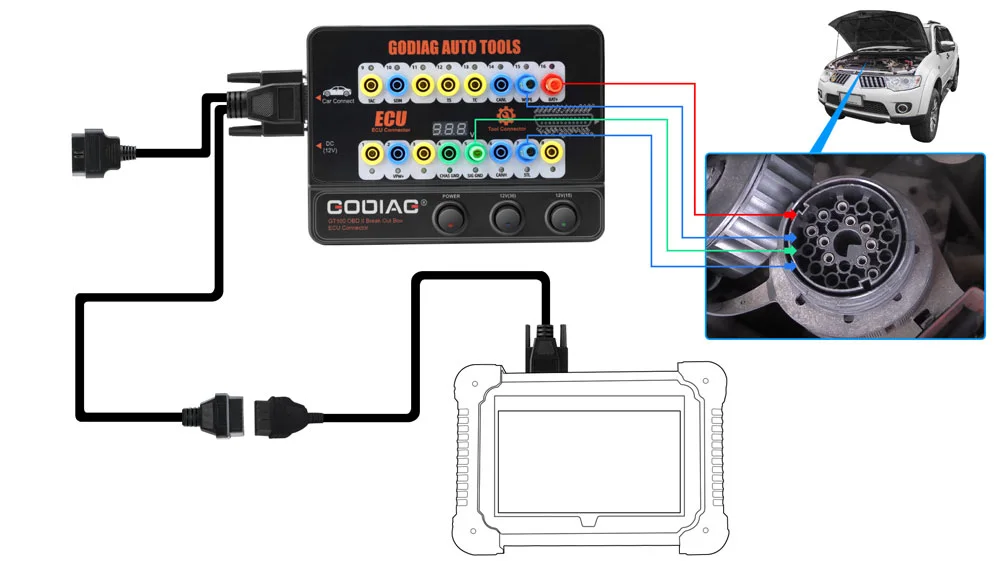
3. Banana Plug Extension Connection
Extend access to the OBDII 16-pin interface through the banana connections for connection checks and voltage waveform testing with suitable external test equipment.
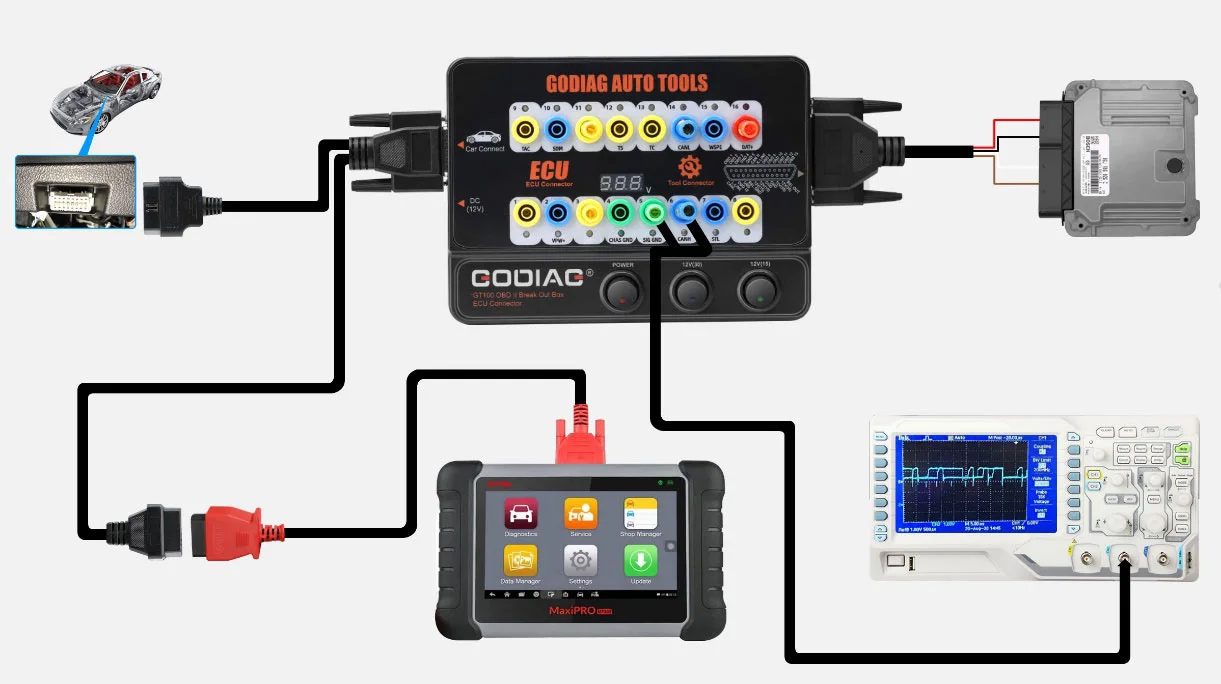
4. OBD1 to OBD2 Connection Adaptation
Use the appropriate connector to adapt an OBD1 or manufacturer-specific connection to an OBD2 tool connection according to the matching communication protocol.
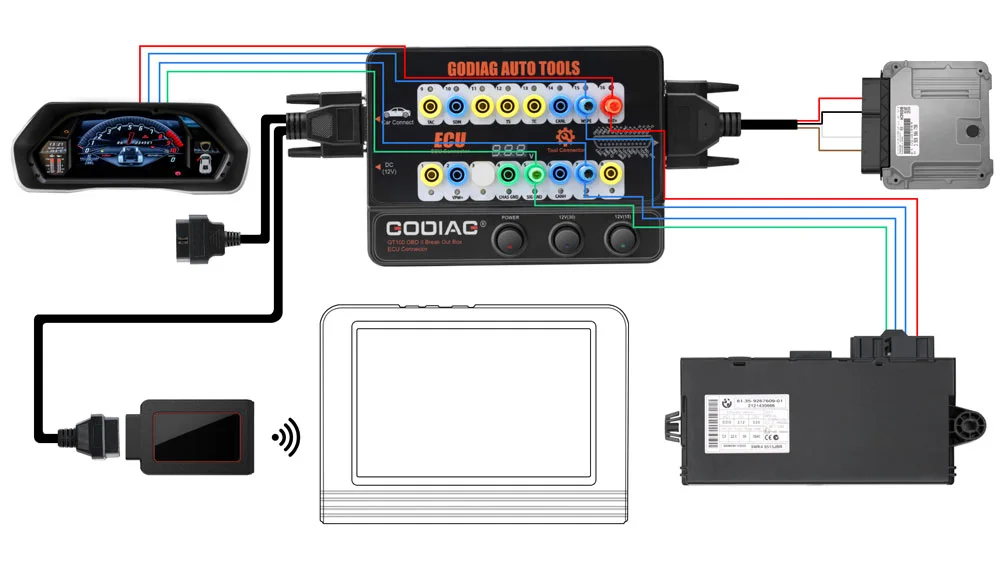
5. Multiple ECU Module Connections
Connect multiple ECU control modules when required for the supported diagnostic, maintenance, or programming workflow.
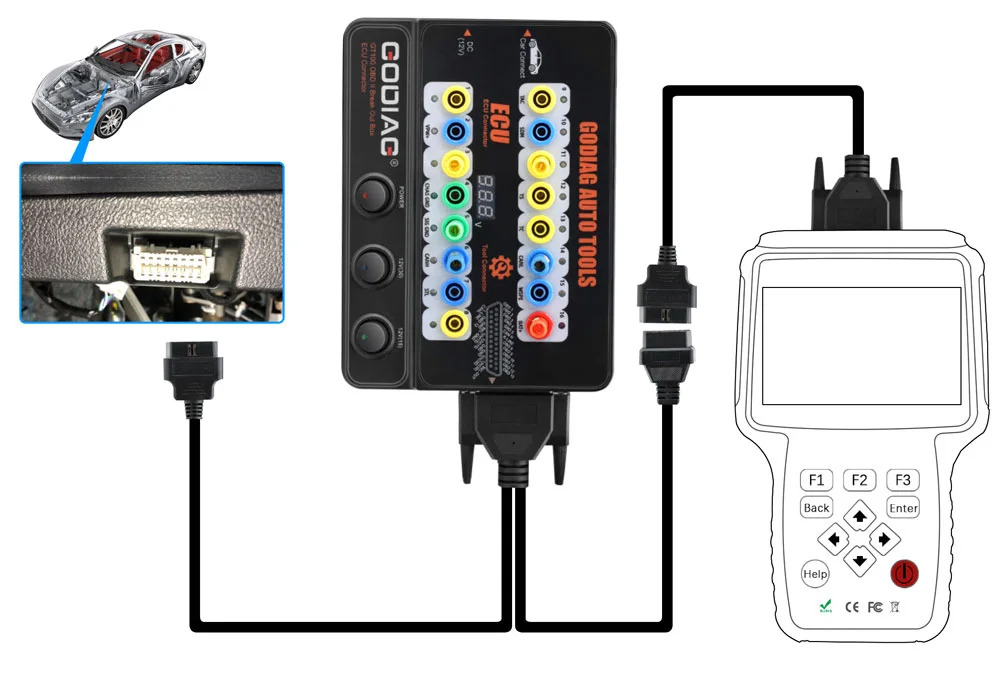
6. Diagnostic Extension Cable
Use the 1.2 m diagnostic extension when the vehicle port is difficult to access or the existing tool cable is too short.
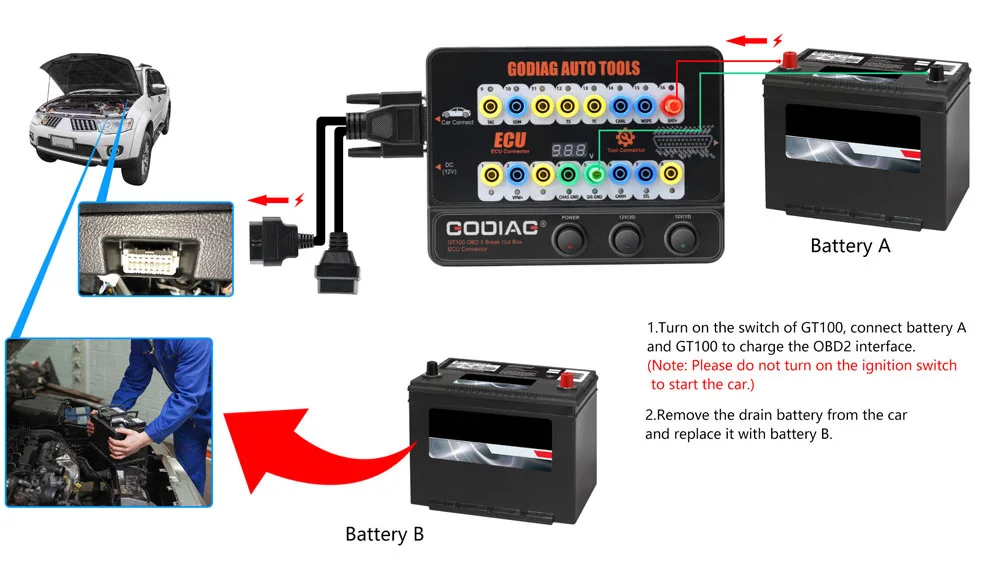
7. Auxiliary Power During Battery Replacement
Provide an auxiliary vehicle power connection during a supported battery-service procedure using the appropriate external battery or power adapter.
- Connect the auxiliary battery supply through GT100 positions 16 / 4 / 5 and connect GT100 to the vehicle OBDII interface.
- Turn on GT100 power.
- Maintain auxiliary power while replacing the old vehicle battery with the new battery.
Note: Do not turn on the ignition or start the vehicle during this auxiliary battery-replacement procedure. Follow the appropriate vehicle procedure and use a suitable power source.
GT100 Hardware and DB25 Connections
GT100 connection examples:
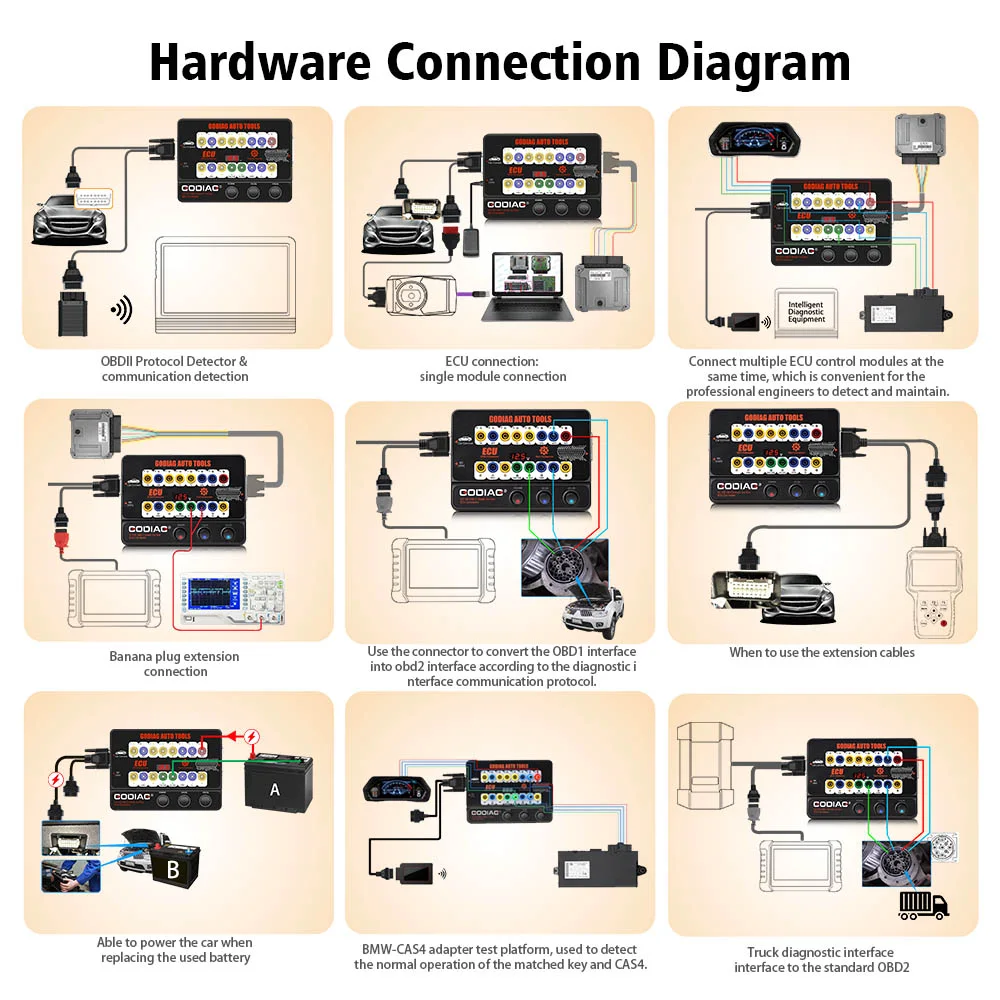
Note: The overview illustrates different connection applications. Refer to the package list for the equipment included in this bundle.
DB25 jumper-harness reference:
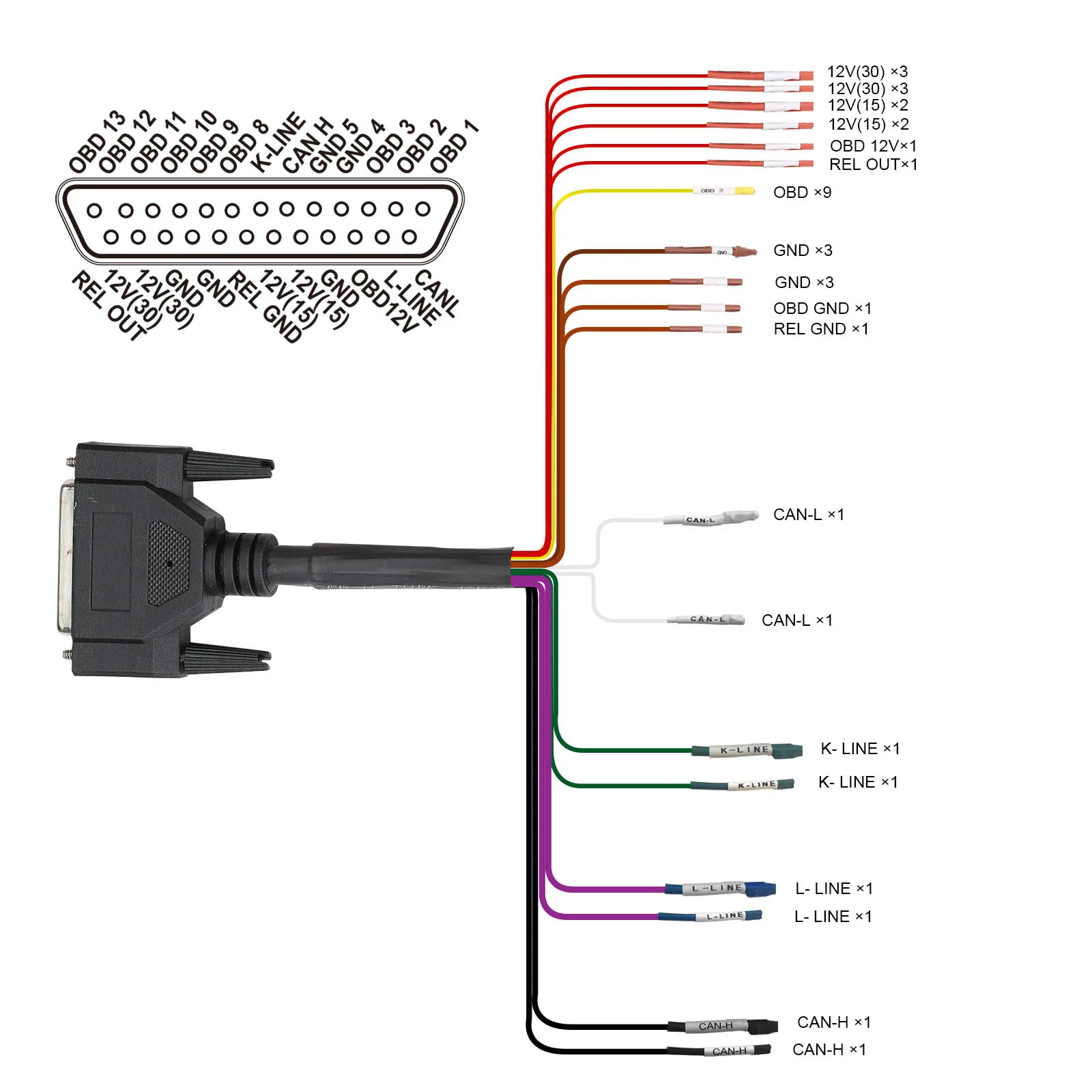
- Each OBDII pin has a 4 mm safety banana socket and a colored status LED.
- Pins 4 / 5: green ground indication; pin 16: red power indication; communication lines: blue flashing indication.
- Test leads/probes with 4 mm banana plugs connect to the corresponding safety sockets.
- The supplied front-panel description identifies three switches: one master switch and two separately switched 12V outputs for DB25 module power connections.
- Use the DB25 jumper for supported module connection and power, or the appropriate OBD1/manufacturer-specific connection.
- The appropriate AC adapter can provide an auxiliary power connection during supported battery service.
BMW CAS4/CAS4+ Bench Test Platform
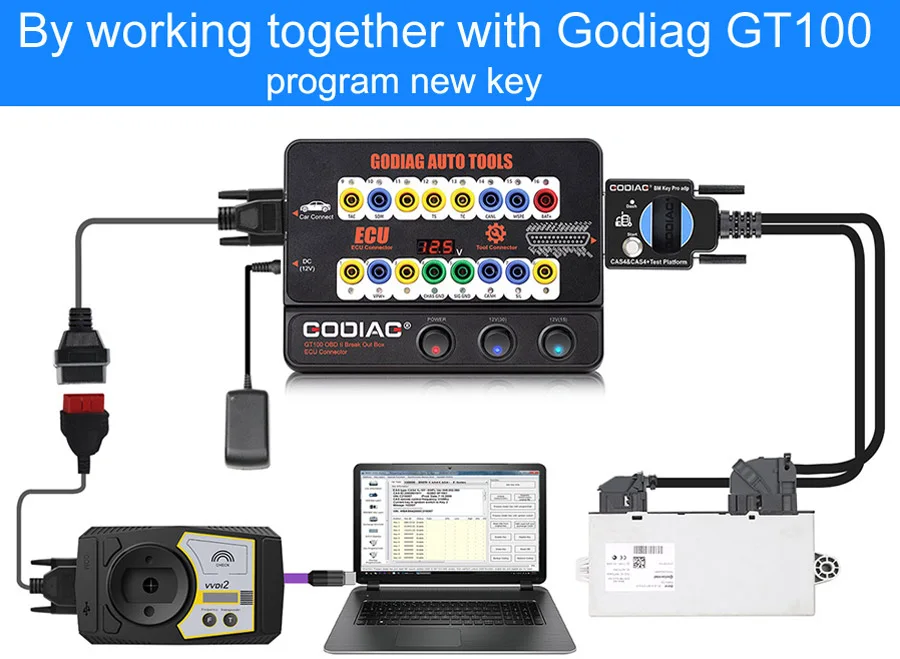
The CAS4/CAS4+ platform provides dedicated connections and bench testing for supported BMW immobilizer work. Referenced equipment includes GT100, CGDI, VVDI2, BMW VVDI BIM Tool, Autel IM608, Yanhua ACDP and Tango.
1. CAS4/CAS4+ Bench Key Programming and Module Replacement
Use GT100 and compatible programming equipment for supported add-key, all-keys-lost, and CAS4/CAS4+ module replacement workflows.
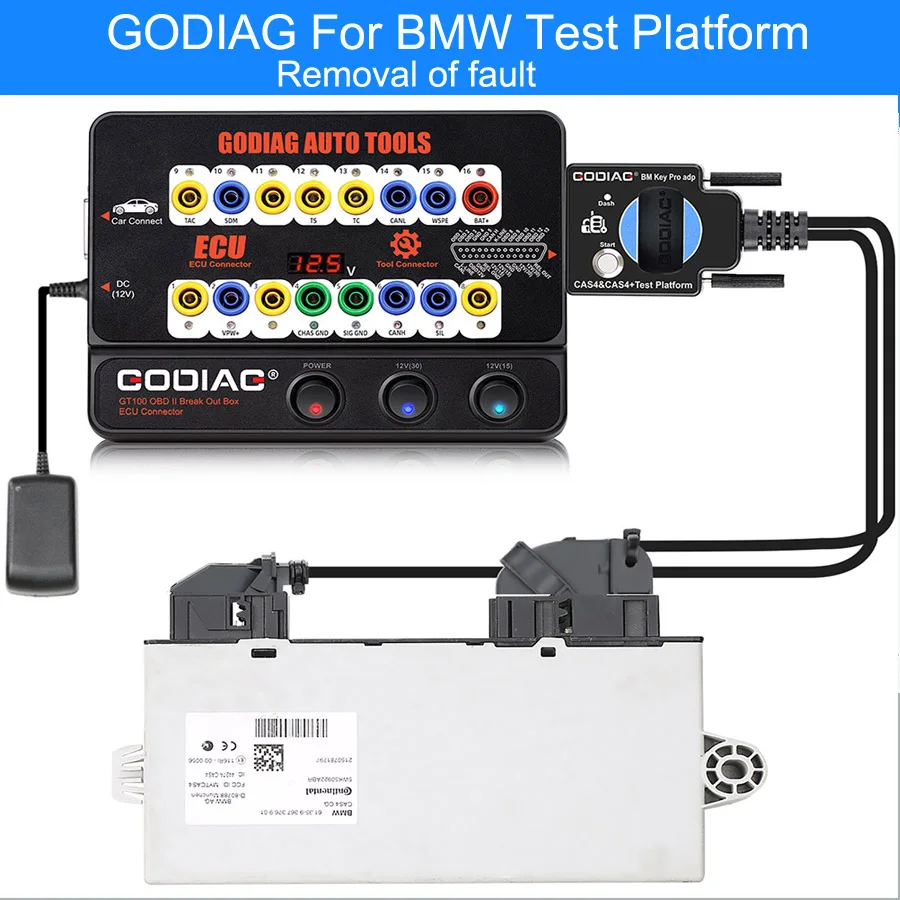
2. CAS4/CAS4+ Communication Checks Before Reinstallation
Connect the CAS4/CAS4+ module before reinstalling it in the vehicle to check communication and investigate possible faults using compatible equipment.
3. CAS4/CAS4+ Data Backup and Module Replacement
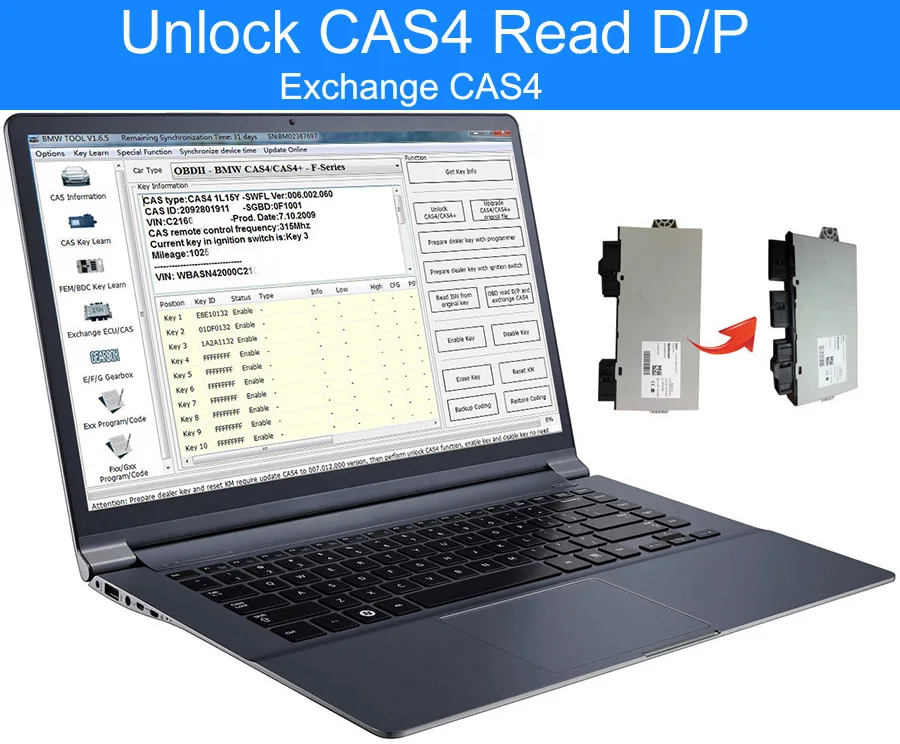
Provide connection support for data reading and backup after preprocessing. The supplied replacement example is a two-port CAS4 replaced by a three-port immobilizer system with Comfort Access.
Note: The two-port to three-port Comfort Access example is a specific compatible replacement procedure. It does not establish that all CAS4/CAS4+ modules are interchangeable.
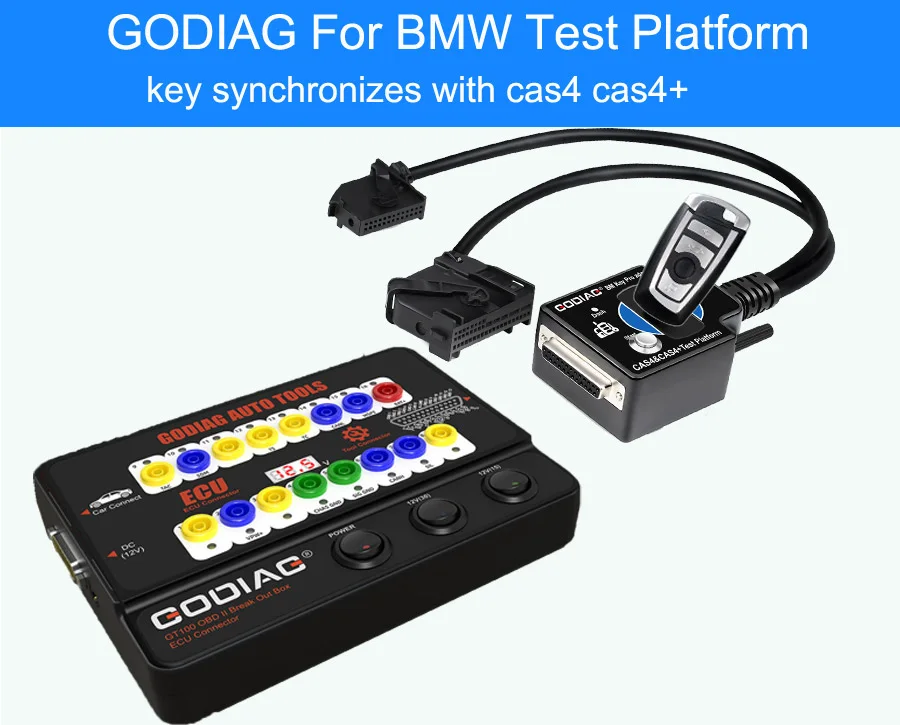
4. CAS4/CAS4+ Key Synchronization Before Reinstallation
Test whether the programmed key synchronizes with CAS4/CAS4+ before reinstalling the module.
5. CAS4/CAS4+ Remote Bench-Service Scenario
For supported key-loss service, the CAS4 module and corresponding ECU can be sent to a locksmith for key programming and synchronization testing.
Example of external programming software used for a supported CAS4 key-learning procedure:
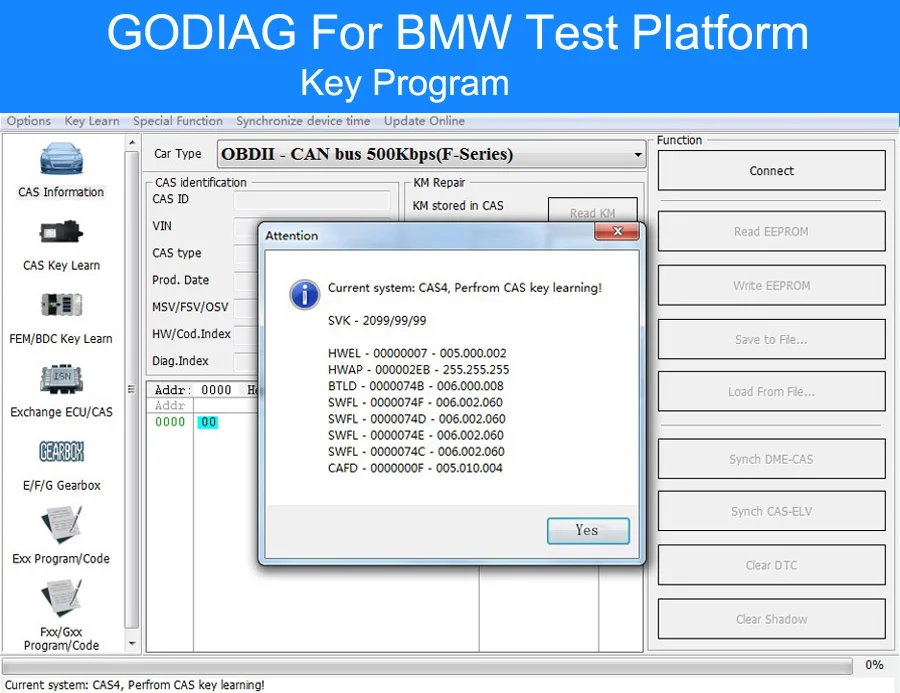
6. CAS4/CAS4+ Mismatch Troubleshooting
Help check whether a key/module mismatch is related to a no-start condition.
7. CAS4/CAS4+ Dedicated Fast Connectors
The dedicated OEM-style CAS4/CAS4+ fast connector provides convenient module connection.
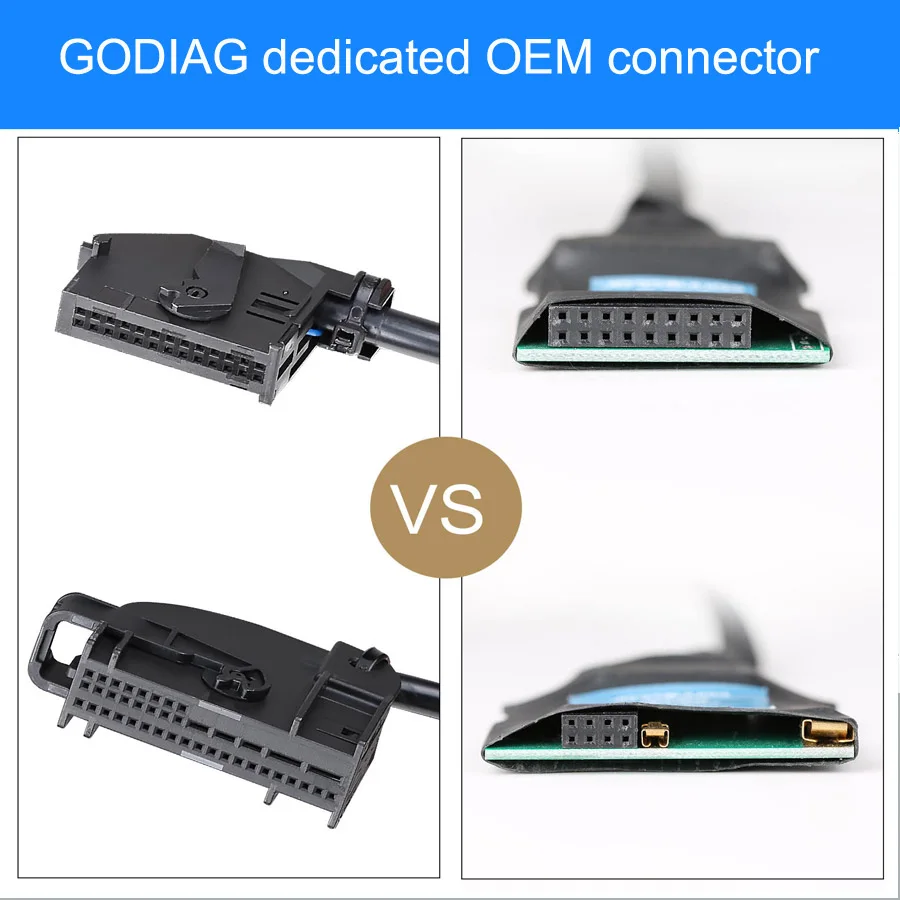
8. CAS4/CAS4+ Platform Structure
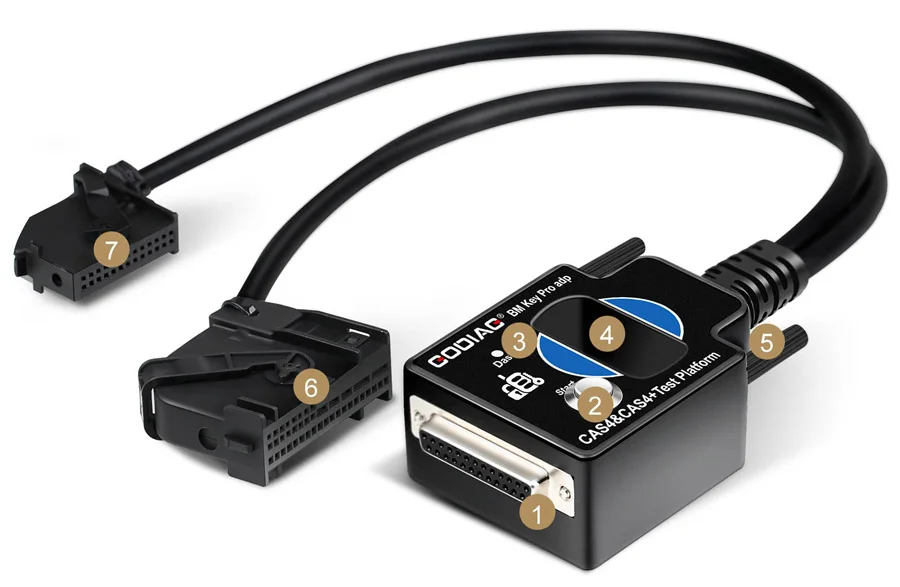
- DB25 female connector — connects to the corresponding male port of GODIAG GT100 / GODIAG OBD2.
- Simulated ignition/start switch.
- Simulated immobilizer dashboard indicator.
- Key sensing area.
- Screw bolt.
- Dedicated GODIAG CAS4/CAS4+ power or CAN communication adapter.
- Dedicated GODIAG CAS4/CAS4+ start-control adapter.
BMW FEM/BDC Bench Test Platform
The FEM/BDC platform provides module connections and a test environment for BMW immobilizer work with GT100 and compatible external programming equipment.
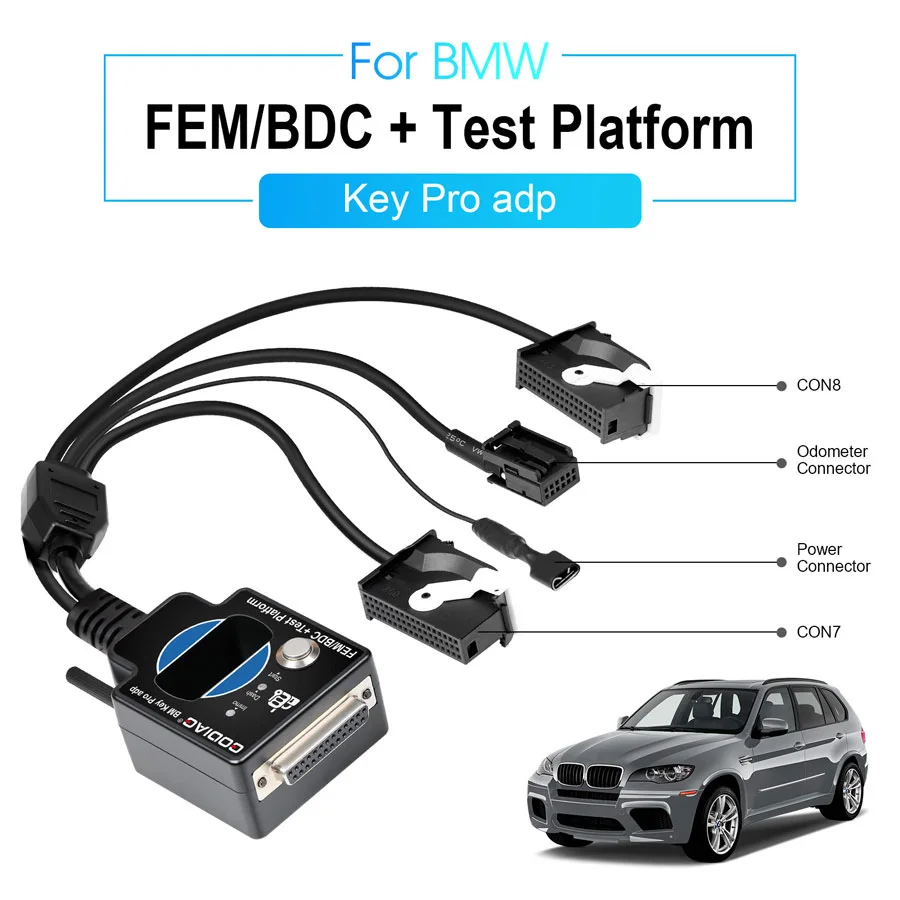
FEM/BDC Connection and Synchronization Tests
- Convenient FEM/BDC immobilizer-system connections.
- Synchronization testing between a programmed FEM/BDC module and key.
- A test environment for engineers working with recovered or reused FEM/BDC modules.
- Module/key synchronization checks for maintenance work.
- Connection support between FEM/BDC modules and the instrument cluster.
Connector illustration: CON7, CON8, instrument-cluster connector and power connector.
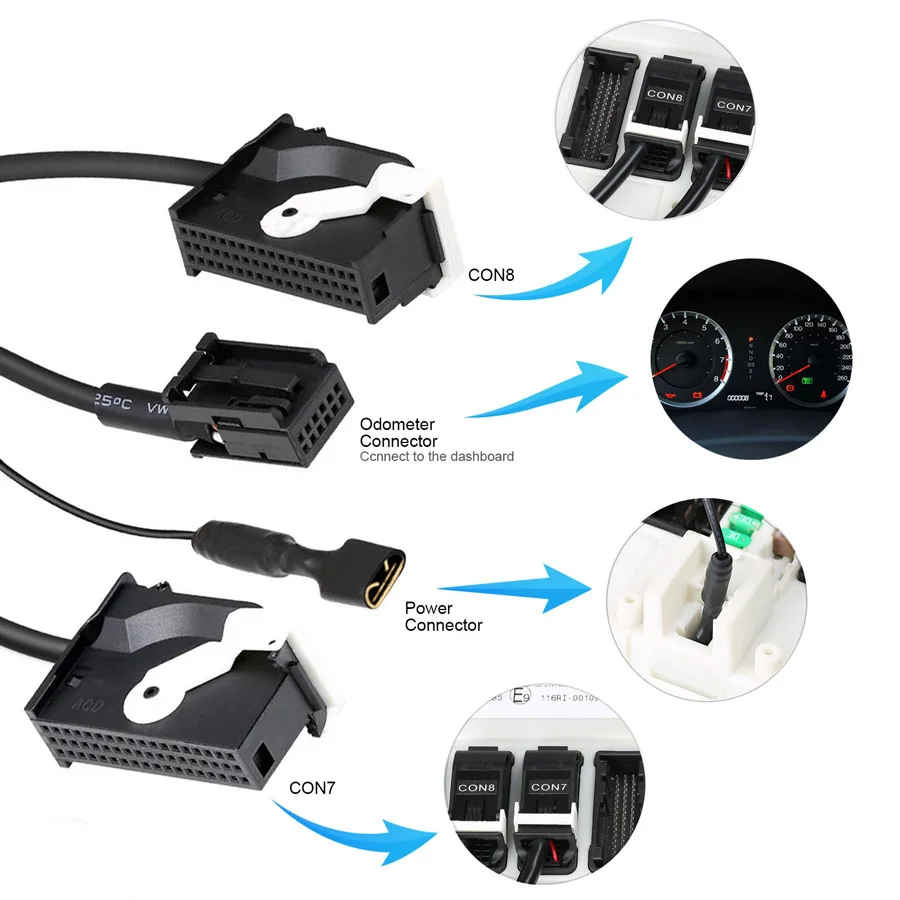
1. FEM/BDC Bench Key Programming and Module Replacement
With GT100 and compatible programming tools such as VVDI2, BMW VVDI BIM Tool, or Autel IM608, the platform supports applicable add-key, all-keys-lost, and FEM/BDC replacement workflows.
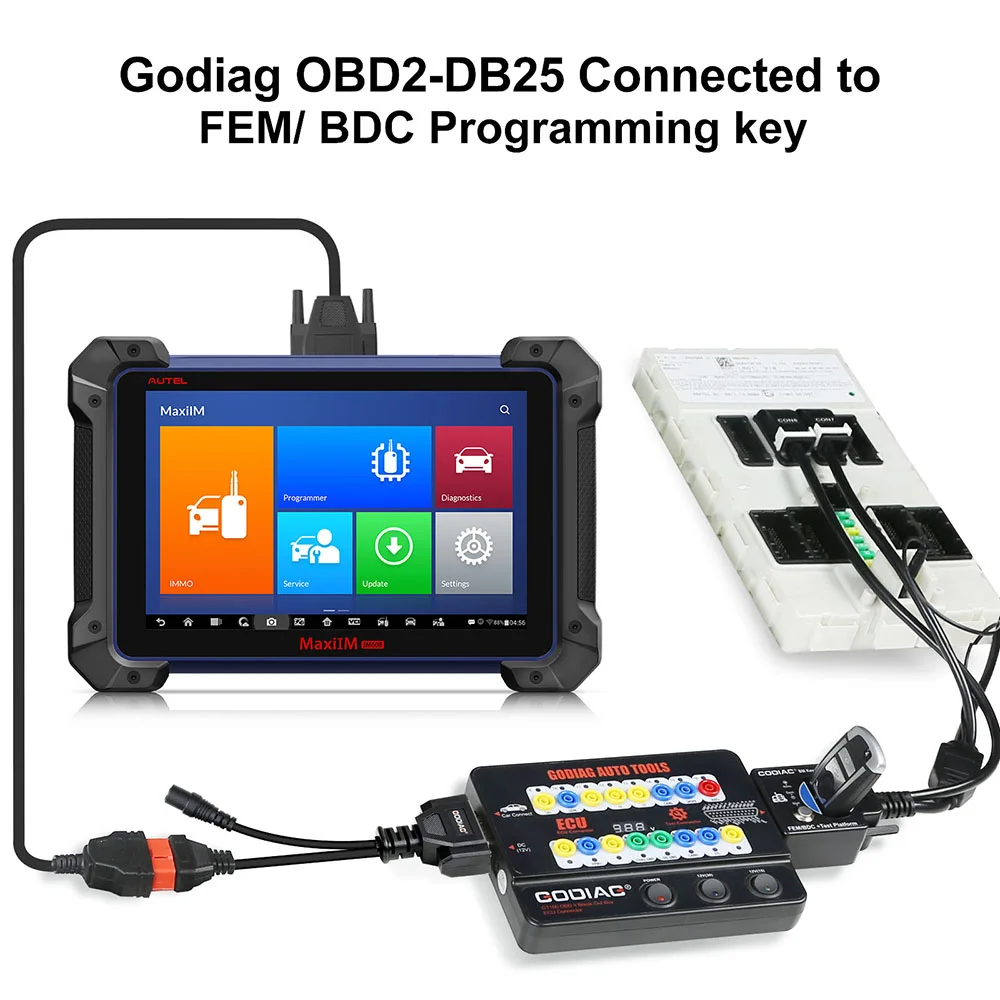
Key-service application illustration:

2. FEM/BDC Communication Checks
Connect the FEM/BDC module on the bench to check whether it communicates and investigate possible module faults with compatible equipment.
3. FEM/BDC Data Reading and Backup After Preprocessing
Provide connection support for reading and backing up data after required preprocessing and for supported immobilizer module replacement.
Example setup using external programming equipment and a computer:
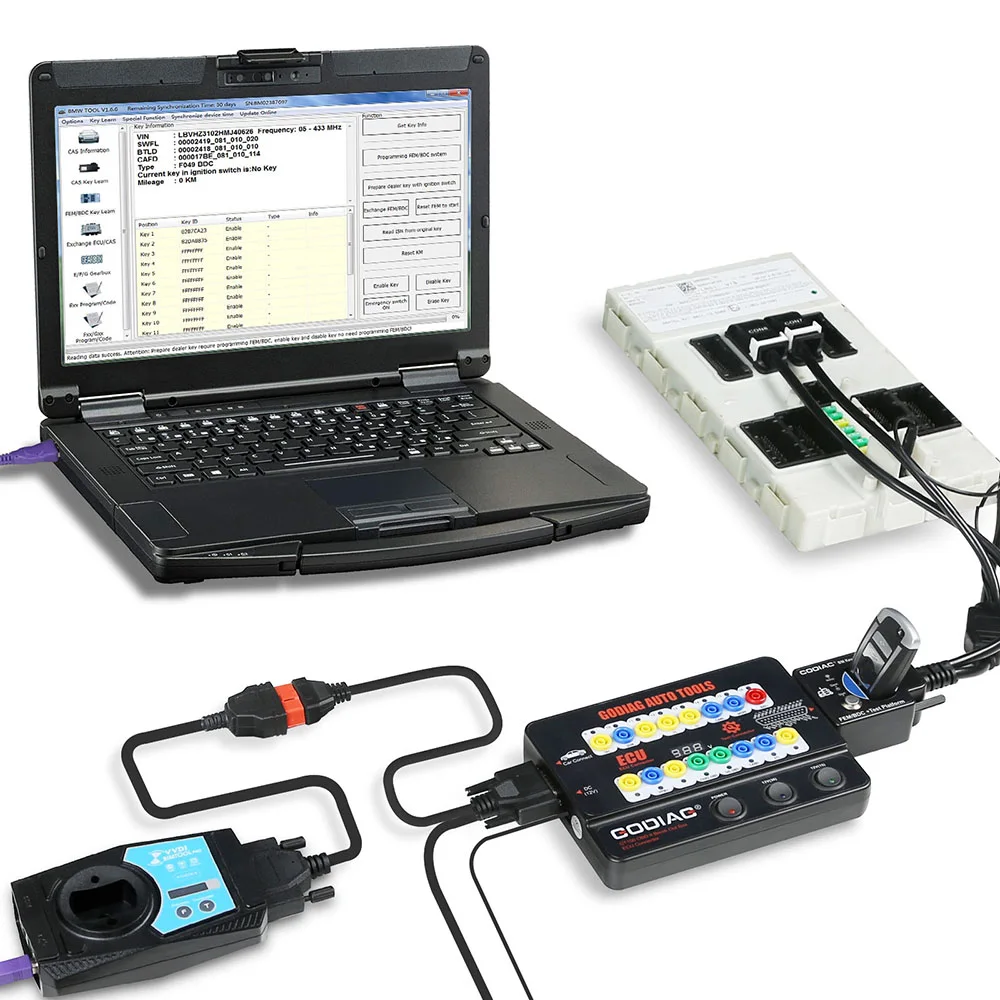
4. FEM/BDC Key Synchronization Before Reinstallation
Test whether the programmed key synchronizes with FEM/BDC before reinstalling the module in the vehicle.
5. FEM/BDC Remote Bench-Service Scenario
For supported key-loss service, the owner can remove the FEM/BDC module and corresponding ECU and send them to a locksmith for programming and synchronization testing.
6. FEM/BDC Mismatch Troubleshooting
Help check whether a no-start condition is related to a mismatch between the FEM/BDC module and key.
7. FEM/BDC Dedicated Fast Connector
The dedicated OEM-style FEM/BDC fast connector provides convenient module connection.
8. FEM/BDC Platform Controls
- DB25 female connector — connects to the DB25 male port of GODIAG GT100.
- Simulated ignition/start switch.
Compatible Equipment and Operating Conditions
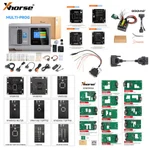
Referenced equipment includes Xhorse VVDI2, Lonsdor K518, CGDI / CGDI BMW, BMW VVDI BIM Tool, Autel IM608 and other Autel scanners, Launch scanners, Vident scanners, Yanhua ACDP, Tango, and Foxwell equipment for applicable connection or programming workflows.
Note: Match the selected equipment, software, immobilizer module and required operation. A connection reference does not establish that every listed tool performs every programming function.
Warranty
GODIAG GT100: one-year warranty.
Specifications
Specifications
| Parameter | Details |
|---|---|
| OBD2-to-DB25 cable quantity | 2 |
| GT100 operating temperature | −20°C to 70°C (−4°F to 158°F) |
| GT100 storage temperature | −40°C to 85°C (−40°F to 185°F) |
| Banana sockets | 4 mm safety type |
| GT100 display | Vehicle OBDII voltage |
| CAS4/CAS4+ platform | DB25 female connector; simulated ignition/start switch; immobilizer indicator; key sensing area; power/CAN and start-control connectors |
| FEM/BDC platform | DB25 female connector; simulated ignition/start switch; dedicated module connectors |
| External equipment | Compatible diagnostic or programming equipment and software required |
| GT100 warranty | One year |
Product FAQ
Ask a questionWhat is included in the GODIAG GT100 CAS4/CAS4+ and FEM/BDC test kit?
The kit includes the original GODIAG GT100 OBDII breakout box, one BMW CAS4/CAS4+ test platform and one BMW FEM/BDC test platform, with the accessories in the package list, including two OBD2-to-DB25 cables.
Do I need to buy a separate GT100 for this BMW bench test kit?
No. This three-piece bundle already includes a GODIAG GT100. A compatible external key programmer is still required for supported key-programming tasks.
Can this kit perform BMW CAS4 or FEM/BDC all keys lost programming by itself?
No. It provides bench connections and testing facilities for supported workflows. BMW CAS4/CAS4+ or FEM/BDC all keys lost work requires an external programmer, suitable software and the relevant module support.
Should I use the CAS4/CAS4+ platform or the FEM/BDC platform?
Match the platform to the actual immobilizer module: use the CAS4/CAS4+ platform for its supported modules and the FEM/BDC platform for its supported modules. Confirm connector and programmer compatibility rather than selecting by vehicle year alone.
Can I test BMW key synchronization before putting the module back in the vehicle?
The GODIAG CAS4/CAS4+ and FEM/BDC platforms provide bench synchronization checks between a programmed key and its corresponding module. This check does not establish that every vehicle start-related fault has been resolved.
Can this GODIAG bench kit be used with Autel IM608 or Xhorse VVDI2?
GODIAG lists Autel IM608 and Xhorse VVDI2 as external tools used with GT100 and these BMW platforms. Confirm the exact module, required task and software authorization on the selected programmer.
Can this kit back up CAS4/CAS4+ or FEM/BDC data?
The platforms provide connections for supported data reading and backup after preprocessing with appropriate external programming equipment. They do not independently read memory or replace the required programmer.
Does the included original GT100 measure both voltage and current?
The original GODIAG GT100 displays vehicle OBDII voltage and provides protocol LED indications. Current measurement is not a claimed capability of this kit.
Customer reviews
Highest rated firstNo reviews yet.