
1 / 9
Xhorse Multi-PROG Multi Prog ECU TCU Programmer Update of VVDI Prog with Free MQB48 License RH850 Expert Mode Batch Write Chips
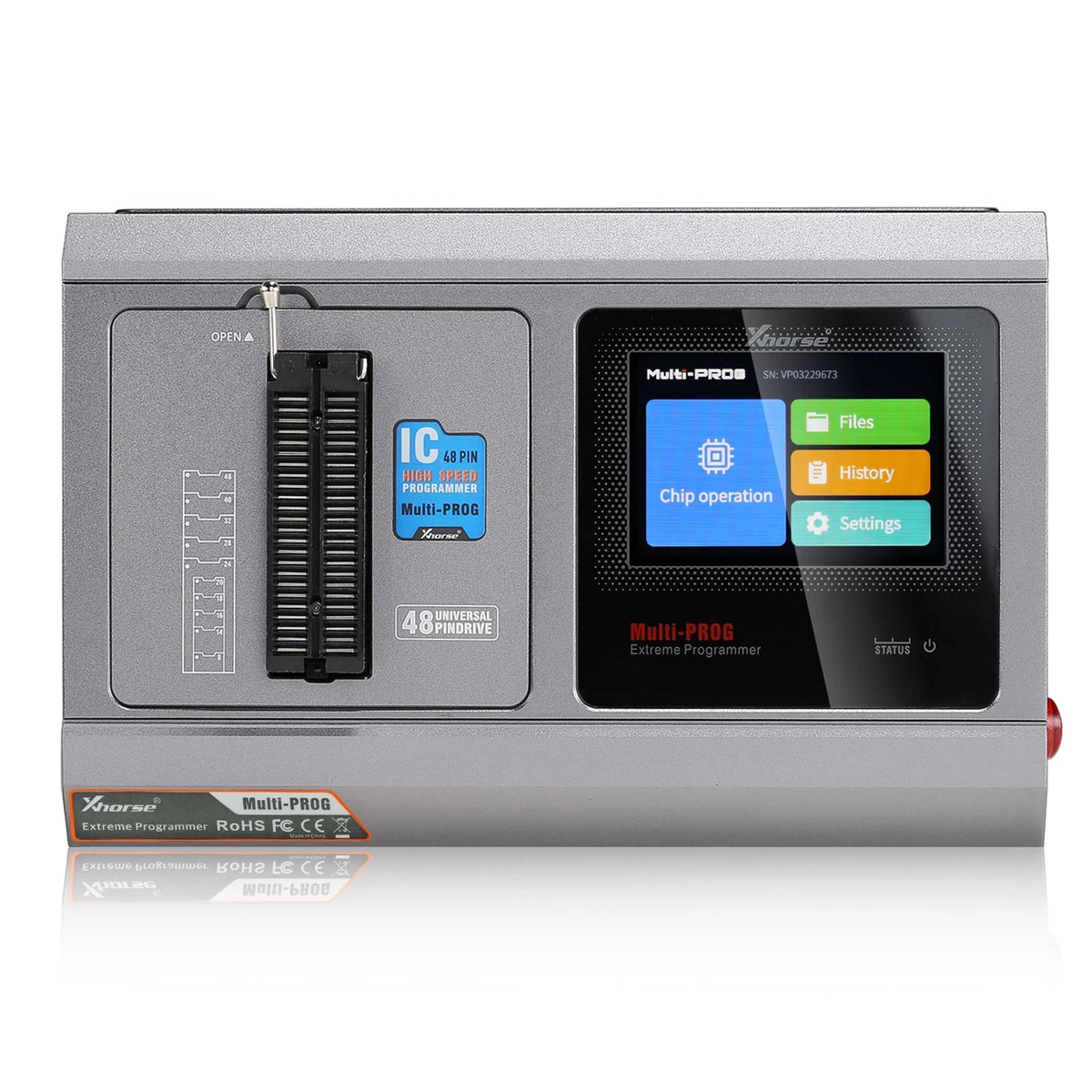
Xhorse Multi-Prog combines supported ECU and TCU read/write and cloning workflows with EEPROM/FLASH and MCU programming, selected BMW ISN reading and ECU checksum functions, using PC software and application-specific connections for automotive module repair and replacement.
€720€799
Quantity
Delivery & shipping options
- Standard delivery
- Free
- Dispatch from
- EU
- Total incl. shipping:
- €720
- Estimated delivery
- 8–15 Working Days
- Returns
- 30 days from delivery
Frequently Bought Together
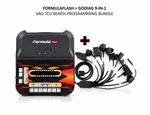
Xhorse multi-prog with book
Overview
Overview
Multi-Prog expands the VVDI PROG workflow with batch chip programming and supported ECU/TCU, MCU, EEPROM/FLASH, IMMO module, and dashboard operations. It provides chip verification, blank checking, self-test, USB communication, and software-guided error information. Optional RH850/V850, MQB48 solder-free, chip, PCF79XX, Bosch ECU, and GODIAG connection equipment extend specific applications. Coverage is listed below by Bench / Boot mode and must match the actual ECU, software, and adapter.
Specifications
| Memory | 256M × 2 DDR + 64M NOR FLASH |
|---|---|
| Display | 3.5-inch |
| Processor | ZYNQ7020 Dual-core Cortex A9 + FPGA |
| Input Voltage | 15V/4A |
| Working Current | 300mA (14V) |
|---|---|
| Operating System | Linux |
| External interface | USB/RJ45 |
| Storage Temperature | -30–65℃ |
Showing 8 of 9 specifications
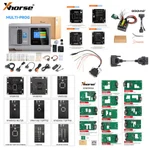
Package list
| Item | Qty |
|---|---|
| Multi-PROG | 1 |
| USB Cable | 1 |
| Power Adapter (15V 4A) | 1 |
| 220V Power Cord | 1 |
| VH13 Interface Adapter Board | 1 |
| VH20 Interface Adapter Board | 1 |
| VH23 Interface Adapter Board | 1 |
| MCU Adapter Multi-PROG Solder Cable | 1 |
| Item | Qty |
|---|---|
| MCU DB15 Adapter Cable | 1 |
| ECU Adapter Multi-PROG Solder Cable | 1 |
| ECU DB15 Adapter Cable | 1 |
| Multi-PROG OBD Cable | 1 |
| USB WIFI Network Card | 1 |
| Product Manual | 1 |
| Certificate Of Conformity | 1 |
| ECU Cable Plugs | 43 |
Description
Description
Xhorse Multi-Prog Programmer
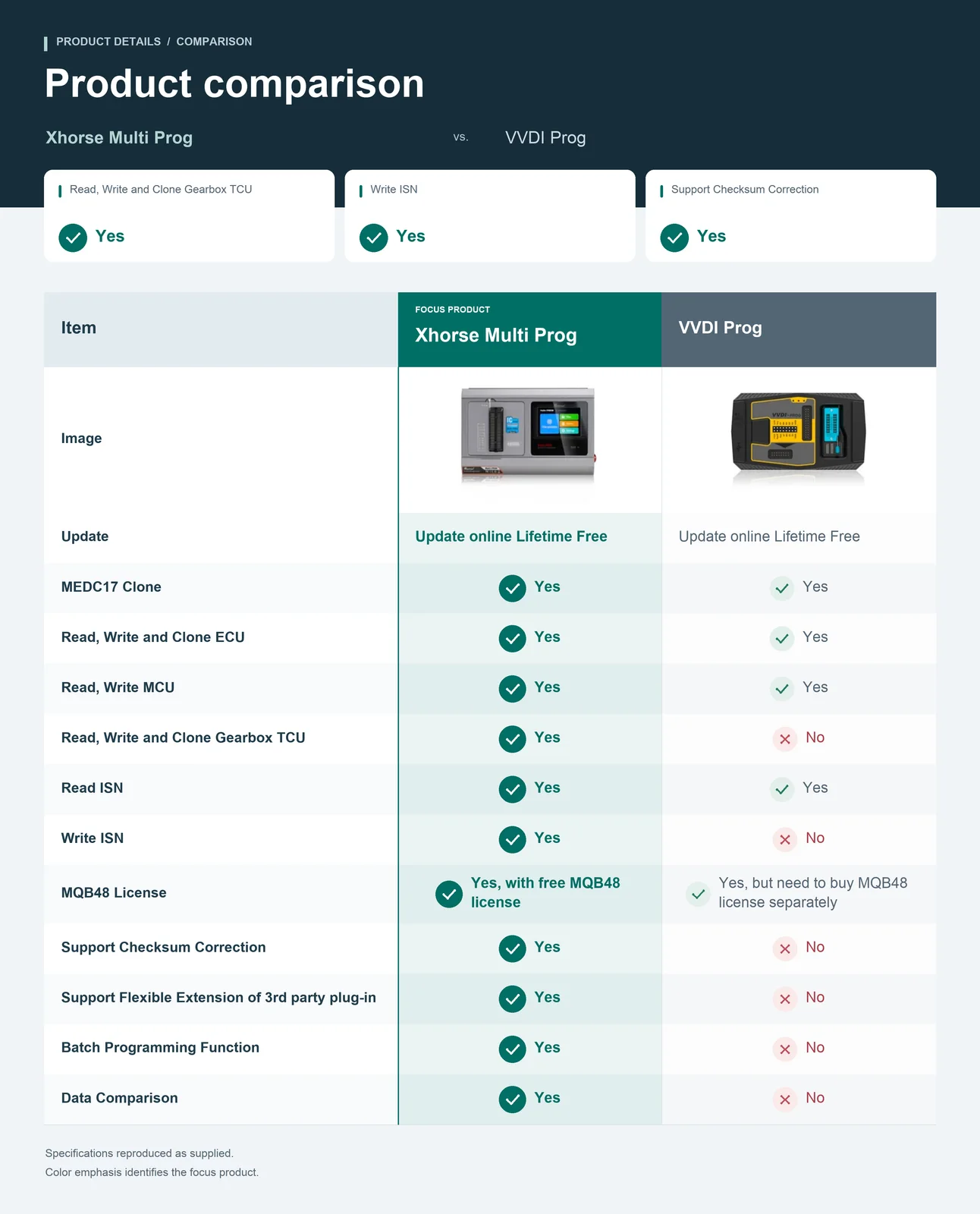
Xhorse Multi-Prog reads, writes, and clones supported ECUs, TCUs, automotive MCUs, memory chips, and electronic modules. It adds factory-mode batch programming, offline/file-based programming, data comparison, and supported data processing/checksum functions. The supplied offer includes built-in MQB48 and BMW Bench ISN functions; selected tasks require account binding and application-specific adapters.
Core Programming and Data Functions
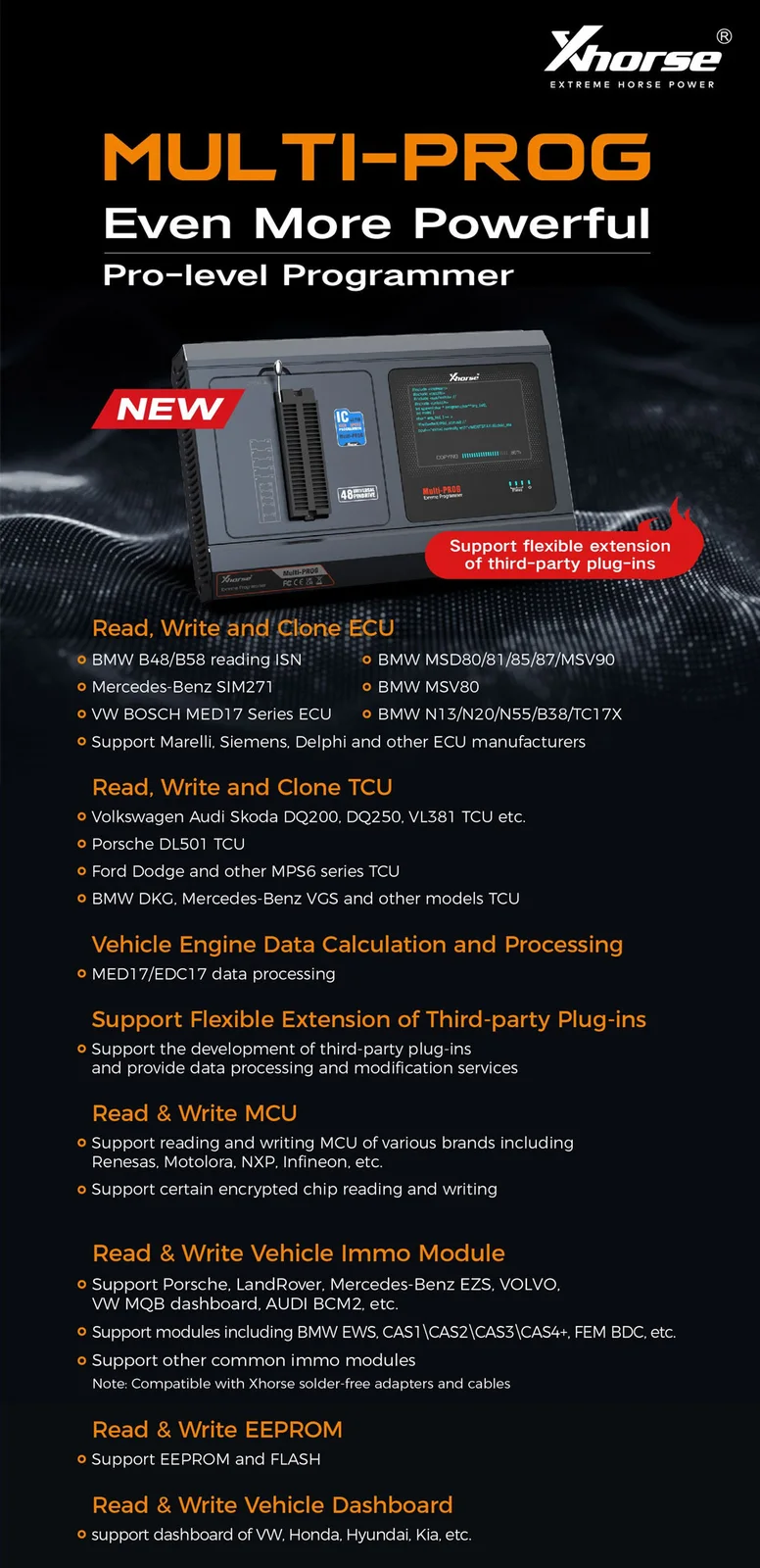
- Read, write, and clone supported engine ECUs and gearbox TCUs.
- Read and write supported automotive MCU and memory data, including EEPROM and FLASH.
- Read/write supported IMMO modules and dashboards.
- Vehicle engine data calculation and processing for supported MED17 / EDC17 applications.
- Checksum functions for supported ECU/data applications.
- Chip data verification, blank checking, and file comparison.
- Supported dump-based PIN calculation as stated in the supplied offer.
- Third-party plug-in extension for data processing and modification.
Note: Support depends on the exact ECU/chip, access mode, software/database version, and required adapter. The upgrade description is not treated as a guarantee that every VVDI PROG function and accessory is universally interchangeable.
Factory / Expert and Offline Programming
- Factory / Expert mode for batch writing supported memory and microcontroller chips.
- Batch programming, offline programming, and file-based offline programming as described in the supplied material.
- The supplied comparison identifies batch programming as an added function compared with single-chip VVDI PROG operation.
Note: For the exact batch/offline procedure and supported chip list, use the factory-mode documentation supplied with the software. No batch speed, quantity, or universal chip coverage is inferred.
MQB48 License and BMW ISN Functions
- Built-in MQB48 license and BMW Bench ISN functions are stated in the supplied offer.
- Bind compatible Multi-Prog and VVDI2 / KEY TOOL PLUS devices to the same Xhorse account for the supported shared-data workflow.
- Read supported dashboard data with Multi-Prog, then load the file into the paired VVDI2 / KEY TOOL PLUS workflow.
- BMW N20 / N55 read/write applications with direct ISN display are listed.
- Bosch ECU ISN reading/writing requires the corresponding Bosch ECU adapter.
Note: Binding and file loading do not automatically activate a separate KEY TOOL PLUS MQB48 direct-reading license. Confirm the actual license and account requirements. The supplied data-processing examples do not establish universal ISN support for every BMW ECU.
Chip Families, IMMO Modules and Special Applications
- Chip families named: MC9S08, MC68HC(9)12, MC9S12, V850, H8X, R8C, PCF79XX, and most EEPROM chips as described.
- MC9S12XE examples: 5M48H, 1N35H, 2M53J, and 3M25J.
- MCU manufacturers named: Renesas, Motorola, NXP, and Infineon; selected encrypted-chip applications are described.
- IMMO/module examples: BMW EWS, CAS1/CAS2/CAS3/CAS4+, FEM/BDC; Porsche; Land Rover; Mercedes-Benz EZS; Volvo; VW MQB dashboards; Audi BCM2.
- Dashboard brands named: VW, Honda, Hyundai, and Kia.
- Supported BMW E/F-series PCF79XX remote renewal requires the optional PCF79XX adapter.
- Supported repair applications are listed for Porsche 12V lithium batteries and BYD lithium batteries using MC9S12XET256.
Note: Module and battery-repair references describe specific supported data/programming applications, not repair of all battery hardware faults or every chip in a family.
Optional Adapters and Connection Equipment
- XDMPR8GL MQB-RH850/V850 adapter for the supported VAG MQB RH850 dashboard processor applications; separate purchase is stated.
- XDNPM3GL 13-piece MQB48 solder-free adapter set.
- VH24, VH29, VH30, and VH31 exclusive adapters for their supported chip applications.
- PCF79XX adapter for the listed remote renewal task.
- Corresponding Bosch ECU adapter for Bosch ISN operations.
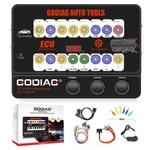
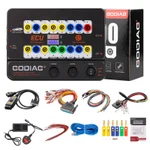
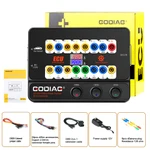
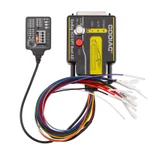
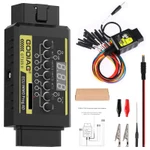
- GODIAG G-V ECU Cable with the appropriate GT107 or ECU GPT Bench/Boot adapter setup for supported engine / gearbox ECU connections.
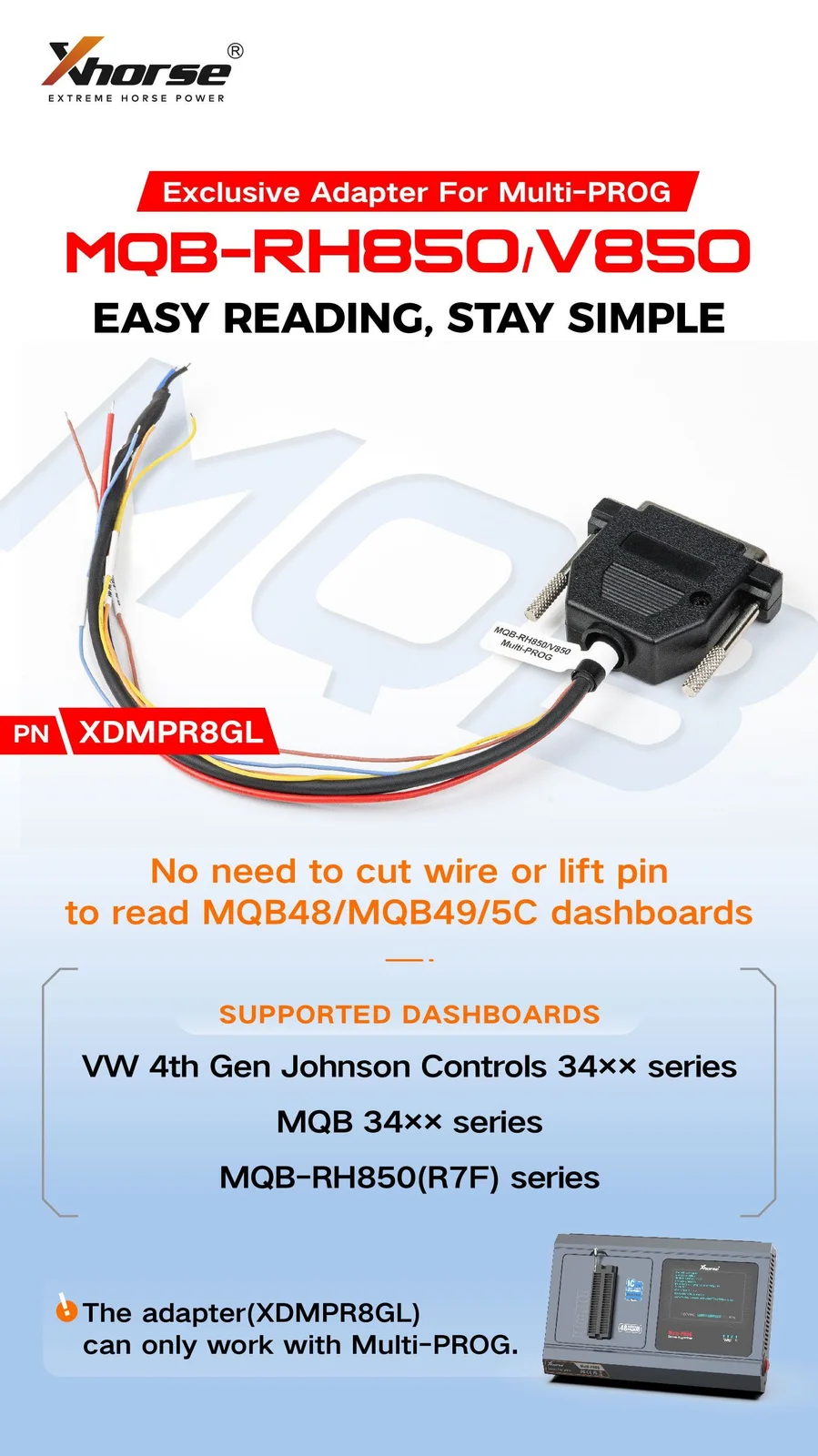
Note: These are compatibility/expansion options, not a complete included package list. The separate RH850 adapter and GODIAG cable are not established as included with the programmer. Follow the exact application diagram.
USB, Self-Test and Operating Aids
- High-speed USB communication with automatic software connection as described.
- Software-guided operation with possible error causes listed.
- Self-test function.
- Reserved ports for supported future expansion.
- USB-powered operation is stated; follow software prompts if external power is required.
Note: The supplied material does not specify the external supply rating. Do not infer that every target ECU or adapter can be powered solely from USB.
Updates and Supplied Version References
- Free software and firmware updates are stated.
- Database update: open Update Online, choose Database upgrade, and update.
- Software update: open Update Online, choose Software upgrade, and update.
- Firmware update: connect the device to the computer and follow the corresponding update procedure.
Note: Software V1.0.9 and hardware V1.1.5 are references in the supplied description, not verified latest versions. Check the device/software for current releases. The coverage images below explicitly show an older Database V4 reference.
Coverage Reference and Selection
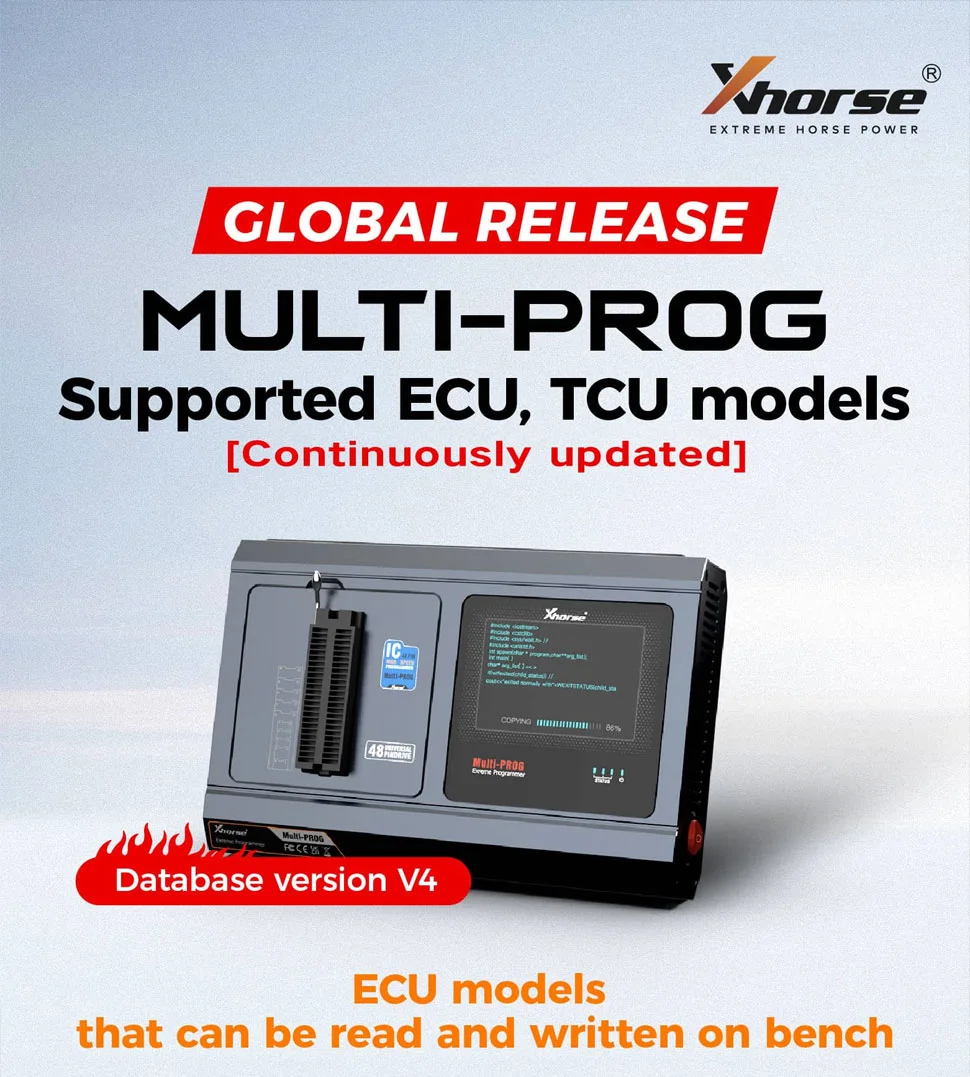
Note: The following Bench / Boot entries organize the supplied coverage information. They are not a newly verified current full coverage list or a promise of cloning for every listed read/write entry. Check the actual device database and required adapter. Manufacturer labels in the source contain inconsistencies, so the text list below focuses on ECU identifiers by vehicle group.
Bench ECU Entries — VAG
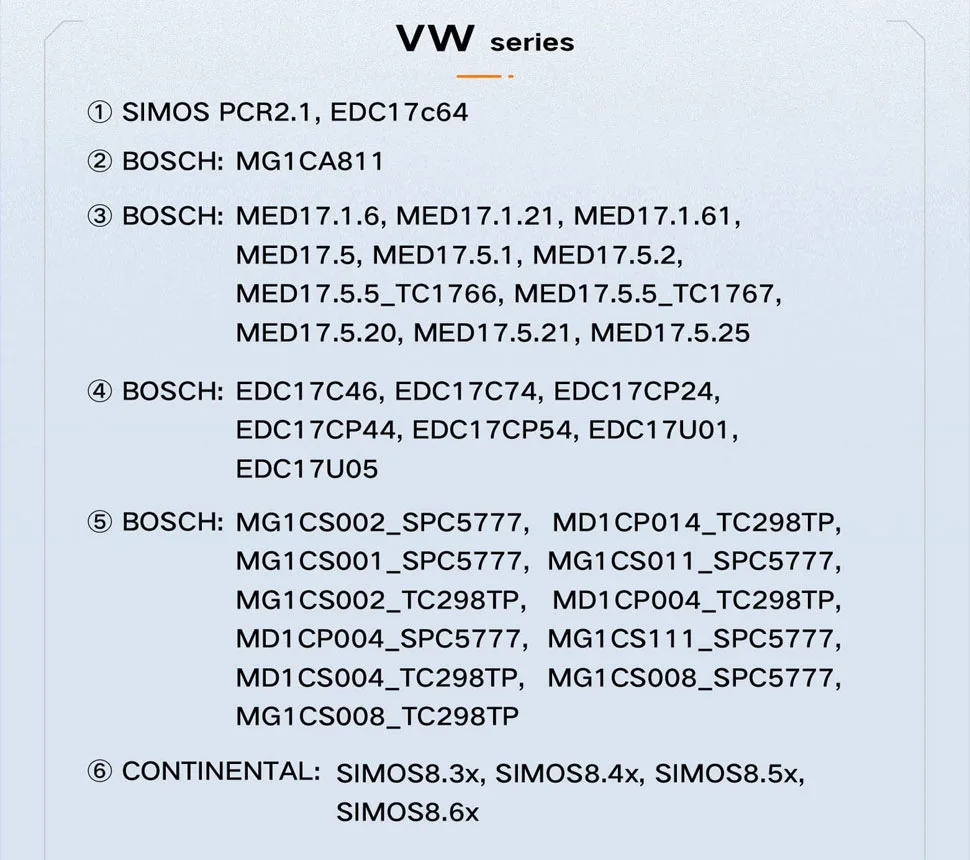
VAG:
- SIMOS PCR2.1, EDC17c64
- MG1CA811
- MED17.1.6, MED17.1.21, MED17.1.61, MED17.5, MED17.5.1, MED17.5.2, MED17.5.5_TC1766, MED17.5.5_TC1767, MED17.5.20, MED17.5.21, MED17.5.25
- EDC17C46, EDC17C74, EDC17CP24, EDC17CP44, EDC17CP54, EDC17U01, EDC17U05
- MG1CS002_SPC5777, MD1CP014_TC298TP, MG1CS001_SPC5777, MG1CS011_SPC5777, MG1CS002_TC298TP, MD1CP004_TC298TP, MD1CP004_SPC5777, MG1CS111_SPC5777, MD1CS004_TC298TP, MG1CS008_SPC5777, MG1CS008_TC298TP
- SIMOS8.3x, SIMOS8.4x, SIMOS8.5x, SIMOS8.6X
Bench ECU Entries — BMW
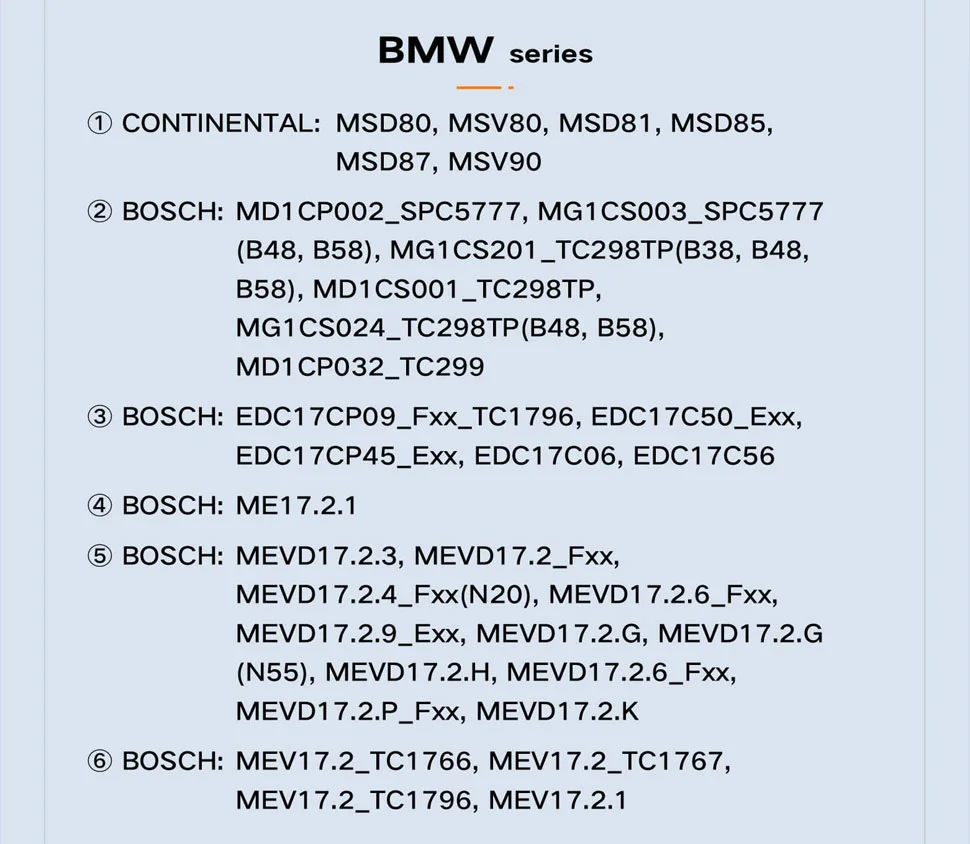
BMW:
- MSD80, MSV80, MSD81, MSD85, MSD87, MSV90
- MD1CP002_SPC5777, MG1CS003_SPC5777 (B48, B58), MG1CS201_TC298TP (B38, B48, B58), MD1CS001_TC298TP, MG1CS024_TC298TP (B48, B58), MD1CP032_TC299
- EDC17CP09_Fxx_TC1796, EDC17C50_Exx, EDC17CP45_Exx, EDC17C06, EDC17C56
- ME17.2.1
- MEVD17.2.3, MEVD17.2_Fxx, MEVD17.2.4_Fxx(N20), MEVD17.2.6_Fxx, MEVD17.2.9_Exx, MEVD17.2.G, MEVD17.2.G (N55), MEVD17.2.H, MEVD17.2.6_Fxx, MEVD17.2.P_Fxx, MEVD17.2.K
- MEV17.2_TC1766, MEV17.2_TC1767, MEV17.2_TC1796, MEV17.2.1
Bench ECU Entries — Mercedes-Benz
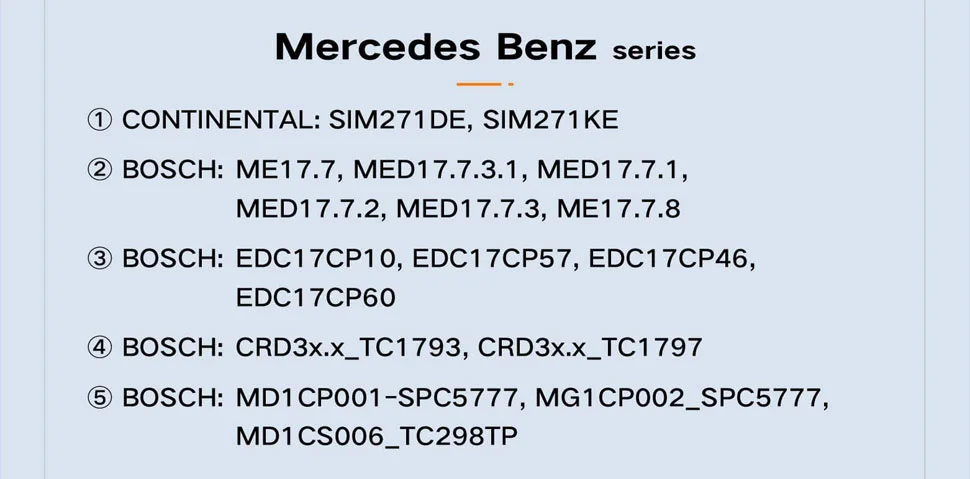
Mercedes-Benz:
- SIM271 DE, SIM271 KE
- ME17.7, MED17.7.3.1, MED17.7.1, MED17.7.2, MED17.7.3, ME17.7.8
- EDC17CP10, EDC17CP57, EDC17CP46, EDC17CP60
- CRD3x.x_TC1793, CRD3x.x_TC1797
- MD1CP001_SPC5777, MG1CP002_SPC5777, MD1CS006_TC298TP
Bench ECU Entries — GM / Nissan / Hyundai-Kia
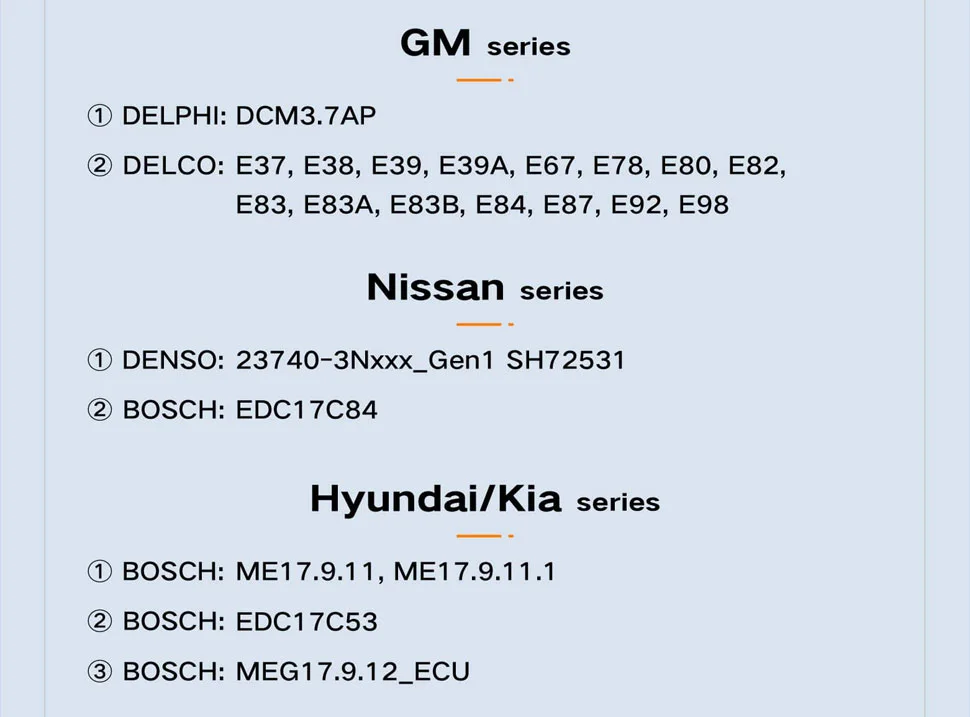
GM:
- DCM3.7AP
- E37, E38, E39, E39A, E67, E78, E80, E82, E83, E83A, E83B, E84, E87, E92, E98
Nissan:
- 23740-3Nxxx_Gen1
- EDC17C84
Hyundai/Kia:
- ME17.9.11, ME17.9.11.1
- EDC17C53
- MEG17.9.12_ECU
Bench ECU Entries — Ford / Volvo / Other
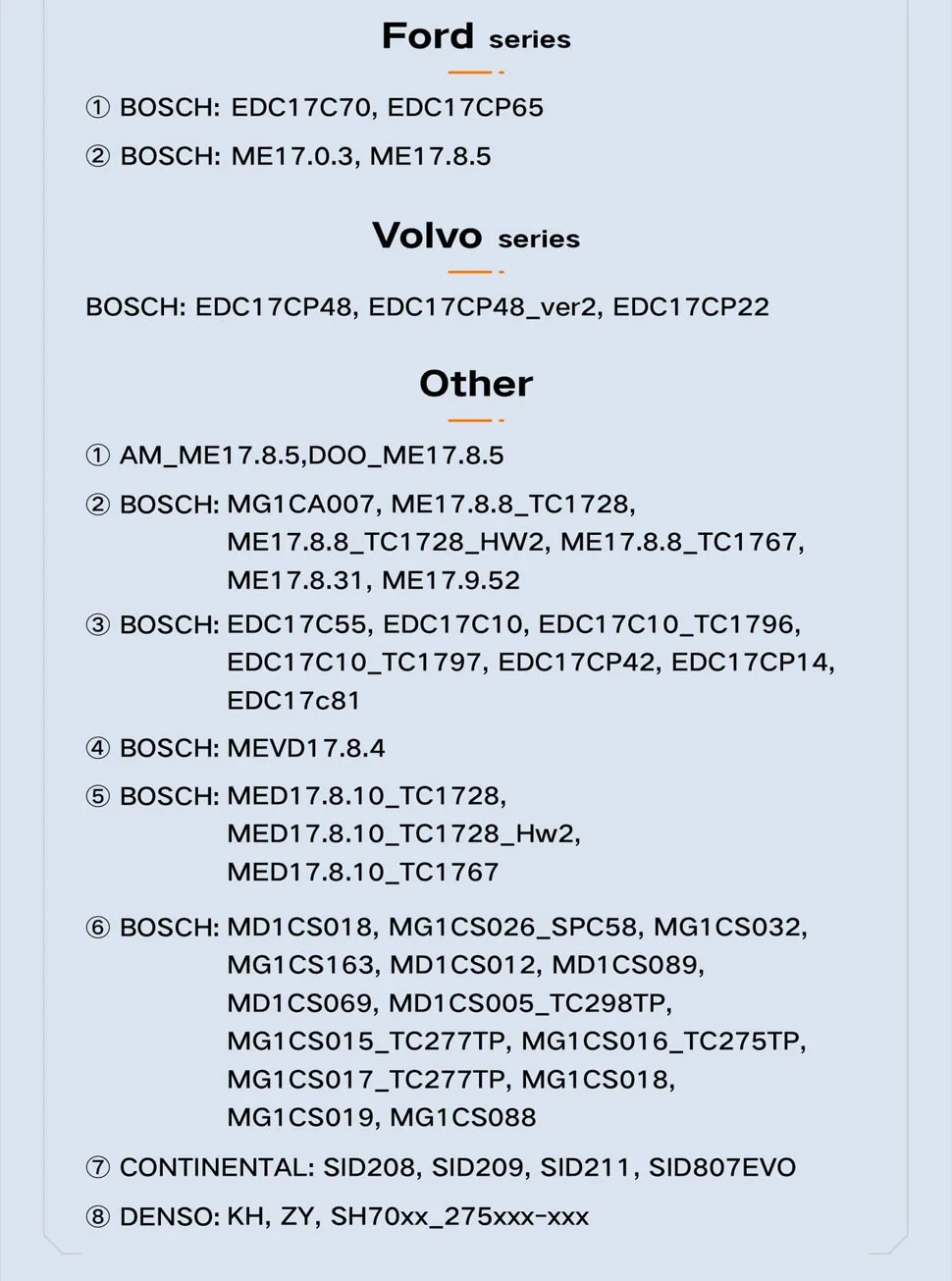
Ford:
- EDC17C70, EDC17CP65
- ME17.0.3, ME17.8.5
Volvo:
- EDC17CP48, EDC17CP48_ver2, EDC17CP22
Other:
- AM_ME17.8.5,DOO_ME17.8.5
- MG1CA007, ME17.8.8_TC1728, ME17.8.8_TC1728_HW2, ME17.8.8_TC1767, ME17.8.31, ME17.9.52
- EDC17C55, EDC17C10, EDC17C10_TC1796, EDC17C10_TC1797, EDC17CP42, EDC17CP14, EDC17c81
- MEVD17.8.4
- MED17.8.10_TC1728, MED17.8.10_TC1728_Hw2, MED17.8.10_TC1767
- MD1CS018, MG1CS026_SPC58, MG1CS032, MG1CS163, MD1CS012, MD1CS089, MD1CS069, MD1CS005_TC298TP, MG1CS015_TC277TP, MG1CS016_TC275TP, MG1CS017_TC277TP, MG1CS018, MG1CS019, MG1CS088
- SID208, SID209, SID211, SID807EVO ; KH, ZY, SH70xx_275xxx-xxx
Boot ECU Entries — VAG
VAG:
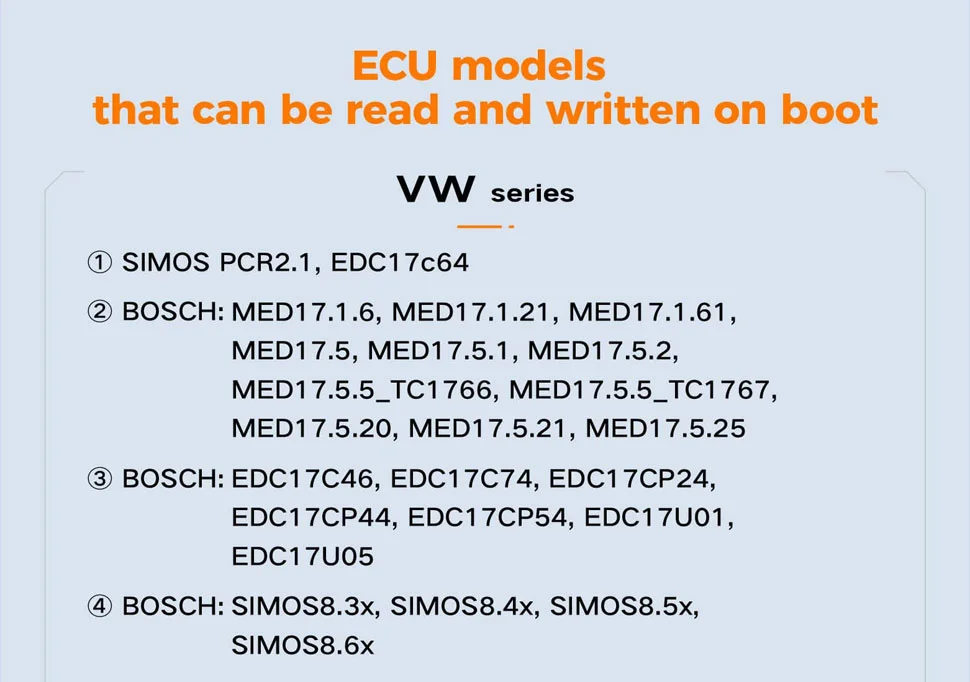
- SIMOS PCR2.1, EDC17c64
- MED17.1.6, MED17.1.21, MED17.1.61, MED17.5, MED17.5.1, MED17.5.2, MED17.5.5_TC1766, MED17.5.5_TC1767, MED17.5.20, MED17.5.21, MED17.5.25
- EDC17C46, EDC17C74, EDC17CP24, EDC17CP44, EDC17CP54, EDC17U01, EDC17U05
- SIMOS8.3X, SIMOS8.4x, SIMOS8.5x, SIMOS8.6X
Boot ECU Entries — BMW
BMW:
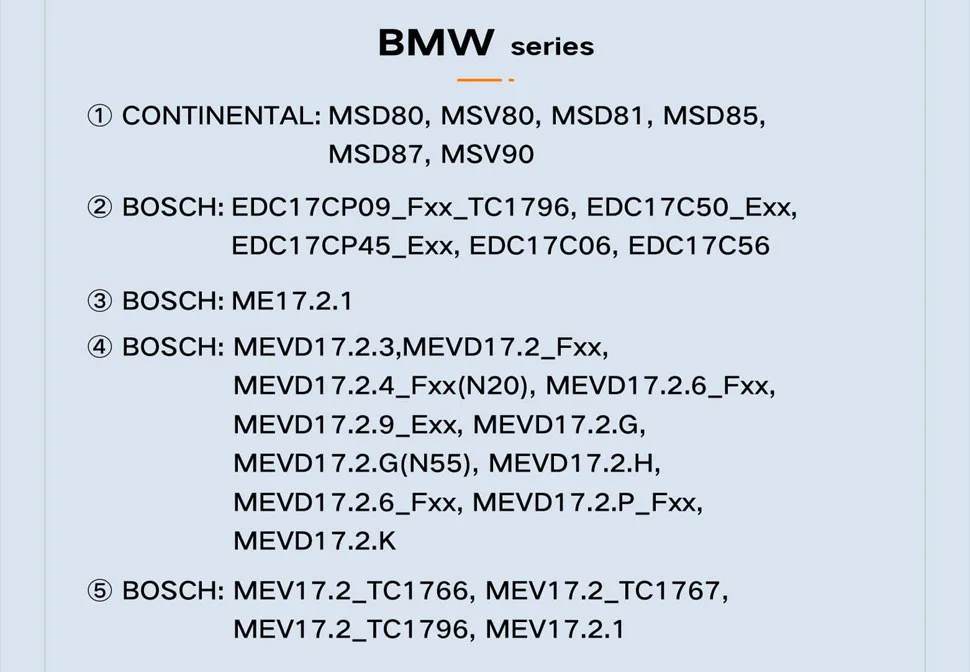
- MSD80, MSV80, MSD81, MSD85, MSD87, MSV90
- EDC17CP09_Fxx_TC1796, EDC17C50_Exx, EDC17CP45_Exx, EDC17C06, EDC17C56
- ME17.2.1
- MEVD17.2.3, MEVD17.2_Fxx, MEVD17.2.4_Fxx(N20), MEVD17.2.6_Fxx, MEVD17.2.9_Exx, MEVD17.2.G, MEVD17.2.G(N55), MEVD17.2.H, MEVD17.2.6_Fxx, MEVD17.2.P_Fxx, MEVD17.2.K
- MEV17.2_TC1766, MEV17.2_TC1767, MEV17.2_TC1796, MEV17.2.1
Boot ECU Entries — Mercedes-Benz / Nissan / GM
Mercedes-Benz:
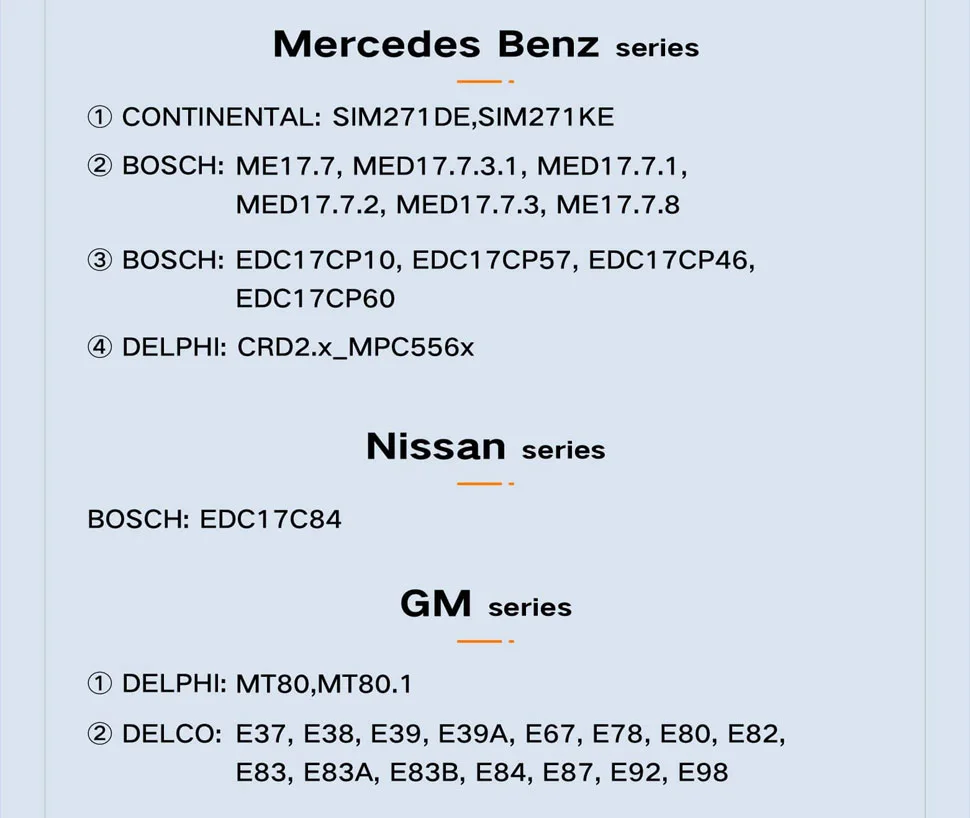
- SIM271 DE,SIM271 KE
- ME17.7, MED17.7.3.1, MED17.7.1, MED17.7.2, MED17.7.3, ME17.7.8
- EDC17CP10, EDC17CP57, EDC17CP46, EDC17CP60
- CRD2.x_MPC556x
Nissan:
- EDC17C84
GM:
- MT80, MT80.1
- E37, E38, E39, E39A, E67, E78, E80, E82, E83, E83A, E83B, E84, E87, E92, E98
Boot ECU Entries — Hyundai-Kia / Other
Hyundai/Kia:
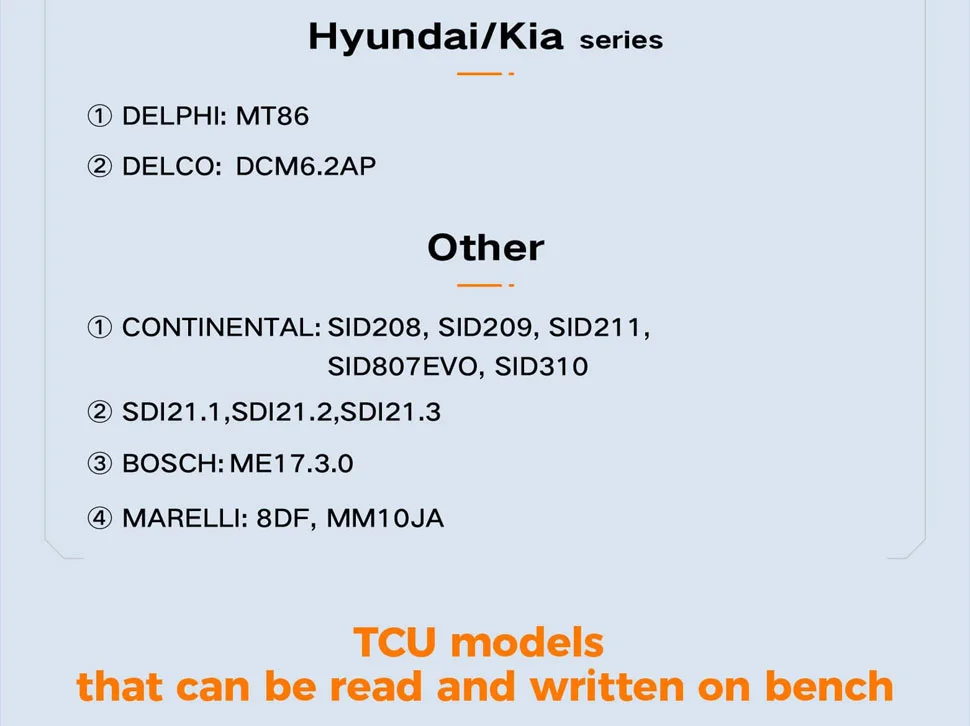
- MT86
- DCM6.2AP
Other:
- SID208, SID209, SID211, SID807EVO, SID310
- SDI21.1 ,SDI21.2,SDI21.3
- ME17.3.0
- 8DF, MM10JA
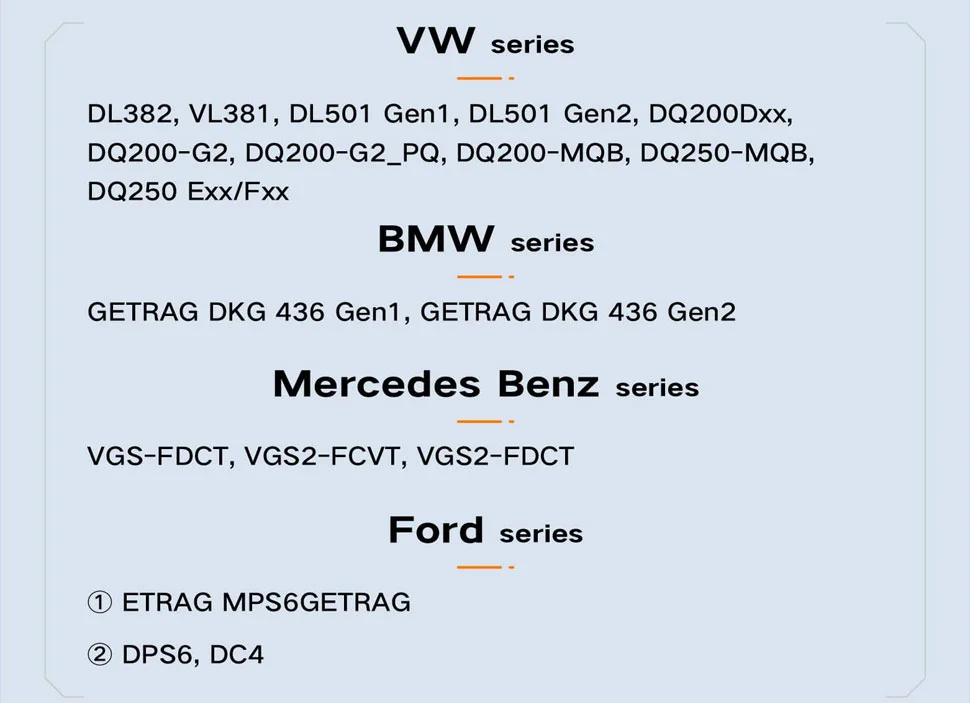
Bench TCU Entries
- VW: DL382; VL381; DL501 Gen1 / Gen2; DQ200Dxx; DQ200-G2; DQ200-G2_PQ; DQ200-MQB; DQ250-MQB; DQ250 Exx/Fxx.
- BMW: GETRAG DKG 436 Gen1 / Gen2.
- Mercedes-Benz: VGS-FDCT; VGS2-FCVT; VGS2-FDCT.
- Ford: MPS6; DPS6; DC4.
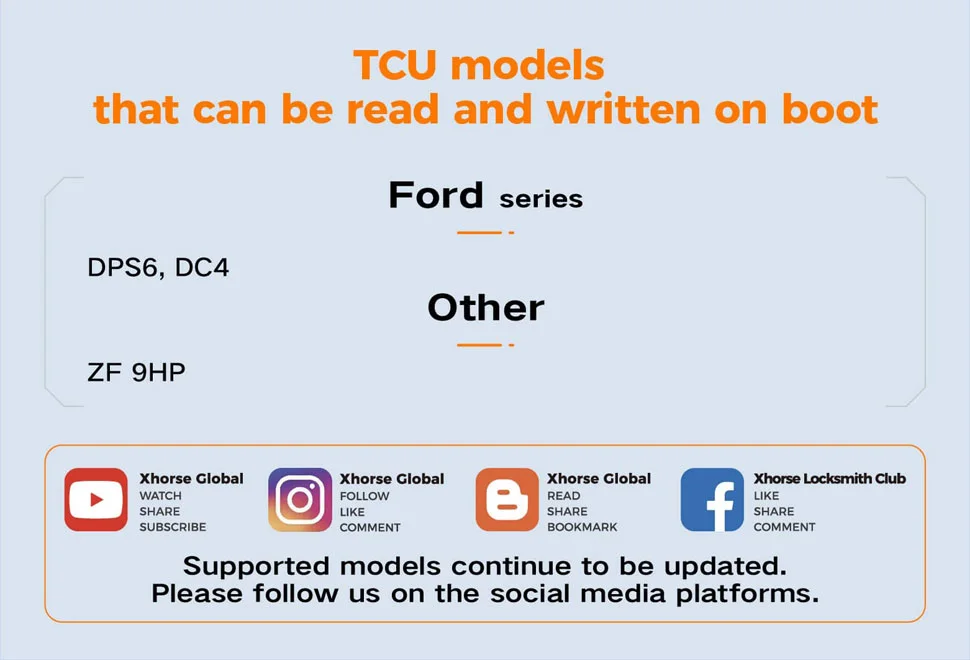
Boot TCU Entries
- Ford: DPS6; DC4.
- Other: ZF 9HP.
Specifications
Specifications
| Parameter | Details |
|---|---|
| Memory | 256M × 2 DDR + 64M NOR FLASH |
| Display | 3.5-inch |
| Processor | ZYNQ7020 Dual-core Cortex A9 + FPGA |
| Input Voltage | 15V/4A |
| Working Current | 300mA (14V) |
| Operating System | Linux |
| External interface | USB/RJ45 |
| Storage Temperature | -30–65℃ |
| Working Temperature | -20–50℃ |
Compare
Compare
Product FAQ
Ask a questionDoes successful ECU reading mean Xhorse Multi-Prog can clone that ECU?
No. Xhorse Multi-Prog ECU cloning requires more than a successful read or ISN display. Confirm the exact ECU, replacement-unit compatibility, required memory areas and supported replacement procedure. Read/write coverage alone does not establish a complete cloning solution.
Does Xhorse Multi-Prog correct checksums for every ECU?
Xhorse Multi-Prog checksum processing is supported for selected ECU applications. Do not assume that every protocol or modified file receives automatic checksum correction. Follow the instructions for the exact ECU and software function, and retain an unchanged original backup.
Can Xhorse Multi-Prog read BMW B48 and B58 ISN?
The manufacturer manual lists BMW ISN reading for selected B48 and B58 ECU applications. Confirm the exact ECU identifier, software coverage and connection requirements. An engine designation alone does not establish support for every hardware or software version.
Can Xhorse Multi-Prog read and write DQ200, DQ250 and VL381 transmissions?
Xhorse Multi-Prog TCU read/write coverage includes listed DQ200, DQ250 and VL381 applications. Select the exact transmission controller and follow its connection diagram. Supported data access does not automatically establish compatibility for every replacement or cloning procedure.
Can Xhorse Multi-Prog read every supported ECU in Bench mode without opening it?
No. Xhorse Multi-Prog Bench and Boot support must be checked separately for the exact ECU. A Boot listing does not establish Bench access or an unopened-case procedure. Use the connection method specified for the selected software entry.
Do I need additional adapters for Xhorse Multi-Prog EEPROM and MCU programming?
Xhorse Multi-Prog EEPROM and MCU programming requires connections matched to the chip package and selected function. Some tasks use soldered connections; others require dedicated adapters. Check the product package list and application diagram before ordering additional accessories.
Does Xhorse Multi-Prog work without a computer?
Normal Xhorse Multi-Prog operation uses the main unit with PC software connected through USB or RJ45. The manual also describes factory-mode offline chip programming. That specific offline capability does not mean every ECU, TCU or MCU operation works without a computer.
Customer reviews
Highest rated firstNo reviews yet.