
1 / 12
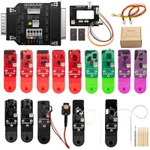
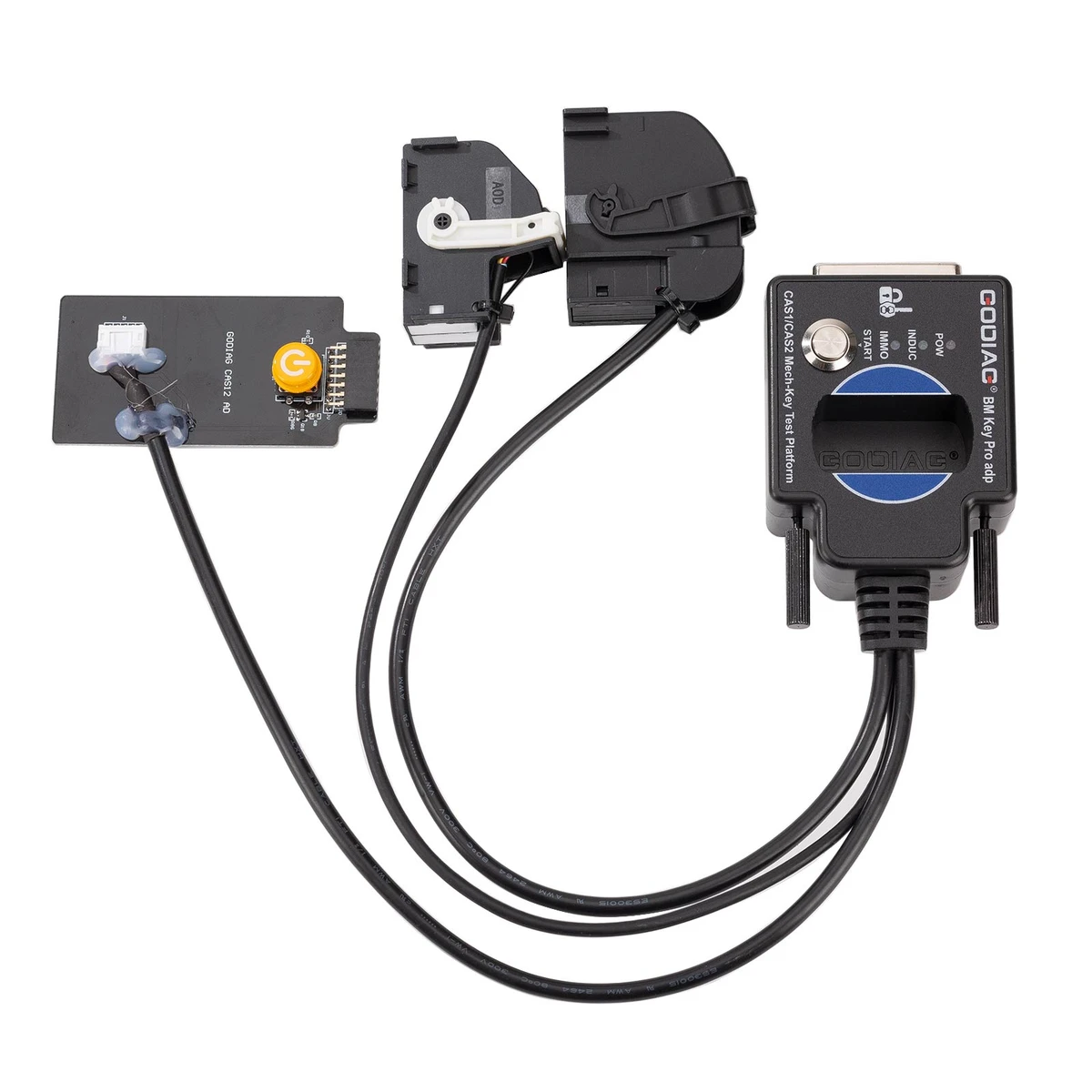
BMW CAS1/CAS2 Mech-Key Test Platform Detect CAS & Key Synchronization Solder-free Matching CAS Data Read, Write and Program
Bench check BMW CAS1/CAS2 mechanical-key module and key synchronisation with this GODIAG platform. Programming needs a specifically supported external tool.
€54€60
Quantity
Delivery & shipping options
- Standard delivery
- Free
- Dispatch from
- EU
- Total incl. shipping:
- €54
- Estimated delivery
- 8–15 Working Days
- Returns
- 30 days from delivery
Frequently Bought Together
Full Kit-GT100+ BMW PLatform
GODIAG BMW Test Platforms
Overview
Overview
This platform is for the mechanical-key CAS1/CAS2 arrangement. It provides module connections, key sensing and synchronisation feedback for the specified setup. It is distinct from the CAS2/CAS3 semi-smart platform.
Specifications
| Application | BMW CAS1 and CAS2 mechanical key |
|---|---|
| Function | Module and key synchronisation test |
| Connection | Model specific bench platform |
| Excluded equipment | GT100; GT100+; Autel; OBDSTAR |
Package list
| Item | Qty |
|---|---|
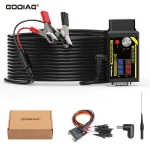
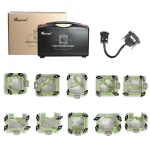
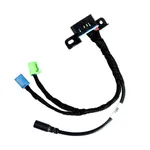
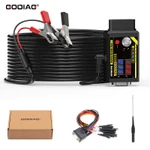
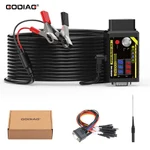
| GODIAG BMW CAS1/CAS2 Mech-Key Test Platform | 1 |
| Item | Qty |
|---|---|
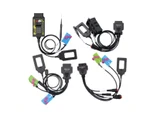
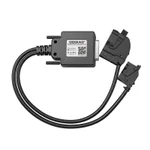
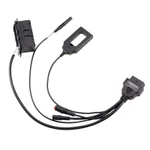
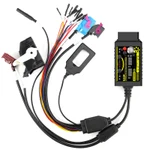
| OBD2 to DB25 Cable | 1 |
Description
Description
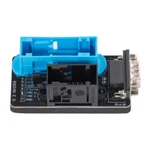
GODIAG BMW CAS1/CAS2 Mech-Key Test Platform
The GODIAG BMW CAS1/CAS2 Mech-Key Test Platform supports mechanical-key and CAS module synchronization checks, solder-free key-matching connections, and CAS data reading, writing, programming, and backup with compatible external key programmers. It is intended for BMW locksmiths, maintenance engineers, and CAS1/CAS2 programming specialists.
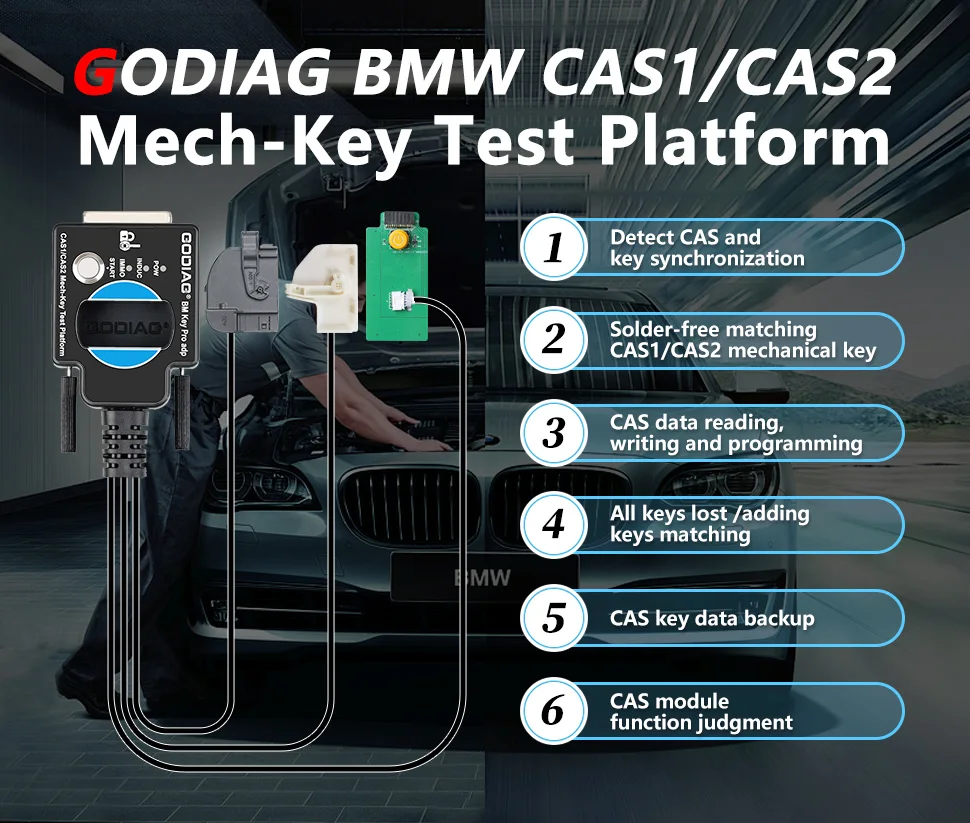
Note: For mechanical keys only. Semi-intelligent / smart-key CAS2 applications require the separate matching test platform.
Functions and External Key Programmers
- Check whether a CAS1/CAS2 module and mechanical key are synchronized.
- Provide solder-free connections for supported CAS1/CAS2 mechanical-key matching.
- Support CAS data reading, writing, programming, and key-data backup with the appropriate external programmer.
- Support all-keys-lost and add-key procedures with compatible key-programming equipment.
- Assist in assessing CAS module operation.
The supplied description lists Xhorse Key Tool Plus Pad, VVDI2, BMW VVDI BIM Tool, Autel IM608, CGDI BMW, Lonsdor, and OBDSTAR key-programming devices.
Note: The platform is used with external key-programming equipment; the platform’s sensing coil does not generate dealer keys. Device-specific software and application support determine the available operations.
Note: The supplied compatibility notice excludes general diagnostic equipment and GT100 / GT100+ for this described setup. The dedicated key-programmer examples below should not be treated as confirmation of general diagnostic-tool compatibility. Confirm the exact platform and adapter version before combining equipment.
CAS2 Module and Key Synchronization Test
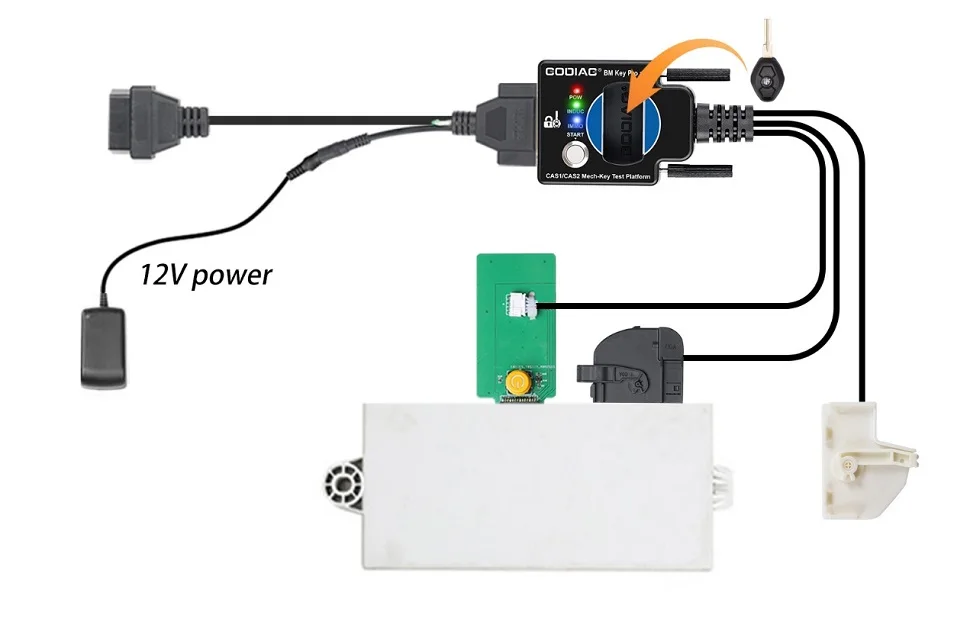
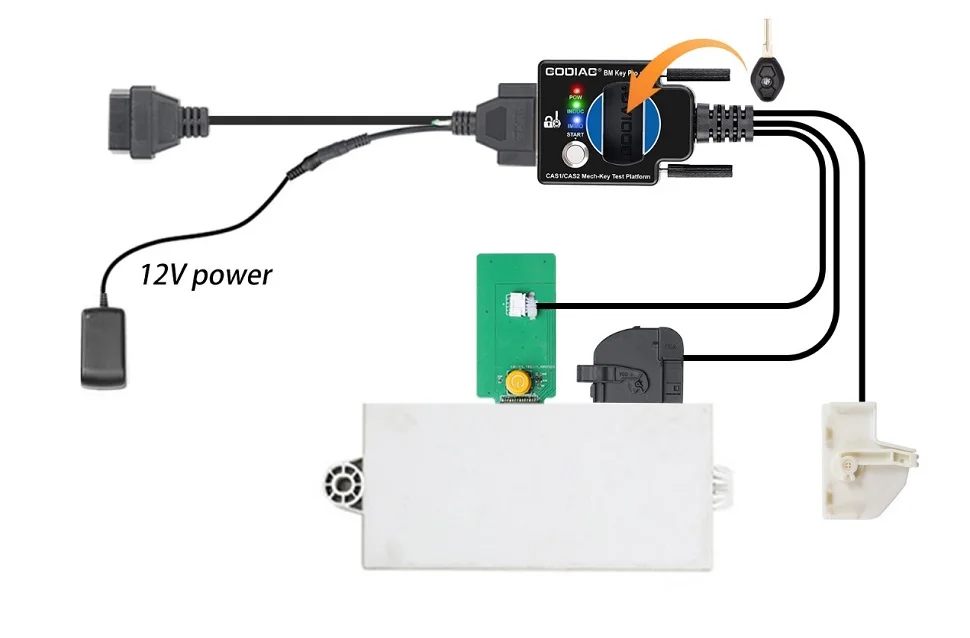
- Connect the CAS2 module according to the connection diagram.
- Place the mechanical key in the platform’s key sensing area and connect the power supply.
- Press the simulated start/stop button once to power on and perform detection; press again to switch off.
Synchronized: the power indicator is on, the CAS key induction-coil indicator flashes regularly, and the IMMO synchronization indicator lights with a buzzer prompt.
Not synchronized: the coil indicator flashes quickly for approximately two seconds; the IMMO synchronization indicator remains off and no buzzer prompt is heard.
The supplied procedure also describes holding the simulated start/stop button: after approximately three seconds the IMMO and INDUC indicators go out; releasing the button relights the IMMO indicator and the INDUC indicator flashes.
CAS1 Module and Key Synchronization Test
Note: Use a 12V 2.5A power supply for CAS1. Do not connect a CAS2 module at the same time.
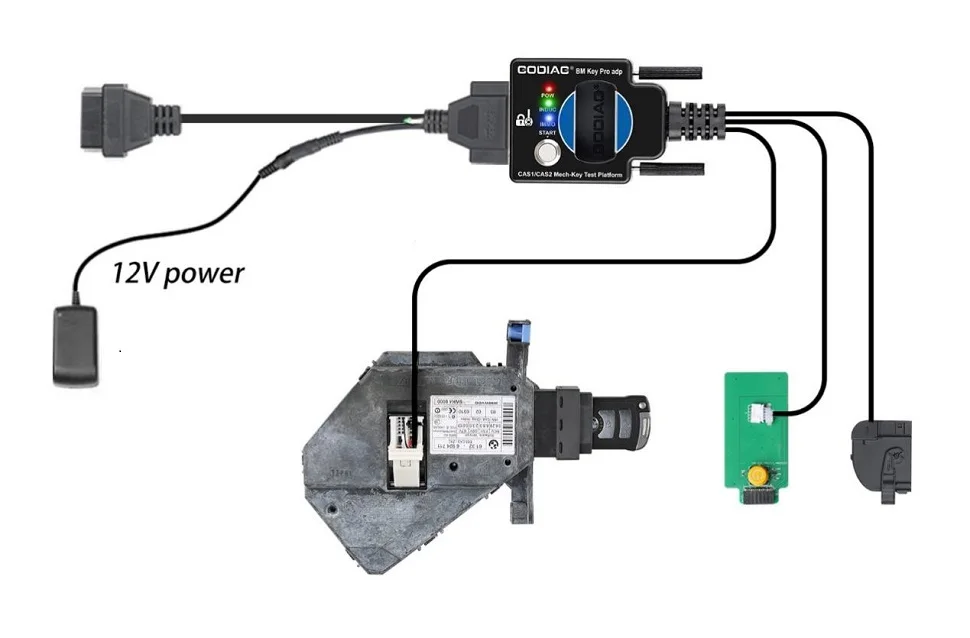
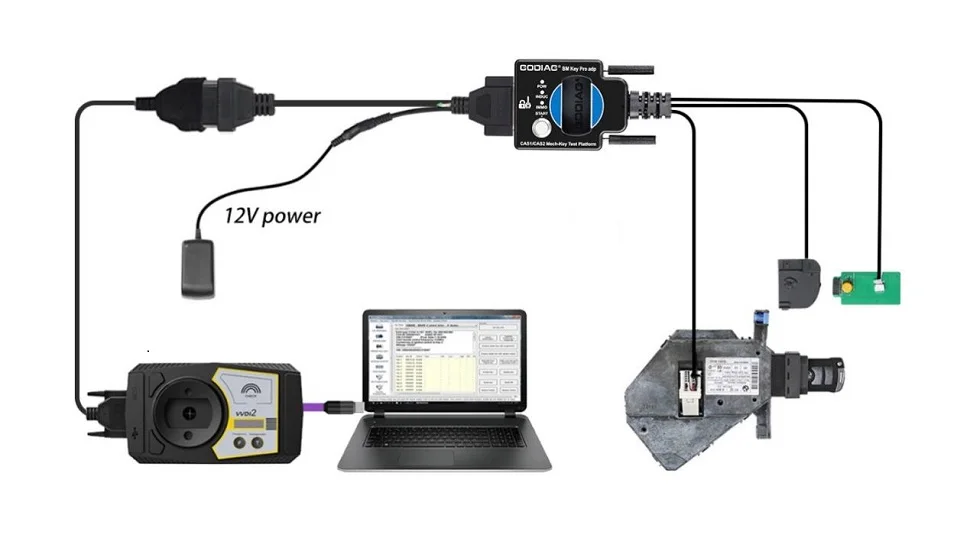
- Connect the CAS1 module as illustrated and connect the specified power supply.
- Press the platform START button; the CAS START-STOP indicator lights.
- Insert the mechanical key into the CAS1 module’s key socket, then press the CAS1 key.
- A synchronized key is retained / locked in the socket; an unsynchronized key is automatically ejected according to the supplied procedure.
Before Reading CAS Data
Note: Remove the key before reading EEPROM. Do not perform a key/module synchronization test before connecting to read data; power the module with the platform START button only. If a synchronization test has already been performed and data cannot be read, power off and reconnect the module, platform, and programmer as directed.
CAS2 with VVDI2: Connection and EEPROM Backup
Connect the CAS2 mechanical-key module, platform, VVDI2, and computer as illustrated. Press the platform START button to power the module.
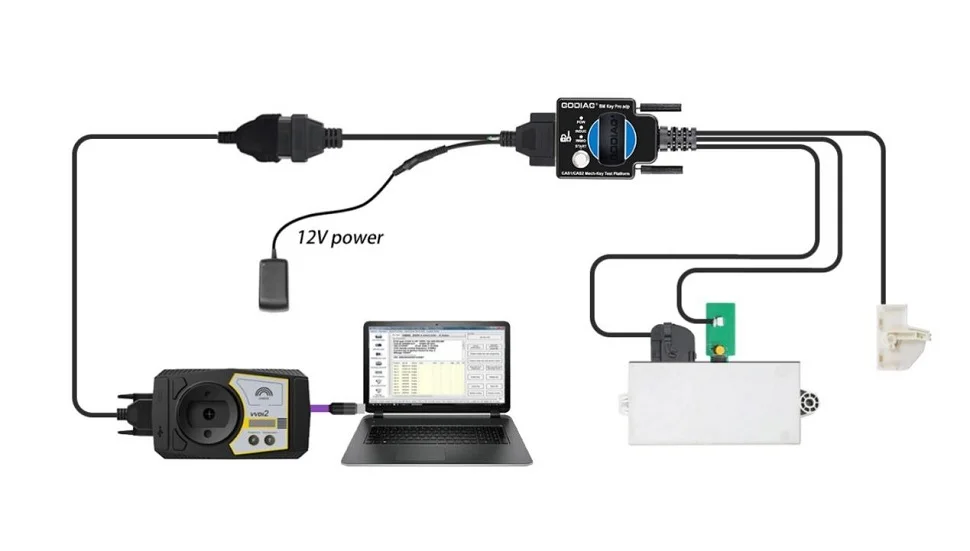
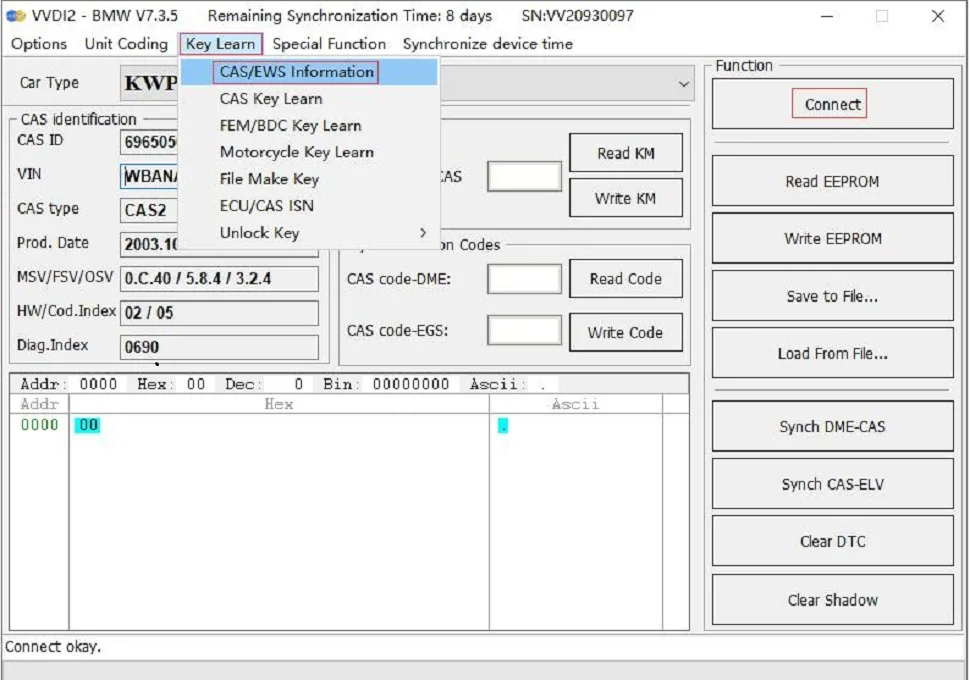
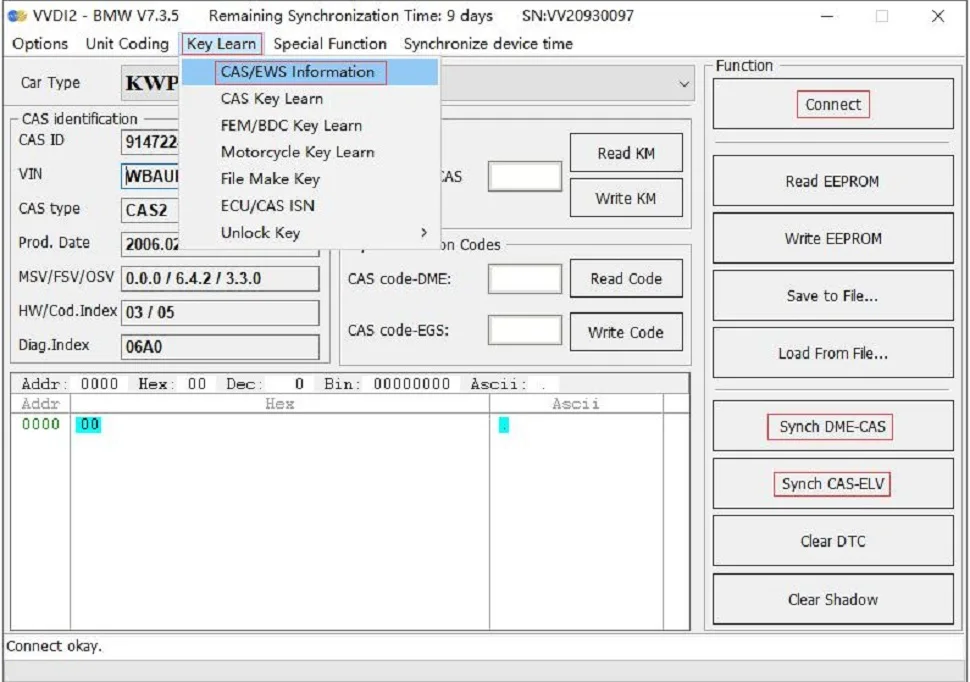
In the supplied VVDI2 example, select Key Learn → CAS/EWS Information → Connect → Read EEPROM. Keep the key removed during data reading.
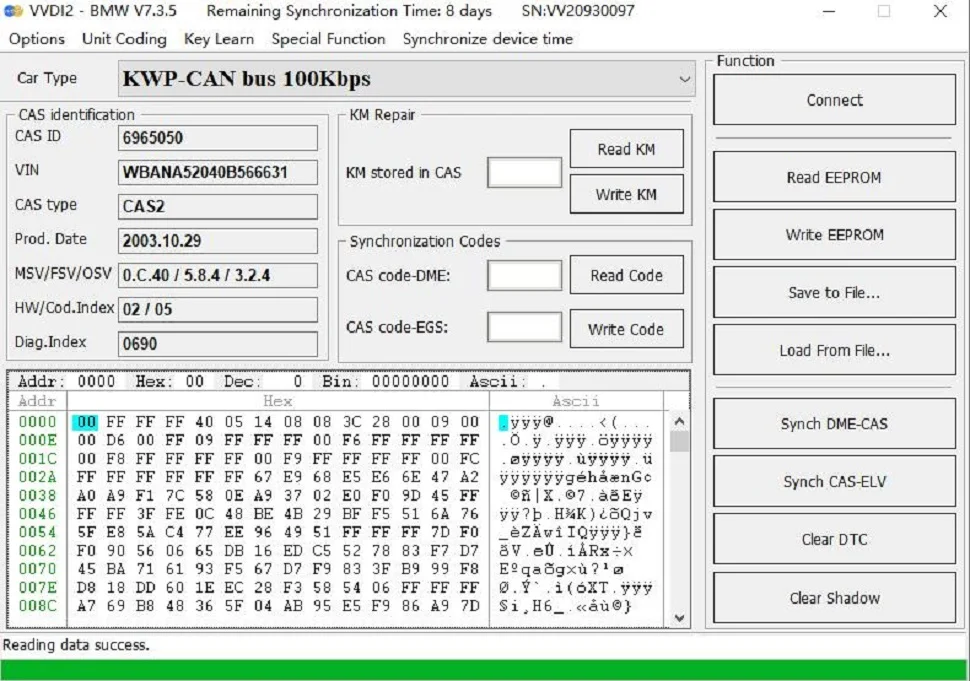
After a successful read, use Save to File to save the EEPROM data.
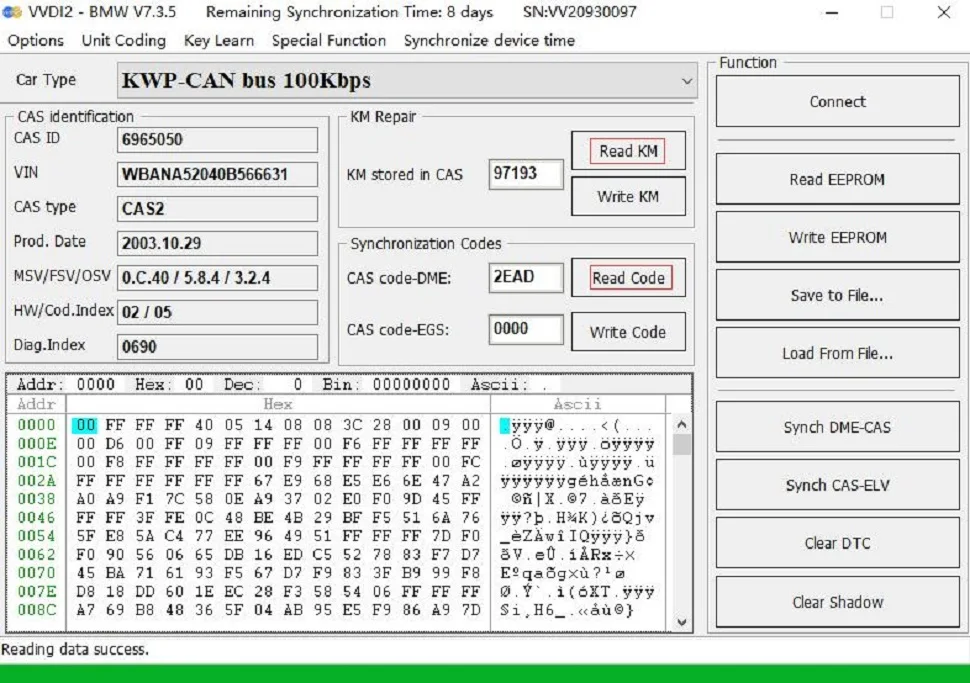
The supplied example also shows Read KM for CAS mileage functions and the CAS code-DME reading menu.
CAS2 with VVDI2: Key Preparation and Test
Select Key Learn → CAS Key Learn → Connect, then Get Key Info and Save Key Info.
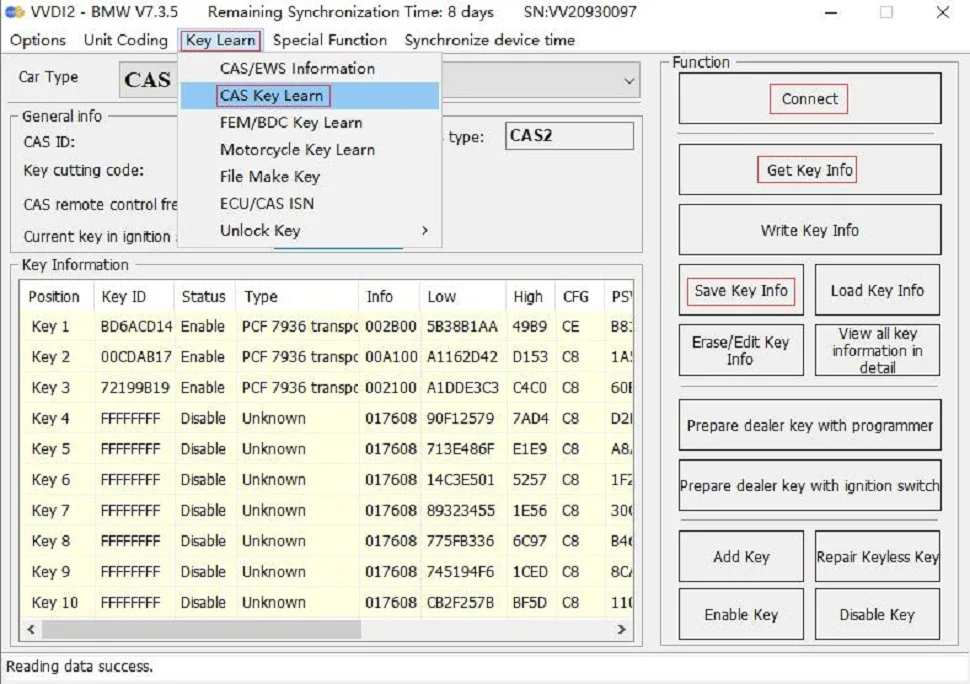
Select an unused key position and choose Prepare dealer key with programmer. Generate the key using the VVDI2 key-programming area.
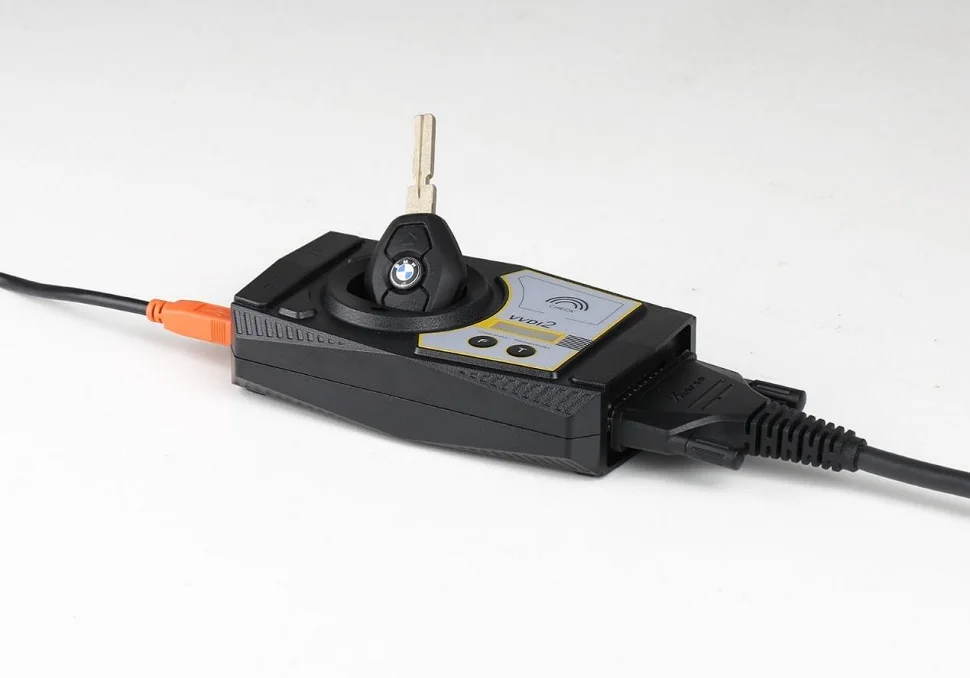
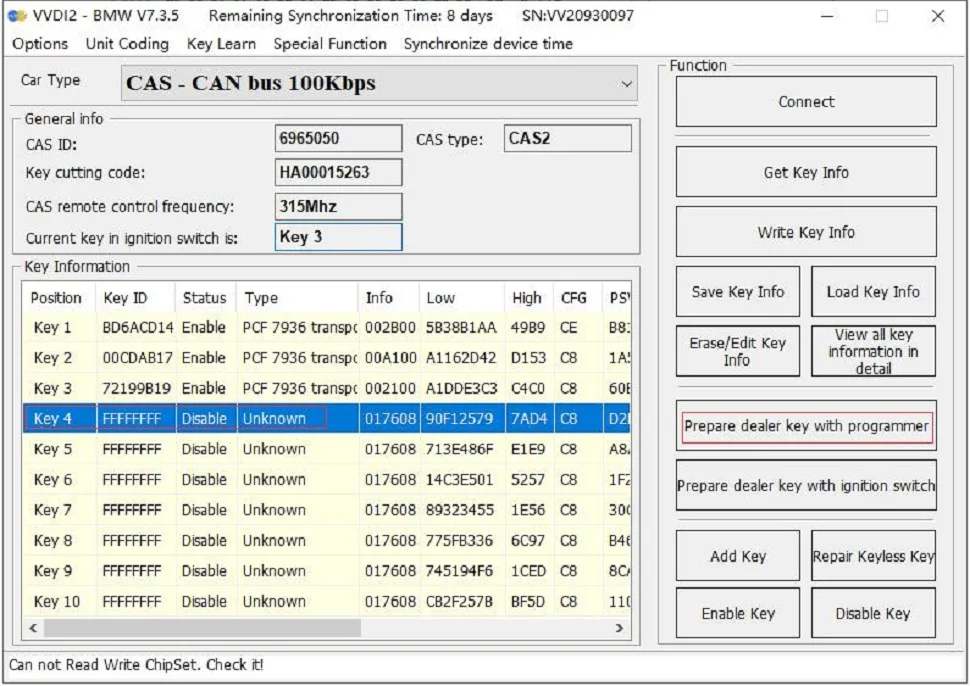
Note: The GODIAG platform’s sensing coil cannot generate the dealer key. Use the external programmer’s key-programming area for this step.
After preparing the key, place it in the platform sensing area and perform the CAS2 synchronization test described above.
If synchronization is required, use the appropriate VVDI2 Synch DME-CAS or Synch CAS-ELV menu as directed by the selected application.
Note: During the VVDI2 synchronization operation, place the key in the VVDI2 sensing area, as stated in the supplied instructions.
CAS1 with VVDI2: Connection and EEPROM Backup
Note: Use a 12V 2.5A supply and do not connect CAS2 simultaneously. Do not insert a key or perform synchronization detection before data reading.
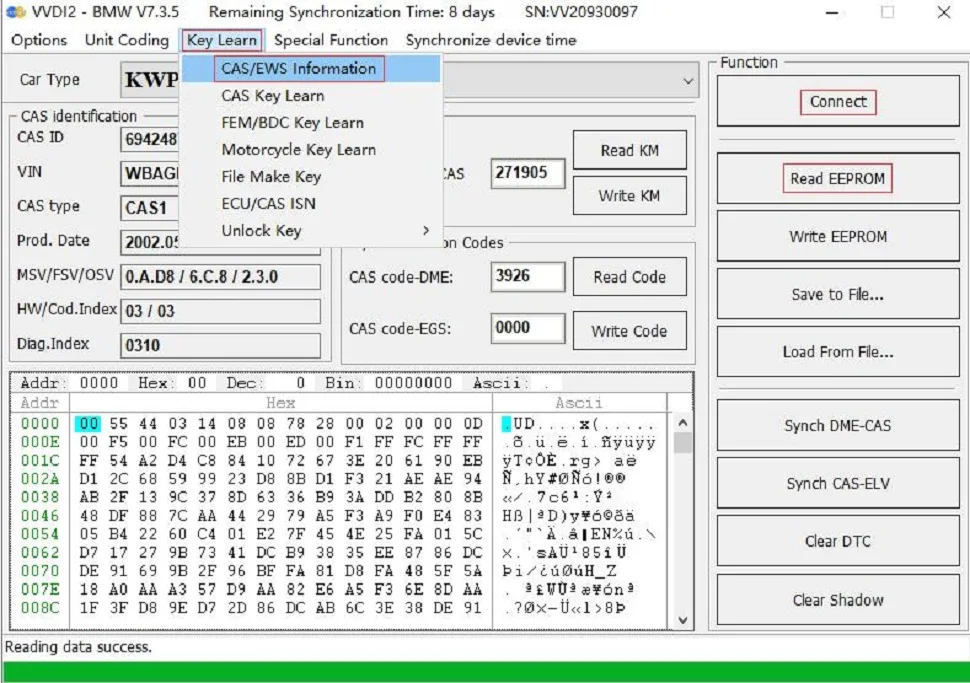
Press the platform START switch to power CAS1. Select Key Learn → CAS/EWS Information → Connect → Read EEPROM. If reading fails after a prior synchronization test, switch off and reconnect before retrying.
Save the read data using Save to File.
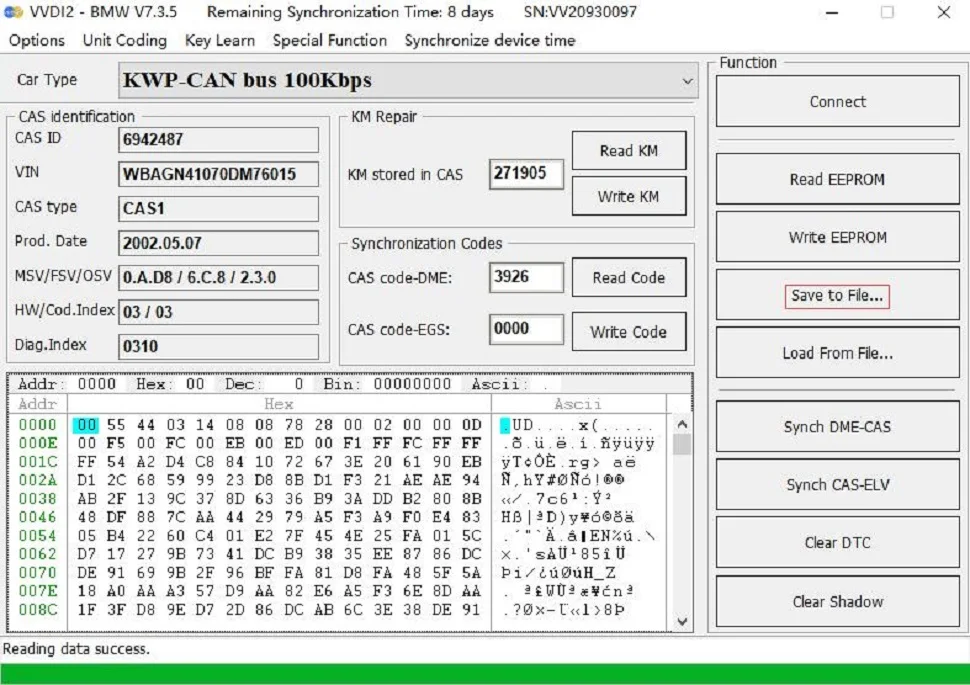
The supplied CAS1 example also shows the Read KM and CAS code-DME menus.
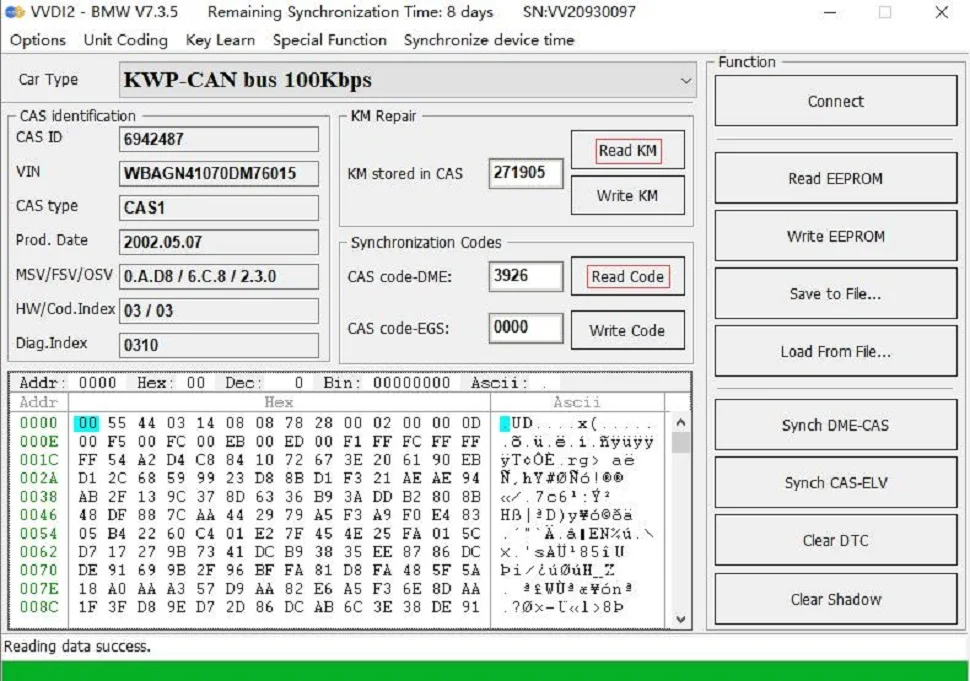
CAS1 with VVDI2: Key Preparation and Test
Select Key Learn → CAS Key Learn → Connect, then Get Key Info and Save Key Info.
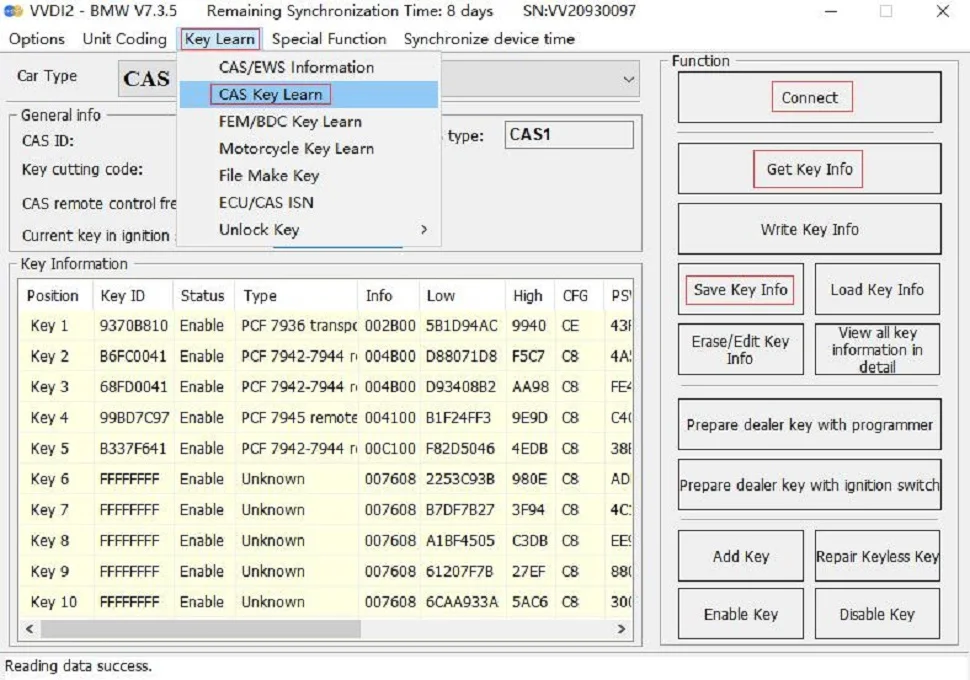
Select an unused key position and choose Prepare dealer key with programmer. Generate the key in the VVDI2 key-programming area.
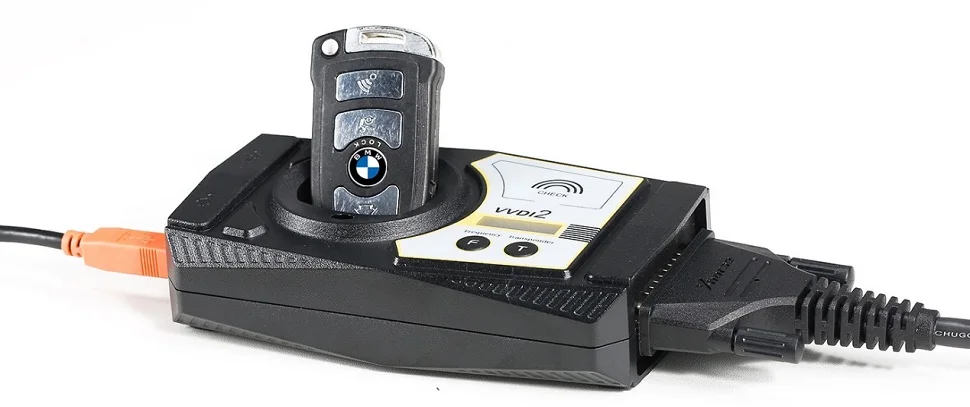
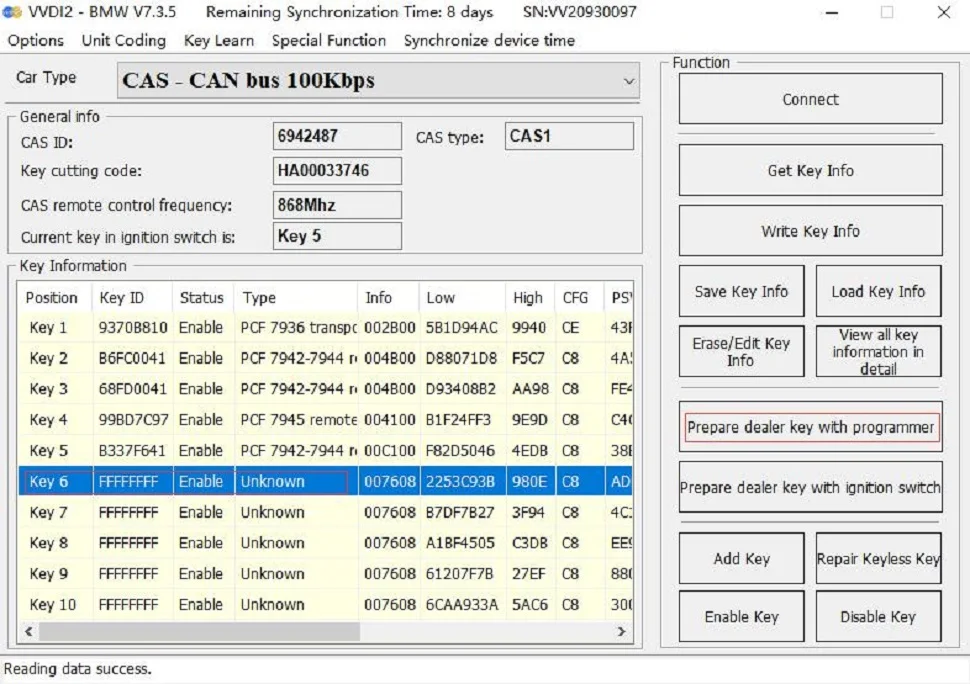
Note: Neither the CAS1 key socket nor the GODIAG platform sensing coil can generate a dealer key.
After programming, insert the key into the CAS1 module’s key socket for the synchronization check. If the required synchronization is absent, follow the applicable VVDI2 synchronization menu.
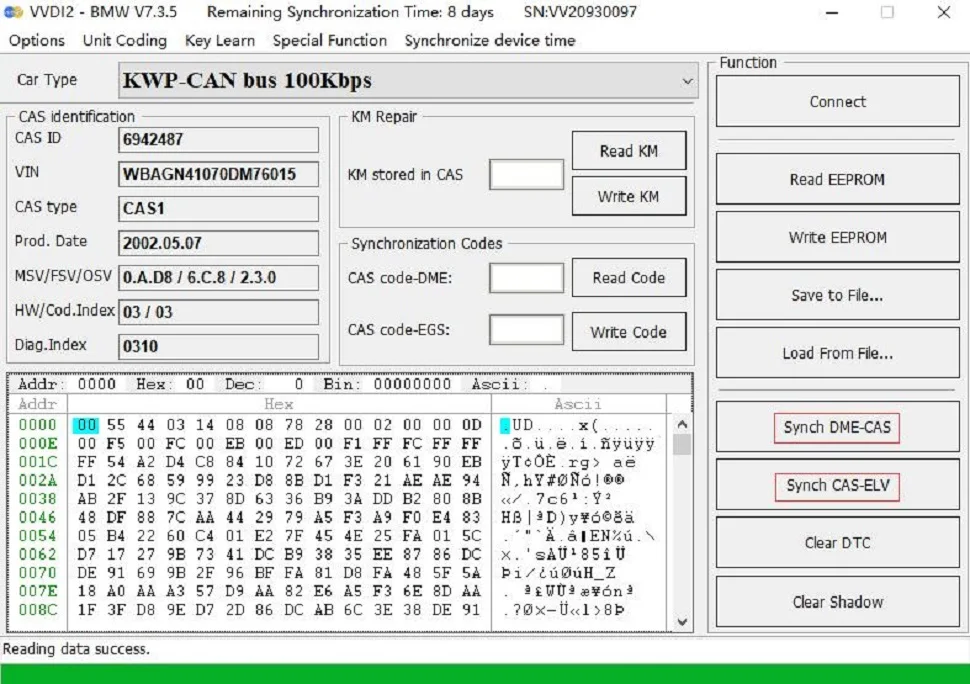
Note: When performing synchronization through VVDI2, use the VVDI2 key sensing area. Follow the selected programmer’s prompts for the actual module.
Specifications
Specifications
| Parameter | Details |
|---|---|
| Application | BMW CAS1 and CAS2 mechanical key |
| Function | Module and key synchronisation test |
| Connection | Model specific bench platform |
| Excluded equipment | GT100; GT100+; Autel; OBDSTAR |
Product FAQ
Ask a questionWill this CAS1 CAS2 mechanical key platform work through GT100?
No. The manufacturer excludes GT100 and GT100+ for the CAS1 CAS2 mechanical key bench platform. Use the platform-specific connection procedure.
Can I use Autel IM608 with this CAS1 CAS2 platform?
The manufacturer excludes Autel and OBDSTAR use for this CAS1 CAS2 mechanical-key test platform. Do not transfer compatibility from the CAS4 or FEM platform.
Does this CAS2 platform support semi smart magnetic keys?
This is a CAS1 CAS2 mechanical key platform. CAS2 CAS3 semi smart magnetic-key testing requires the separate SER platform.
Can the CAS1 CAS2 test platform generate a dealer key alone?
No. The BMW CAS1 CAS2 bench test platform checks the module and prepared key arrangement. A specifically supported programmer is needed for key preparation and module data operations.
Customer reviews
Highest rated firstNo reviews yet.