

Abstract
Transmission electronics work requires a match between the controller, intended software operation and physical connection. “DSG support” is too broad to establish compatibility with a particular TCU. A harness can provide the electrical connection without providing a read protocol, a valid update file or replacement adaptation. This guide separates those requirements and uses a DQ250 job as a planning example, not a wiring or programming recipe.
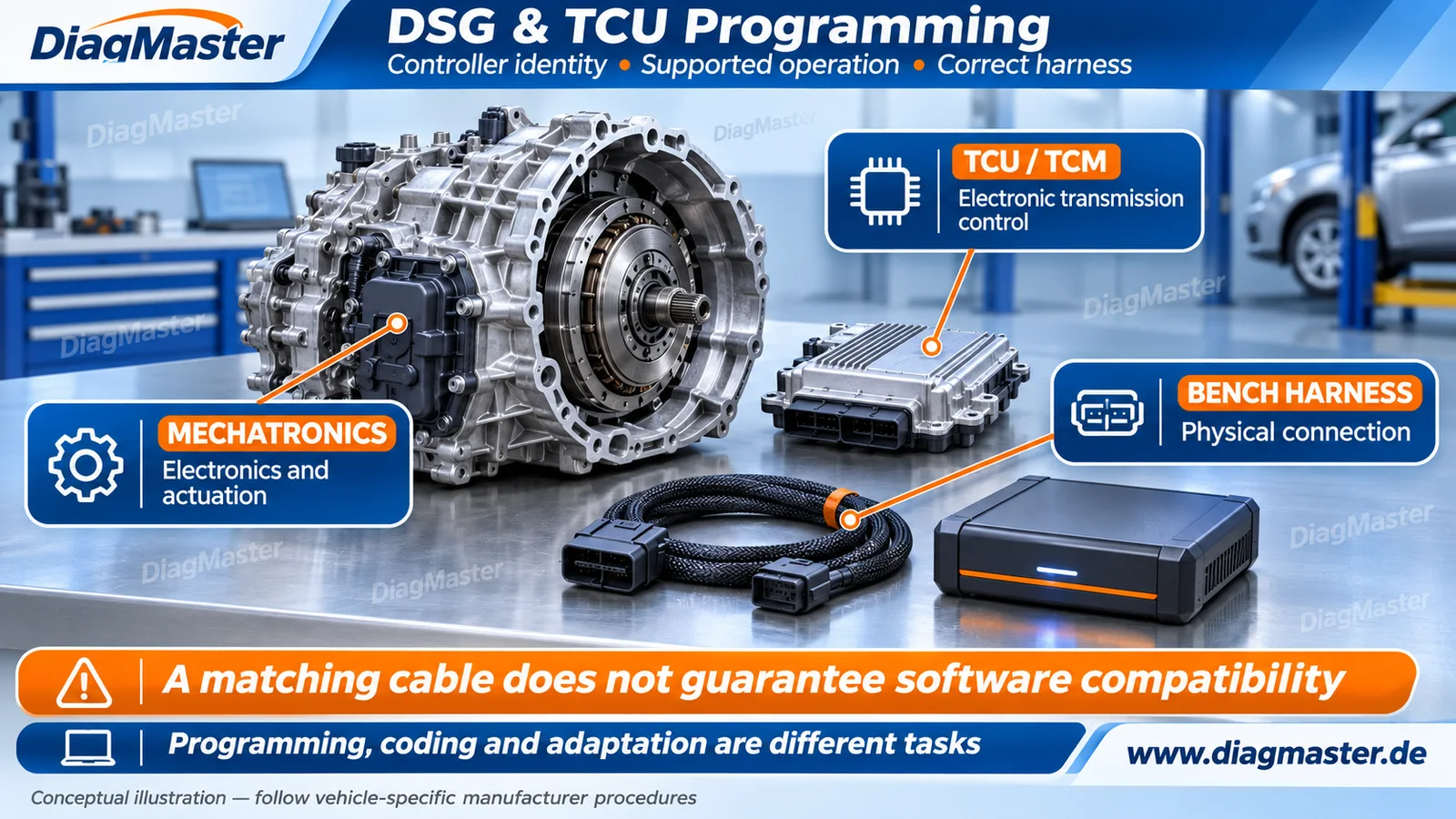
Figure 1. Conceptual transmission, controller and harness illustration. It does not identify an actual gearbox, mechatronic location or connector assignment. Original DiagMaster editorial artwork.
1. TCU, TCM, DSG and mechatronics
Table 1. Transmission termsTerm | Working meaning | Boundary |
|---|---|---|
TCU / TCM | Transmission control unit / transmission control module. | Controller identity and software matter, not only the gearbox name. |
DSG | Volkswagen Group terminology for a dual-clutch transmission. | It does not describe all automatic transmission types. |
Mechatronics | An assembly combining electronic control with actuation-related components. | A data operation does not repair a hydraulic or mechanical defect. |
Gearbox harness | The physical cable/adapter connecting specified equipment and controller points. | Connector fit does not prove pin mapping or protocol support. |
Volkswagen explains DSG as a dual-clutch system with coordinated electronic and hydraulic control. Its DQ200 mechatronic campaign description gives a concrete example of a hydraulic pressure problem interrupting power transmission. These examples explain why diagnosis must consider both electronics and the physical transmission; they do not establish the fault in any particular car. [R01] [R02]
2. Transmission family names are not protocols
DQ200, DQ250, DQ500 and DL501 are family identifiers encountered in vehicle/tool documentation. They are not software protocol names or universal harness specifications. For a job record, obtain the installed controller part number, hardware/software identification and vehicle/transmission information. Confirm the exact supported operation against the tool’s current documentation. [R05] [R06]
Avoid a family-wide compatibility promise
Two listings containing “DQ250” do not by themselves establish identical connections or functions. A supplier may distinguish controller revisions, access methods, memory regions and operations. Keep those distinctions in the compatibility check instead of substituting a familiar family label.
3. Programming, coding and adaptation
Table 2. Separate the intended outcomesTask | What it changes or establishes | What it does not prove |
|---|---|---|
Programming / software update | Installs supported controller software or calibration. | Does not automatically finish replacement setup. |
Coding / configuration | Sets supported application/variant configuration. | Not the same as replacing the firmware image. |
Basic settings / adaptation | Performs the specified initialization or learning procedure. | Not a generic cure for all shift complaints. |
Cloning / data migration | Transfers the required data through a supported replacement workflow. | Not guaranteed by cable compatibility. |
Diagnostic and functional verification | Checks faults and required operating results. | A write-complete message alone is insufficient. |
Volkswagen’s 2017 DSG Technical Tip states that basic settings should be driven by the symptom and guided test plan, rather than performed as a regular routine. The 2023 34K1 service action separately addresses software, conditional transmission repair and subsequent basic settings. These historical documents demonstrate distinct operations; their exact test steps must not be generalized to other transmissions. [R03] [R04]
4. Bench equipment: each part has a different job
GODIAG describes GT107+ as a gearbox connection adapter used with compatible programming equipment. Its advertised connection support does not make it a standalone TCU programmer. The programmer and software execute the supported operation; the harness/adapter establishes the prescribed connection; the supply must meet the exact setup’s requirements. [R05]
Keep the product variants separate. DiagMaster’s GT107-with-GT105-II listing explicitly identifies that combination as different from GT107+. A similarly named item does not establish the same included parts, controls or setup instructions. Confirm the ordered product before following its manual.
- Choose the exact controller-specific drawing and connector variant.
- Verify programmer, software version, licenses and function coverage.
- Confirm the specified supply and ignition-control arrangement.
- Use the supplied procedure for any network termination requirements; do not apply a universal resistor rule.
- Record file coverage, original identifiers and operation logs where supported.
5. DQ250 example: plan the job before selecting the cable
Table 3. A DQ250 service-planning recordQuestion | Record or obtain | Do not assume |
|---|---|---|
Which controller? | Vehicle/transmission identity and TCU part number plus hardware/software references. | All DQ250 units use one data workflow. |
Which outcome? | Diagnosis, backup, software update, replacement or adaptation. | Every menu called “program” does the same thing. |
Which function and mode? | Explicit controller-level read/write and required access method. | Writing means actual reading or cloning is also available. |
Which file and coverage? | Approved file provenance and documented memory scope. | A read file is a complete restorable controller image. |
Which completion checks? | Specified coding, basic settings, diagnostic and functional results. | Bench communication proves correct operation in the vehicle. |
Alientech’s support legend distinguishes the access mode and individual functions. Use that same distinction when interpreting another manufacturer’s coverage matrix, while following that manufacturer’s own instructions. Do not transfer an ignition sequence, pin assignment or a successful cable example between products without confirmation. [R06]
6. Assess the result in the vehicle
After the approved operation and reinstallation, perform the vehicle-specific diagnostic and functional checks. Required fluid conditions, basic settings and adaptation drives depend on the transmission and procedure. This article intentionally does not supply a universal temperature, test-channel sequence or road-test distance. [R03] [R04]
Resolve mechanical faults as mechanical faults
A software update or adaptation cannot be assumed to repair damaged clutches, hydraulic faults or wiring defects. Diagnose the reported behavior and follow the applicable repair plan before repeating programming attempts.
Frequently asked questions
Is every automatic transmission a DSG?
No. DSG identifies a dual-clutch transmission family; other automatic transmission designs require their own service information.
Is the TCU always a separate metal box?
No. Electronics may be integrated into a mechatronic assembly. The article illustration is conceptual, not a component-location guide.
Does GT107 or GT107+ work as an independent TCU programmer?
No. Treat it as a connection accessory; supported programming equipment and software are required.
Are GT107 + GT105 II and GT107+ the same product?
No. They are separate listings/configurations. Check the actual item and its instructions.
Does the correct DQ250 plug guarantee reading and cloning?
No. Confirm the exact controller and each supported function and access mode.
Should DSG basic settings be run as routine maintenance?
Do not assume so. Follow the applicable symptom-based or repair-related guided test plan.
Does successful flashing complete a TCU replacement?
Not necessarily. Coding, basic settings, other setup and functional verification may still be required.
Can a cable’s voltage display prove a good data write?
No. It indicates an electrical condition; software validation and the required diagnostic/functional checks establish the operation’s outcome.
Related products and resources
Table 4. Topic-related candidates; no CMS association or compatibility certification is impliedRelated product | Role | Selection boundary |
|---|---|---|
Connection-adapter set | The listing is GT107 + GT105 II, not GT107+. Confirm the exact module/software/harness combination. | |
Gearbox connection adapter | Separate product from the GT107 + GT105 II set; use with a supported programmer. | |
Harness set for the listed gearbox families | A set label does not certify every connector revision, controller function or programmer protocol. | |
Programming-system candidate | Confirm current controller-level operation, access mode, software/license and required cables. |
These products relate to the topic; their inclusion does not establish coverage for every vehicle or operation. Confirm the exact SKU, software, license, required accessories and manufacturer-supported procedure before selecting equipment.
Technical references
Sources checked 17 November 2026. Vehicle-specific bulletins are cited as examples within their stated scope. The separate source register records hosting and access limits. DiagMaster’s checklists and working definitions are editorial synthesis, not a universal service standard.
[R01] Volkswagen Singapore. Innovative Volkswagen Technology for Every Drive. DSG dual-clutch gearbox section
[R02] Volkswagen New Zealand. Mechatronics Unit. DQ200 campaign explanation
[R03] Volkswagen of America. 37-09-03TT — Direct Shift Gearbox (DSG) — Basic Settings. September 15, 2017; Technical Background and Service
[R04] Volkswagen. 34K1 — Transmission Control Module Software. November 3, 2023 revision; software update and post-repair basic-setting passages
[R05] GODIAG brand support site. GT107+ DSG Plus Gearbox Data Adapter. Product description; use with compatible programming equipment
[R06] Alientech. KESS3 & Powergate Vehicle List. Legend / Connections / Connection Functions
[R07] VAPON Technology / FormulaFlash. FormulaFlash Product Overview. OBD, Bench and Boot mode families
Technical scope
Prepared for DiagMaster Technical Support as a referenced educational explainer. It is not an OEM-issued repair instruction, an engineering certification or a controller compatibility list. Use current vehicle-specific manufacturer information and exact tool documentation. www.diagmaster.de.