

DiagMaster · MLB WORKSHOP GUIDE · 18 November 2026
Before you quote: answer these three questions
Is this a spare-key job with a working key, or an all-keys-lost job? Which exact replacement key and functions does the customer need? What does the current KD-X6 procedure support for that vehicle? Answer those questions before promising a price or opening a key. Buying a larger adapter kit does not resolve an unidentified job.
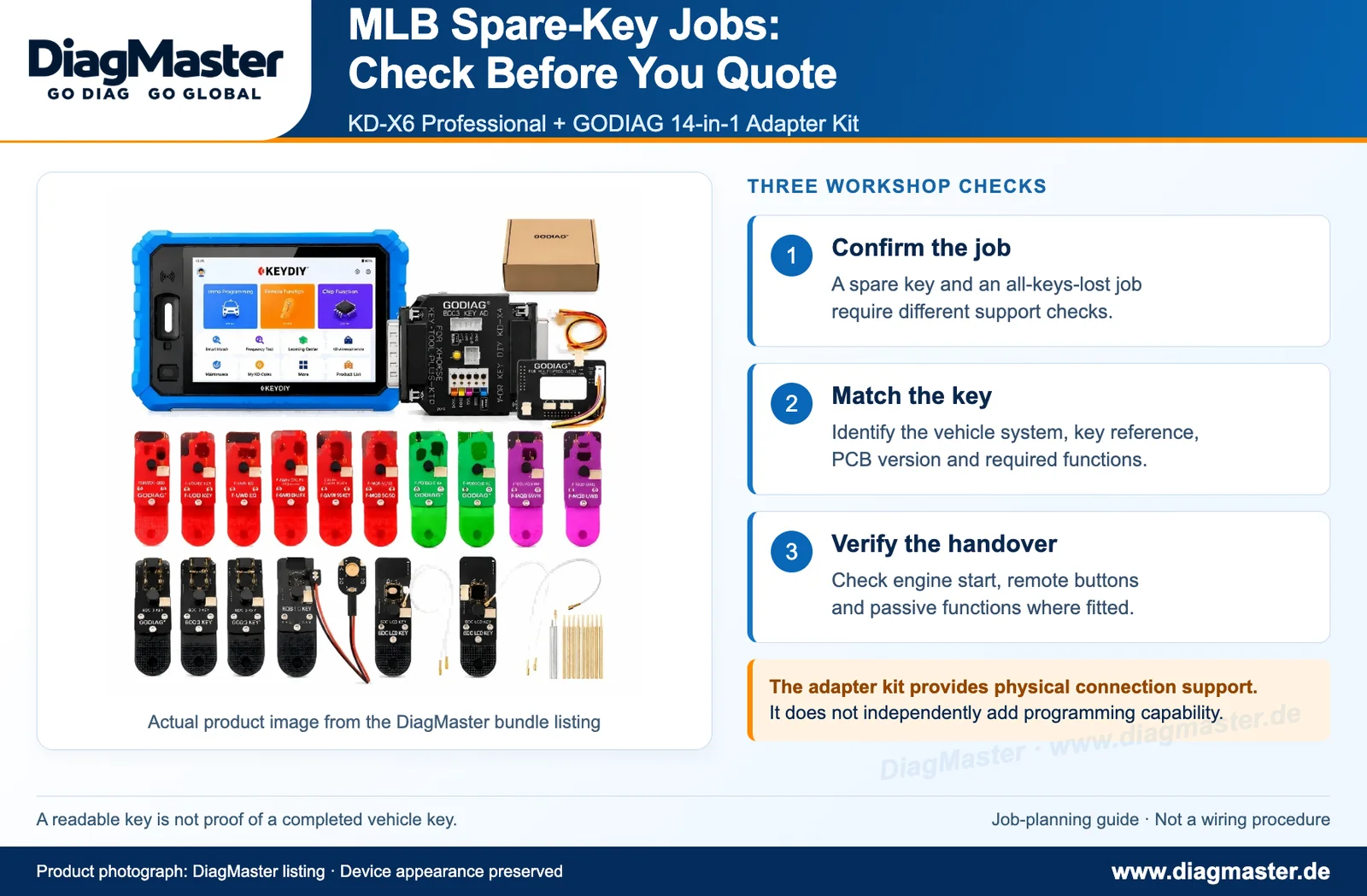
Product photograph from the DiagMaster KD-X6 and GODIAG 14-in-1 bundle listing, arranged with job-planning checks. Device appearance is preserved; this is not a wiring or key-learning procedure.
1. What this bundle adds—and what it does not prove
Table 1. Separate software capability from physical connection supportComponent | Its role in this offer | Do not assume |
|---|---|---|
KD-X6 Professional | The supported key/IMMO programming platform. | Every vehicle, key or all-keys-lost route is covered. |
GODIAG 14-in-1 kit | Physical connection options for the listed key PCBs. | It independently adds programming or expands every MLB function. |
The exact DiagMaster listing combines those two items. Its adapter labels cover specified BMW BDC/BCP and 5C/5D applications, among others. That list is not a universal MLB adapter chart. Select hardware by the identified PCB and current procedure—not because the label says Audi or Porsche. [R01]
The KD-X6 listing describes integrated MLB/MQB48 functions. Do not buy a separate KD-MP merely because an older guide for another device uses one. Establish whether the intended KD-X6 operation calls for additional hardware; built-in functionality does not remove vehicle- and key-specific requirements. [R02]
2. MLB, MQB and a key-board label are different identifiers
MLB describes Volkswagen Group’s modular longitudinal platform/toolkit; MQB is a separate transverse toolkit. Neither term alone identifies a usable replacement key, connector or immobilizer operation. A model name, a familiar shell and a Porsche-labelled adapter are insufficient to identify the job. [R03]
The common buying mistake
Do not read “MLB” in the programmer description and “Audi/Porsche” in the adapter list as proof that every adapter is intended for your MLB key. First identify the vehicle’s actual system and key reference, then use the relevant supported procedure.
3. Make a job card before buying the replacement key
Table 2. Information to collect before committing to the jobRecord | Why it changes the decision |
|---|---|
Vehicle model, production information and market | A registration year or badge alone can hide a different system. |
Exact original-key reference and available identification | Shell shape and frequency alone are not a complete compatibility match. |
Working-key status | Adding a spare and starting with no working key are different jobs. |
Required functions | Engine start, remote buttons, passive entry/start and the mechanical blade are separate deliverables. |
Replacement key/PCB reference and preparation status | Do not assume every aftermarket or previously used key is suitable for this workflow. |
KD-X6 software, active function and required connections | Record the procedure that actually applies, rather than a generic brand claim. |
Use lawful ownership/service authorization and keep identifying or security-related material in the private job record. If the current procedure requires a prerequisite you do not have, resolve that before altering a key or changing vehicle data.
4. Spare key is not proof of all-keys-lost support
If the customer has a working key, record that and plan an add-key job. If no working key is available, do not quote the same route by default. Confirm a documented all-keys-lost function for the exact system, the required information and the completion criteria. “Key reading”, “key generation”, “add key” and “all keys lost” are different claims.
In particular, a supported all-keys-lost feature for another platform—such as a Mercedes function named elsewhere in a product description—is not evidence of MLB all-keys-lost support. A PCB adapter cannot supply a missing software method or an unavailable prerequisite.
5. Troubleshoot the stage that failed
Table 3. A fault-isolation checklist, not a key-learning sequenceWhat happened | Useful next check | Avoid this response |
|---|---|---|
The device will not identify/read the key | Confirm the selected function, key/PCB version, documented adapter and contact condition. | Randomly swapping adapters or modifying the PCB to fit an illustration. |
The key can be read, but preparation does not complete | Save the exact error and job details; compare the replacement-key reference and function prerequisites. | Treating a successful read as proof of generation or vehicle learning. |
A prepared key will not complete vehicle learning | Recheck vehicle/system identity, required starting conditions and the applicable procedure. | Repeated attempts with guessed settings or deleting data to force progress. |
The vehicle starts, but remote or passive access fails | Test the failed function separately and compare the key/reference/configuration requirements. | Calling the job complete because the engine starts. |
A function or calculation is unavailable | Check the active software function, account/authorization and any stated online requirements. | Assuming Professional packaging means every service is offline or permanently free. |
Do not turn this table into an alternative programming procedure. Keep the exact error, selected function and relevant identification in the support case. Avoid repeated changes to the same original key while the mismatch is unresolved.
6. Hand over a working key, not just a success screen
Immobilizer authorization and remote/passive functions are distinct outcomes. Semiconductor designs can combine these functions in one device without making them identical; NXP provides one such architectural example. This does not identify the chip or diagnostic fault in the customer’s key. [R04]
- Record how every original key behaved before the job.
- Check each retained key and the new key individually using the vehicle’s normal operating conditions.
- Verify engine start and every agreed remote button; check passive entry/start where fitted.
- Check the mechanical blade separately if cutting is part of the order.
- Follow any vehicle-specific post-learning checks and record remaining warnings.
- Document the supplied key reference and agreed functionality so a later callback can be investigated against a baseline.
A start-only result is an incomplete job when remote or passive functions were part of the quote. Report that distinction to the customer instead of presenting a tool success message as complete functional verification.
7. Is this the right package for your workshop?
The bundle makes sense when you need the KD-X6 platform and also perform the specific PCB connection jobs covered by the GODIAG kit. If your work is narrowly focused on one MLB spare-key application, identify the exact required setup before assuming that the full 14-in-1 kit is essential. If you already own KD-X6 Professional, evaluate the incremental adapter need rather than treating a second programmer as a prerequisite.
Send support a useful question
“Vehicle/model/production information/market: …; working key available: yes/no; original key reference: …; replacement key/PCB reference: …; required functions: …; KD-X6 software/function: … . Please confirm the supported route, required connections, replacement-key type and any online/authorization requirements.” Do not send secret key data in public comments.
Frequently asked questions
Does the GODIAG 14-in-1 kit itself add MLB programming support?
No. It is connection hardware for its listed key-board applications. The supported programmer function and the correct key/system remain separate.
Do I need every adapter in the 14-in-1 kit for one MLB job?
Do not assume so. Use the adapter and connection specified for the identified PCB and function.
Can I use any Audi- or Porsche-shaped key?
No. Confirm the actual key reference, PCB/version, market and required functions; appearance is insufficient.
Does integrated MLB support prove all keys lost is covered?
No. Confirm that particular operation and its prerequisites for the exact system.
Must I buy a separate KD-MP with KD-X6?
Do not buy one solely from a guide for another tool. The KD-X6 listing describes integrated MLB/MQB48 functions; confirm the hardware required by your actual procedure.
The new key starts the car. Is the job finished?
Only if all agreed functions and required post-job checks pass. Remote buttons, passive functions and the blade must be assessed separately.
Does Professional mean every future or online service is free?
Do not infer that. A configuration/authorization description does not establish every future fee or service condition.
What should I send when a read or learning operation fails?
Send the exact error, stage of failure, selected software function/version, vehicle/system and key references, plus relevant non-sensitive photos. Preserve the original job record.
Related DiagMaster products
KD-X6 Professional + GODIAG 14-in-1 bundle
KD-X6 Professional standalone listing
References and scope
[R01] DIAG MASTER SHOP. KD-X6 Professional + GODIAG 14-in-1 bundle. Overview; adapter applications; application requirements.
[R02] DIAG MASTER SHOP. KEYDIY KD-X6 Professional Version. Summary and supported-function descriptions.
[R03] Volkswagen Group. Volkswagen Group presentation — modular toolkits and brand responsibilities. Modular toolkits — Brand responsibilities; slide 61.
[R04] NXP Semiconductors. NCF29A1MHN — Tiny Single Chip Passive Keyless Entry/Go Solution. Overview: combined immobilizer and keyless-entry/start functions.
Prepared 18 November 2026 from published product descriptions and technical context. No vehicle test, success rate or universal coverage is claimed. The checklists are editorial recommendations, not programming instructions; current tool help and vehicle-specific requirements govern the actual operation.