

Abstract
Choose an automotive diagnostic tool by matching the exact service task to the vehicle, controller, supported function and required setup. A brand logo, connector shape or advertised vehicle count is not enough to confirm a job. This article provides a practical selection framework, a ten-point compatibility checklist and an English/German workshop glossary. The framework is DiagMaster’s editorial synthesis; it is not a tool certification scheme.
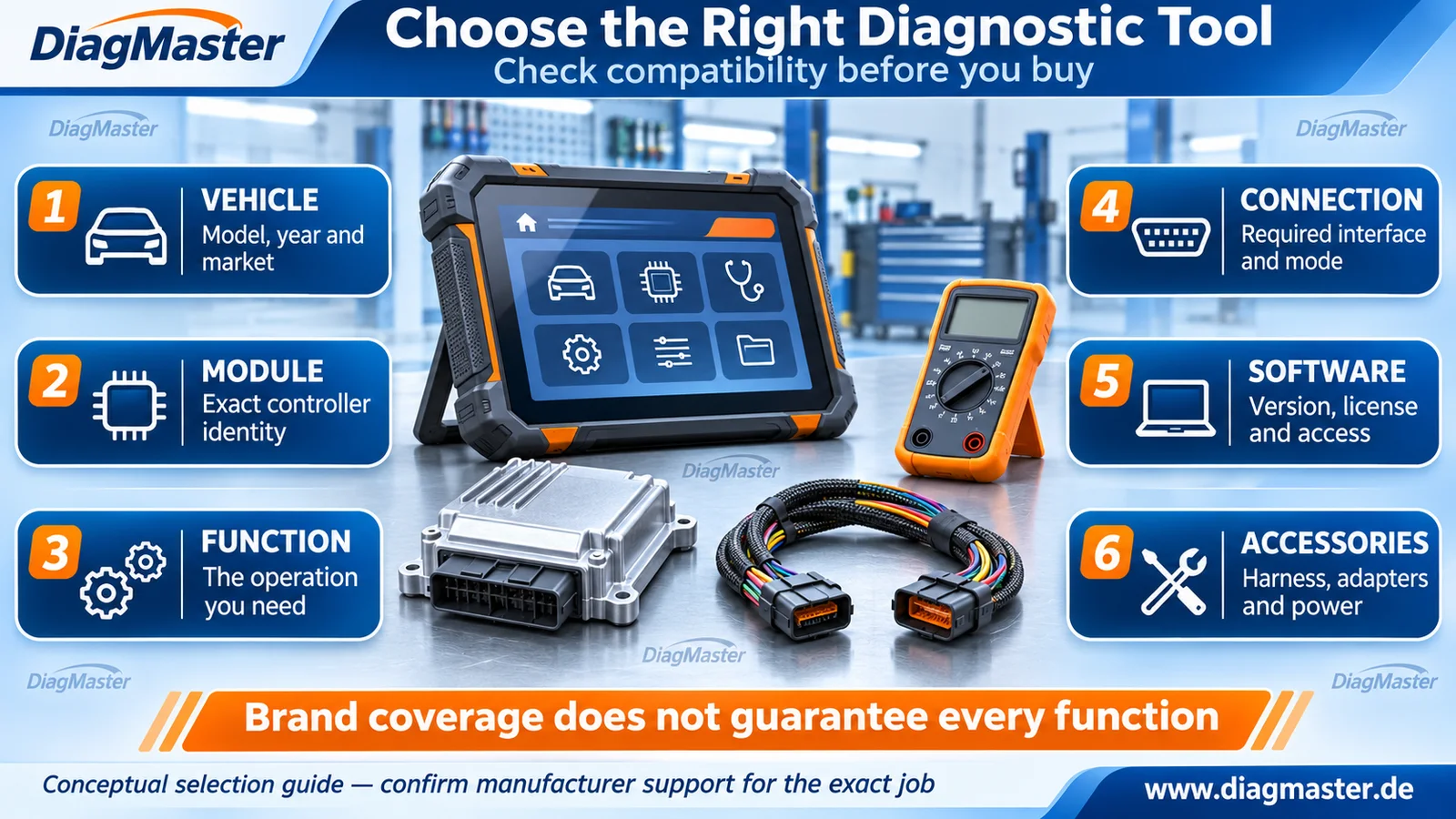
Figure 1. Conceptual tool-selection illustration. Equipment appearance does not establish product identity, connector wiring or vehicle coverage. Original DiagMaster editorial artwork.
1. Start with the job, not the product name
Table 1. Translate a workshop request into an equipment categoryWorkshop request | Actual requirement | Category to evaluate |
|---|---|---|
“The engine warning light is on.” | Retrieve relevant faults/data, then follow the diagnostic test plan. | A scanner with the required vehicle/system support. |
“I need access to ABS, SRS or body systems.” | Manufacturer-specific access to the named module and function. | A suitable system-level diagnostic application and interface. |
“I need OEM software reprogramming.” | The supported OEM application, interface, files and access. | An OEM VCI or permitted pass-thru setup. |
“I suspect a missing supply or bad ground.” | A wiring diagram and permitted electrical measurements. | Suitable multimeter/scope and connection accessories. |
“I need to replace an ECU or TCU.” | Documented programming/data-transfer and replacement setup. | A supported programmer plus the correct connection equipment. |
“I need BMW-module or gearbox bench access.” | The exact controller-specific harness/platform and protocol. | The matching fixture and compatible main tool/software. |
“There is an SRS warning after a collision.” | Vehicle-specific restraint-system assessment and repair. | Approved diagnostics plus required physical repairs. |
A DTC describes a monitored condition, not a conclusive failed-part diagnosis. Pico explains how scan data and directly measured physical signals provide different evidence. Buy the instrument category needed to answer the diagnostic question rather than assume that code reading alone identifies the repair. [R08]
For a post-collision SRS concern, tool selection is only part of the repair. NHTSA states that deployed airbags cannot be reused. A controller reset or code-clearing feature does not replace the required physical restraint repair. [R10]
2. Generic OBD and all-system diagnostics are different scopes
The public scope of SAE J1979_202505 concerns communication within legislated emissions-related OBD. That scope does not certify manufacturer-specific access to every ABS, SRS, body or transmission function. A device may offer both generic OBD and enhanced functions, but the enhanced coverage must be confirmed for the particular vehicle/system. [R01]
Ask for the exact function
“Supports BMW” or “supports Volkswagen” is a starting point, not a job-level answer. Specify the control module and whether you need identification, DTCs, live data, an active test, coding, adaptation, reading, writing or cloning.
Use explicit terms: reading retrieves supported data; writing changes supported data/software; coding selects application configuration; adaptation or learning performs a specified initialization/learning routine; cloning transfers required data through a supported replacement workflow. These are working distinctions for a support request. Menu names vary, so confirm what the named function actually does.
3. Judge the coverage evidence
Table 2. Evidence to request before treating a job as supportedAvailable statement | What it establishes | What is still missing |
|---|---|---|
Category or brand list | The product’s general market or coverage family. | Exact vehicle/controller and operation. |
Vehicle/model entry | A more specific possible application. | Module variant, software and function scope. |
Controller-level function entry | A documented operation for a stated controller. | Required mode, accessories, license and prerequisites. |
Current manufacturer procedure | The intended setup and steps for the specified application. | Confirmation that the actual vehicle/tool configuration matches. |
Written support clarification | A recorded answer to the unresolved compatibility question. | Its date, exact assumptions and any stated limitations. |
Alientech’s vehicle-list legend separates connection mode, reading, virtual reading, unlock requirements and cloning. That is a useful example of why functions must be checked individually. Do not transfer one manufacturer’s support entry or procedure to another product. Record the actual software version and the coverage reference used for the decision. [R06]
Also distinguish an actual read from a virtual read. AutoTuner describes virtual reading as downloading a stock file corresponding to the ECU software identification, while normal reading obtains the connected ECU’s data within the supported scope. If the job requires preserving existing modifications or unique data, a server stock file is not that backup. [R07]
4. Keep interface, protocol, software and authorization separate
Table 3. A communication feature is one part of the setupItem | What it describes | What it does not guarantee |
|---|---|---|
Diagnostic connector / harness | The physical connection arrangement. | Correct pin mapping, electrical conditions or function coverage. |
CAN / CAN FD | A CAN communication capability; CAN FD changes frame/data-rate capabilities. | That the application supports a particular module function. |
DoIP | Diagnostic communication using IP-based transport/network services. | OEM application coverage or permission for protected functions. |
J2534 pass-thru | A standardized interface used by a compatible application. | Included OEM software, firmware files, subscriptions or every vehicle protocol. |
OBD / Bench / Boot | The access arrangement used by the selected tool procedure. | A full read, successful clone or unrestricted access. |
Protected diagnostic access | The authorization route required for particular protected functions. | Universal participation, identical regional terms or permanent entitlement. |
Bosch documents CAN FD as a development of CAN with changed frame/data capabilities; ISO 13400-2 describes DoIP communication and gateway/network services. Neither label, by itself, establishes which diagnostic actions an application implements. Confirm the combined hardware, software and vehicle requirements. [R03] [R04]
The cited SAE J2534-1 public scope expects manufacturer software to control actual reprogramming. Separately, Bosch’s Secure Diagnostic Access description shows that protected vehicle data can involve manufacturer-specific access and payment conditions. Check the current application, supported interface, account/authorization route and regional availability for the intended job. [R02] [R05]
5. The ten-point compatibility checklist
Before recommending or purchasing equipment, complete these checks. They are a planning record, not a substitute for the manufacturer’s procedure.
- Vehicle: identify make, model, model year, market and platform; use the VIN where needed for a private support check.
- Controller: record the exact module family, part number and hardware/software identification.
- Operation: name the required function and define the result that would complete the task.
- Function coverage: obtain a current controller-level entry or manufacturer clarification, including relevant exclusions.
- Connection: confirm the documented interface, access mode, cables, adapters and connector variant.
- Software environment: verify tool firmware/application version, compatible computer/operating system where relevant, and driver requirements.
- Licenses and access: check activation, subscription, online-account, protected-access and regional prerequisites; confirm what remains usable at expiry.
- Physical setup: verify package contents, specified power equipment, electrical ratings and module-specific connection instructions.
- Data and recovery: establish file provenance, actual backup scope, restoration limits and a documented response to interruption or failure.
- Completion and ownership: confirm authorized service scope, post-operation coding/learning/functional checks, support route and the documented purchase/update costs.
6. A cable or platform is not the whole toolchain
GODIAG’s GT100 manual describes connecting a separate diagnostic tool or ECU programmer for single-module operations. This illustrates a general purchasing distinction: connection equipment can expose or arrange electrical paths without supplying the required application function. Ask which device performs the operation and which items merely support the connection. [R09]
List costs and dependencies separately: main device, specific software entitlement, required accessories, suitable supply, online services and expected renewals. Do not assume every diagnostic function stops—or remains available—when a subscription expires. Obtain the actual vendor policy for that product, region and software package.
Match the equipment to the circuit
Electrical circuit testers and fuel-injector tools are separate from SRS deployment-device service equipment and high-voltage traction-system tools. Do not choose a powered tester solely because its connector or voltage range looks suitable.
7. English/German workshop glossary
Table 4. Practical terminology; OEM menu wording may differEnglish | German | Meaning in this guide |
|---|---|---|
DTC / fault code | Fehlercode | A controller-reported diagnostic condition; not a failed-part verdict. |
Live data | Live-Daten / Messwerte | Reported operating parameters, often processed by the controller. |
ECU / control unit | Steuergerät | An automotive electronic controller. |
TCU / TCM | Getriebesteuergerät | Transmission control unit/module. |
Immobilizer | Wegfahrsperre | The vehicle’s start-authorization security function. |
Instrument cluster | Kombiinstrument | The driver-information/display assembly. |
Wiring diagram | Schaltplan | Electrical circuit and connection documentation. |
Coding | Codierung | Supported application/variant configuration. |
Adaptation / learning | Anpassung / Anlernen | A specified initialization, adjustment or learning routine. |
Programming / flashing | Programmierung / Flashen | Writing supported software/data; flashing concerns flash memory. |
Checksum | Prüfsumme | A calculated check value; specify the algorithm and covered data. |
Harness | Kabelbaum | A wiring assembly; an individual adapter cable may be called Adapterkabel. |
Power supply / ground | Spannungsversorgung / Masse | Electrical supply and return/reference context. |
The glossary provides practical translations, not universal menu equivalence. “Adaptation” may describe different service routines in different applications; describe the required outcome when asking support.
8. Send support a complete compatibility request
Include the following in a private request: vehicle/model/year/market; module part number and hardware/software IDs; exact required operation; proposed tool and software version; preferred access mode; available cables/adapters; available working keys or original data where relevant; and the source of any candidate file. State the unresolved question clearly. Do not post customer identifiers, credentials or security data in a public screenshot.
Example request
Please confirm whether [tool and software version] supports [specific operation] on [controller part number / HW / SW] in [vehicle, year and market]. Which connection mode, license, adapters and power equipment are required? What backup and post-operation checks are specified? Please identify any limitations and the applicable coverage/manual reference.
Frequently asked questions
Does generic OBD-II support mean full-system diagnosis?
No. Generic emissions-related OBD and manufacturer-specific system functions have different scopes. Confirm the required module and operation.
Is a supported brand enough to choose a tool?
No. Verify the vehicle, controller variant, function, mode, software and required configuration.
Does CAN FD or DoIP support guarantee coding and programming?
No. Communication capability alone does not establish application-level function coverage or authorization.
Does J2534 include every manufacturer’s software and subscriptions?
No. Verify the OEM application, interface support and required entitlements separately.
Can I use a virtual read as a complete backup?
Do not assume so. A stock server file does not preserve the connected ECU’s current modifications or unique data.
Does a bench cable make an ECU clonable?
No. A physical connection does not create a missing protocol, readable region or supported replacement workflow.
Do all functions require internet or an active subscription?
Requirements vary by function, product, software and region. Confirm online prerequisites and expiry behavior in the vendor’s current terms.
What if the support list does not resolve my exact case?
Request a written manufacturer/vendor clarification using the module IDs, intended operation and full setup. Keep the uncertainty explicit until it is resolved.
Related categories and resources
Table 5. DiagMaster category resources; no product SKU association is impliedDiagMaster category | Scope | Selection boundary |
|---|---|---|
Diagnostic scanners and vehicle-interface category | Select the exact device and supported functions; category membership does not establish compatibility. | |
Controller connection platforms and related bench equipment | A platform may need a separate programmer, harness, license and supply. | |
Electrical measurement and suitable component-test equipment | Identify the circuit and permitted test method; these are not universal SRS or high-voltage tools. |
These are category links, not product recommendations or compatibility certificates. Select a specific product only after completing the checklist. For help, use DiagMaster Technical Support.
Technical references
Sources checked 17 November 2026. Vehicle-specific bulletins are cited as examples within their stated scope. The separate source register records hosting and access limits. DiagMaster’s checklists and working definitions are editorial synthesis, not a universal service standard.
[R01] SAE International. J1979_202505 — E/E Diagnostic Test Modes. Reaffirmed May 23, 2025; public Scope; DOI 10.4271/J1979_202505
[R02] SAE International. J2534-1_0500_202201 — Recommended Practice for Pass-Thru Vehicle Programming. Issued January 5, 2022; public Scope; DOI 10.4271/J2534-1_5_00
[R03] Robert Bosch GmbH. CAN Protocols. CAN FD Protocol section
[R04] ISO. ISO 13400-2:2025 — Diagnostic communication over Internet Protocol, Part 2. Edition 3, June 2025; public Abstract
[R05] Bosch Mobility Aftermarket. Secure Diagnostic Access — Access to protected vehicle data. Protection of vehicle electronics; access requirements and country/package limits
[R06] Alientech. KESS3 & Powergate Vehicle List. Legend / Connections / Connection Functions
[R07] AutoTuner. Virtual Read vs Normal Read. Regis Thomas; June 6, 2025; Virtual read / Normal read
[R08] Pico Technology. Getting started with automotive oscilloscope diagnostics. October 21, 2026; scan-data / DTC and waveform discussion
[R09] GODIAG. GODIAG GT100 — Overview. Manufacturer-authored manual hosted by a sales channel; single-module connection section, PDF pp. 4–5
[R10] NHTSA. Vehicle Air Bags and Injury Prevention. FAQ / deployed airbag replacement
Technical scope
Prepared for DiagMaster Technical Support as a referenced educational explainer. It is not an OEM-issued repair instruction, an engineering certification or a controller compatibility list. Use current vehicle-specific manufacturer information and exact tool documentation. www.diagmaster.de.